


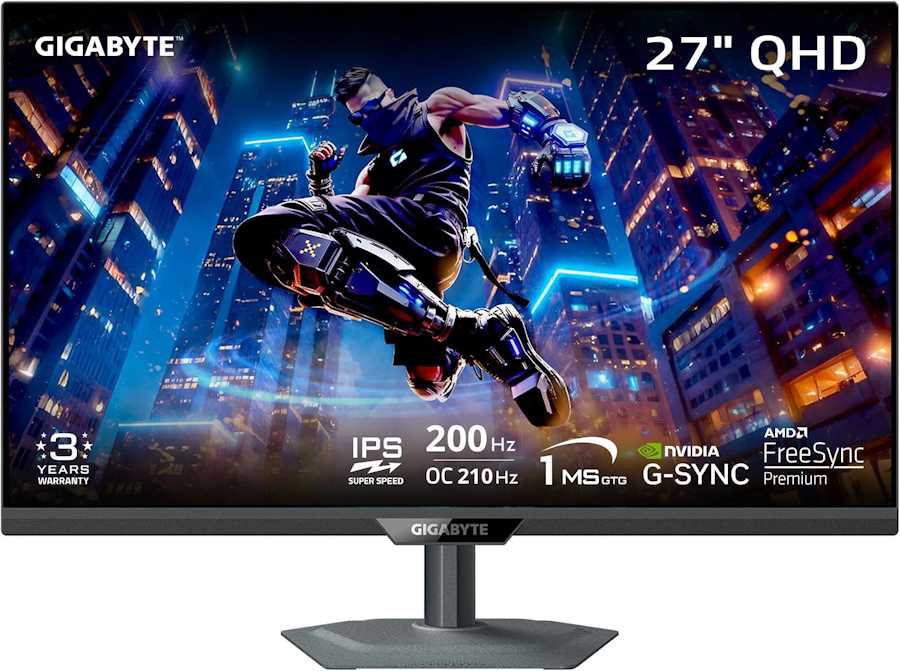
GIGABYTE M27Q2 27-inch Gaming Monitor
Key Features
The GIGABYTE M27Q2 is a 27-inch QHD gaming monitor built for players who want high refresh rates and vivid colors without spending flagship money. It combines a Fast IPS panel with quantum-dot enhancement to deliver 99% DCI-P3 and 99% Adobe RGB coverage, making it as suitable for content creation as it is for competitive gaming.
- 200Hz refresh (OC 210Hz) with 1ms GtG response for fluid, low-latency gameplay.
- QHD 2560×1440 resolution on a 27-inch matte screen—sharp text and no glare.
- VESA DisplayHDR 400 and 350 cd/m² typical brightness for punchy highlights.
- NVIDIA G-Sync Compatible & AMD FreeSync with Smart OD variable overdrive.
- USB-C with 18W PD, dual USB 3.2 downstream ports, and built-in KVM for one-cable setups.
Performance and Real-World Use
In hands-on reviews, users praise the M27Q2 for its minimal ghosting and strong black uniformity—one noted it was a “big improvement over my VA monitor” with “almost no ghosting” even in UFO tests. The 200Hz panel feels smooth in fast-paced shooters, and G-Sync works automatically. Professional testing measured an average Delta E of just 1.31, confirming excellent color accuracy out of the box, though some users recommend calibration to tame the wide gamut for sRGB work.
The monitor’s Fast IPS panel offers 178° viewing angles, but a few owners report that colors shift slightly when viewed far off-axis—a characteristic of the quantum-dot layer. For typical desk use, the image remains consistent. The anti-glare coating effectively kills reflections, and the all-metal stand provides height, tilt, swivel, and pivot adjustment.
Connectivity and Ergonomics
Two HDMI 2.0 ports, one DisplayPort 1.4, and a USB-C (DP Alt Mode, 18W PD) cover PC and console duties. The built-in KVM lets you switch keyboard and mouse between two sources with a button press, while the USB-B upstream and two USB-A downstream ports handle peripherals. A 3.5mm audio jack supports headphones, but there are no built-in speakers. VESA 100×100 mounting is supported for arm or wall setups.
Who Is It For?
The M27Q2 suits competitive gamers seeking a high-refresh 1440p display, students and office users wanting a sharp, color-accurate screen, and entry-level creators who need wide-gamut coverage. It’s a strong value pick for anyone upgrading from 1080p 60Hz or older VA panels.
Key Specifications
Pros
- Excellent color accuracy and wide gamut (99% DCI-P3, 99% Adobe RGB) for both gaming and creative work
- Fast 200Hz (OC 210Hz) refresh rate with 1ms GtG and Smart OD variable overdrive for smooth, ghost-free motion
- USB-C with 18W PD and built-in KVM simplify multi-device setups
- Sturdy all-metal ergonomic stand with height, tilt, swivel, and pivot adjustment
- Strong value for a QHD high-refresh monitor with HDR400 and G-Sync/FreeSync support
Cons
- No built-in speakers; audio output requires external speakers or headphones
- Some users report slight color shift at extreme viewing angles due to quantum-dot layer
- Factory calibration may require adjustment for sRGB accuracy; wide gamut can oversaturate non-color-managed content