


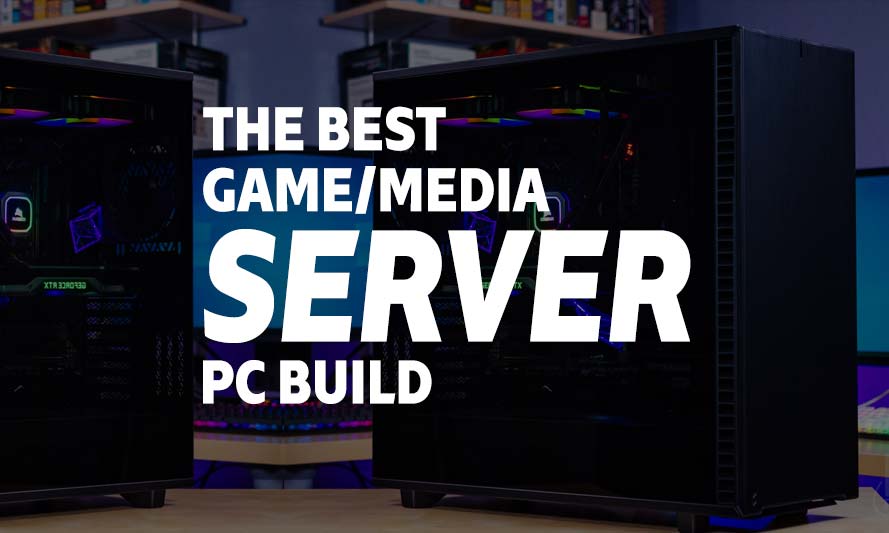
Building a home media server PC build online used to mean scrolling through sketchy forums until your eyes bled, cross-referencing motherboard compatibility charts that hadn’t been updated since 2019. Thankfully, 2026 has been kind to us. Component prices have leveled out, AMD’s Ryzen and Threadripper lineups have matured into genuinely excellent server-grade silicon, and putting together a rig that can host your Minecraft server, run a home NAS, or handle light virtualization no longer requires a computer science degree or a small business loan.
Whether you’re hosting a Discord bot for your gaming clan, running Plex for the whole apartment building, or dabbling in self-hosted cloud storage because you don’t trust Big Tech with your vacation photos, the right hardware makes all the difference. A poorly matched build will choke under load, overheat, or just die quietly at 3 AM while your uptime graph looks like a heart monitor flatline.
This guide breaks down three AMD-based media server builds for 2026: Budget, Mid-Range, and High-End. Each one is built around real-world availability and genuine value, not just spec-sheet flexing. Let’s get into it.
What to Look For in a Media/Game Server PC Build
A server build isn’t judged the same way a gaming rig is. Nobody cares about your frame rate when the machine is quietly serving files, running containers, or hosting a game server in the background. What matters instead is uptime, thermal stability, ECC memory support (for the serious builds), and enough storage bandwidth to not bottleneck under sustained read/write loads.
AMD has quietly become the go-to platform for home server builders. The Ryzen and Threadripper lines offer more PCIe lanes, better multi-core efficiency per dollar, and broader motherboard support for ECC memory than comparable Intel counterparts, at least in the price brackets most home server enthusiasts actually shop in. That’s why every build below leans AMD.
One more thing before the parts lists: server builds benefit enormously from good airflow and quiet cooling, since these machines often run 24/7 in a closet, basement, or under a desk where nobody wants to hear a jet engine spooling up every time a backup job kicks off.
Budget AMD Media/Game Server PC Build Online
These components are hand-picked and vetted for compatibility, though we do not guarantee availability. This build suits light-duty tasks like home NAS, a small Minecraft or Valheim server, or basic Plex transcoding. If you’d rather tweak the parts list yourself, use the AI PC Builder tool. Simply click on the BUILD/CUSTOMIZE THIS button to get started.
- CPU: Ryzen 5 5600$157.00
Price on Newegg
Amazon Price
- Motherboard: MSI B550M Pro-VDH WiFi$89.99
- GPU: ASRock Arc A310 (Unavailable)$207.94
- RAM: TEAMGROUP T-Force Vulcan Z DDR4 32GB Kit$239.90
- Storage 1: Silicon Power 512GB NVMe M.2$99.97
- Storage 2: Seagate Barracuda 4TB HDD$215.00
- PSU: Thermaltake Smart 500W 80+ White Certified PSU$39.99
- Case: Cooler Master MasterBox Q300L Micro-ATX Tower$39.99
- CPU Cooler: Thermalright Assassin X120 Refined SE CPU Air Cooler$17.90
TOTAL COST: $1,107.68
📊 Price History
[Prices updated: 5:42pm, 10/04/2026]
Mid-Range AMD Media/Game Server PC Build Online
These components are hand-picked and vetted for compatibility, though we do not guarantee availability. This tier handles multiple simultaneous services: a Plex server transcoding 4K, a couple of game servers, and light Docker container workloads without breaking a sweat. Swap parts freely using the AI PC Builder tool by clicking the BUILD/CUSTOMIZE THIS button.
- CPU: Ryzen 7 7700$329.23
- Motherboard: MSI B650-P Pro WiFi$182.99
- GPU: Sparkle Intel Arc A380 ELF$169.99
- RAM: Klevv Cras V RGB DDR5 64GB$1,099.99
- Storage 1: Crucial P310 1TB NVMe M.2$170.32
- Storage 2: Seagate IronWolf 8TB NAS HDD$429.50
- PSU: be quiet! 80 Plus® Gold Pure Power 650W$79.90
- Case: Lian Li Lancool 216 Mid-Tower Case$98.99
- CPU Cooler: be quiet! Dark Rock 4$66.26
TOTAL COST: $2,627.17
📊 Price History
[Prices updated: 5:42pm, 10/04/2026]
High-End AMD Media/Game Server PC Build Online
These components are hand-picked and vetted for compatibility, though we do not guarantee availability. This build is aimed at power users running full home-lab setups: multiple virtual machines, heavy container orchestration, or a small business file server needing ECC reliability. Adjust anything you like through the AI PC Builder tool via the BUILD/CUSTOMIZE THIS button.
- CPU: Ryzen 9 9950X$549.00
- Motherboard: ASUS ProArt X870E Creator WiFi (Unavailable)$419.97
- GPU: Sparkle Intel Arc A580 ORC OC Edition$388.75
- RAM: V-Color Workstation ECC-Registered 128GB $4,639.99
- Storage 1: Seagate FireCuda 530 2TB PCIe Gen4 NVMe (Unavailable)$599.99
- Storage 2: Seagate Exos X24 16TB Enterprise HDD$664.99
- PSU: Corsair RM1000X Fully Modular Cybenetics Gold Certified Low-Noise ATX PSU$179.99
- Case: Fractal Design Define 7 XL$239.99
- CPU Cooler: Thermalright Frost Commander 140 Black$44.59
TOTAL COST: $7,727.26
📊 Price History
[Prices updated: 5:42pm, 10/04/2026]
Putting it Together
Assembling a server PC build online isn’t fundamentally different from putting together a gaming rig, though you’ll want to pay closer attention to drive bay layout and cable routing since these machines tend to accumulate storage over time. Start with the motherboard on an anti-static surface, seat the CPU and cooler first, then install RAM before the board goes into the case.
If this is your first rodeo, our step-by-step guide on how to DIY build your own PC walks through the whole process, from unboxing to first boot, without assuming you already know what a standoff screw is.
Once assembled, install your operating system of choice. For most home server builds, that means something like TrueNAS, Unraid, or a lean Linux distro running Docker. Windows Server works too, but it’s overkill unless you specifically need Active Directory or Hyper-V features.
Optimizing Your Build for Media/Game Server Use
A server that’s merely assembled isn’t the same as one that’s properly optimized. A few adjustments separate a stable, quiet, long-running machine from one that trips your circuit breaker or dies mid-backup.
- Enable ECC memory support in BIOS if your board and RAM support it, particularly on the High-End build. This catches memory errors before they corrupt your data silently.
- Set up RAID 1 or RAID 5 across your storage drives for redundancy. A single drive failure shouldn’t take your whole media library or backup archive with it.
- Undervolt the CPU slightly if thermal headroom allows. Servers run 24/7, so shaving a few watts adds up over a full year of electricity bills.
- Use case fans in a front-to-back or bottom-to-top configuration for consistent airflow, especially in the Fractal Design Define 7 XL, which has plenty of intake options.
- Schedule automated backups to an external drive or cloud service. Redundant storage inside the box doesn’t protect against fire, theft, or the classic “I deleted the wrong folder” moment.
If you’re running Plex or Jellyfin, hardware transcoding via the Intel Arc GPUs listed above will save your CPU from unnecessary strain during multiple simultaneous streams. It’s a small addition that pays off the moment two people in the house decide to watch different shows at once.
More Like This >
Best Budget 1080p Esports Gaming PC Build: 2026 Edition
The Best $4000 Gaming PC Build – Fact or Hype?
RX 7600 PC Build: Best Budget Gaming Rig in 2026
The Importance of a Dedicated Graphics Card for Video Editing, Photo Editing & Casual Use
The Best Budget PC Build for Running Local LLMs: 2026 Guide
Best PC Hardware Configurations for Generative AI: 2026 Guide
Conclusion
There’s a particular kind of satisfaction in hosting your own services instead of renting space on someone else’s server rack, and in 2026, AMD makes that genuinely affordable across every budget tier. Whether you’re starting small with the Ryzen 5 5600 build or going all-in with a Ryzen 9 9950X and ECC memory, the platform scales with your ambitions without breaking the bank (well, except for perhaps the high-end build).
Pick the tier that matches your actual workload rather than your Reddit-fueled aspirations, get the parts, and follow our DIY build guide if you need a hand along the way. Your future self, checking uptime stats at 2 AM, will thank you.
All Articles