


Rockstar’s Red Dead Redemption 2 is one of those games that will genuinely make your GPU cry. Released back in 2018, it still brings modern hardware to its knees on Ultra settings – which is either a testament to brilliant engineering or a sign that Rockstar secretly hates PC gamers. Either way, if you want Arthur Morgan riding through a golden sunset at 60fps without your rig sounding like a jet engine, you need the right hardware. This guide breaks down the best PC build for Red Dead Redemption 2 across two popular platforms: AMD and Intel, so you can ride into Blackwater without dropping frames.
About Red Dead Redemption 2
Red Dead Redemption 2 is an open-world action-adventure set in a fictionalized version of the American frontier, circa 1899. You play as Arthur Morgan, an outlaw navigating loyalty, survival, and a world that’s slowly closing in on the Wild West way of life. The storytelling is some of the finest in gaming history, full stop.
On PC, the game is notoriously demanding. It uses Rockstar’s own engine and leans heavily on CPU and GPU resources simultaneously, especially in dense environments like towns and forests. Vulkan API support helps, but you’ll still need a capable rig to hit smooth frame rates at 1080p or 1440p.
The minimum requirements call for a GTX 1060 or RX 480, but if you’re aiming for High or Ultra settings at 1440p, expect to need significantly more. The game also responds well to fast storage, since the open world streams assets constantly. An NVMe SSD is less of a luxury here and more of a practical necessity.
AMD PC Build for Red Dead Redemption 2
AMD’s current lineup offers excellent price-to-performance ratios for a game like RDR2, which benefits from strong multi-core CPU performance and high memory bandwidth. The Ryzen 5 7600 paired with a mid-range Radeon or GeForce GPU hits the sweet spot for 1080p to 1440p gaming without burning through your wallet.
Before jumping into the parts list, you can use our AI PC Builder tool to get a tailored build suggestion based on your use case and budget. If you’re comfortable picking your own parts, the tool also lets you configure each component manually. Hit the Build/Customize This button on the tool page to start putting your build together.
AMD Build to Play RDR2

- CPU: Ryzen 5 7600$214.70
Price on Newegg
Amazon Price
- Motherboard: MSI MAG B650 Tomahawk WiFi$149.58
- GPU: ASUS Dual Radeon RX 7700XT $749.00
- RAM: Corsair Vengeance DDR5 RAM 32GB (Unavailable)$529.95
- Storage 1: Samsung 990 PRO SSD 1TB PCIe 4$239.99
- PSU: Corsair RM750e 80+ Gold Fully Modular$85.48
- Case: Fractal Design Pop Air RGB$79.99
- CPU Cooler: Noctua NH-U12S chromax Black$99.95
TOTAL COST: $2,148.64
📊 Price History
[Prices updated: 11:30pm, 10/06/2026]
Compatibility Notes
The Ryzen 5 7600 uses the AM5 socket, so you’ll need a 600-series motherboard. The MSI MAG B650 Tomahawk is a solid mid-range option with good VRM quality and PCIe 5.0 support for future storage upgrades. DDR5 is the native memory standard for AM5, and 32GB at 5600MHz gives you plenty of headroom for RDR2’s memory appetite.
The RX 7700 XT handles 1440p High settings in RDR2 comfortably, averaging around 65 to 75fps depending on scene complexity. If you prefer NVIDIA, the RTX 4060 Ti performs comparably and adds DLSS support, which can push frame rates higher in demanding areas. Either GPU fits within the 750W power budget without issue.
Intel PC Build for Red Dead Redemption 2
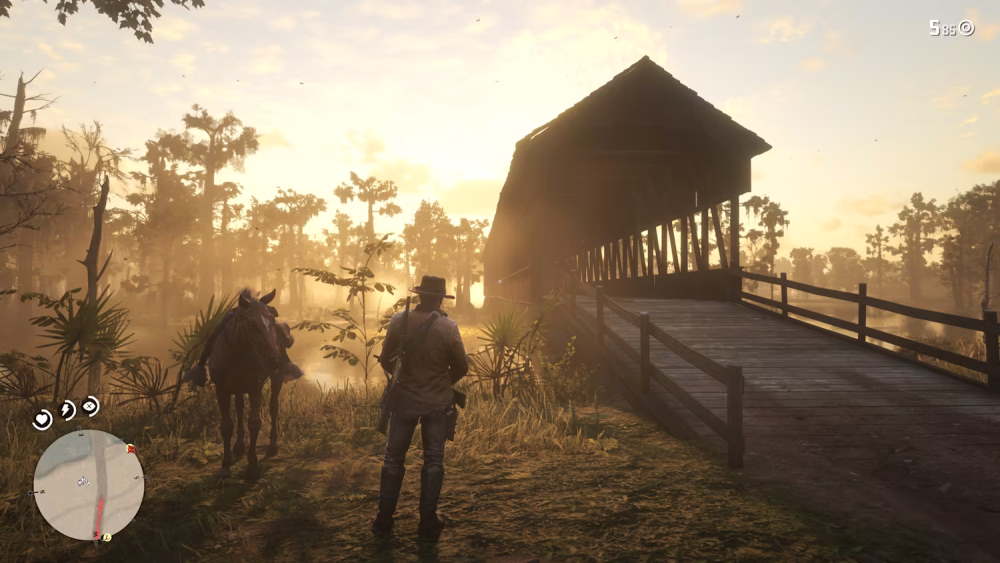
Intel’s Core i5-13600K and the newer i5-14600K remain compelling options for gaming builds in 2026. They offer strong single-core performance, which matters in CPU-bound scenarios like RDR2’s town areas where NPC density pushes the processor hard. Paired with a capable GPU, an Intel mid-range build delivers a smooth, consistent experience.
Again, feel free to plug your preferences into our AI PC Builder tool before committing to a parts list. It factors in compatibility, budget, and use case automatically. Use the Build/Customize This button to adjust any component to fit your needs.
Intel PC Build to Play RDR2
- CPU: Core i5-14600K$249.99
- Motherboard: ASUS TUF Gaming Z790 Plus WiFi$179.99
- GPU: ASUS ROG Strix GeForce RTX 4060 OC Edition$597.22
- RAM: Patriot Viper Elite 5 32GB DDR5 (Unavailable)$485.99
- Storage 1: WD_BLACK SN850X 1TB NVMe SSD$247.00
- PSU: Seasonic Focus GX-750 80+ Gold Full-Modular PSU (Unavailable)$139.99
- Case: Lian Li Lancool 216 Mid-Tower Case RGB$99.99
- CPU Cooler: be quiet! Dark Rock 5$59.90
TOTAL COST: $2,060.07
📊 Price History
[Prices updated: 11:30pm, 10/06/2026]
Compatibility Notes
The i5-14600K uses the LGA1700 socket and requires a 600 or 700-series motherboard. The ASUS TUF Z790-Plus is a dependable board with solid power delivery and good thermal management for the 14600K under load. Note that the 14600K runs warm under sustained load, so a quality air cooler like the be quiet! Dark Rock 4 is worth the investment over a budget option.
DDR5-6000 is the sweet spot for Intel’s 12th and 13th gen memory controller, and it carries over well to the 14th gen. The WD Black SN850X is one of the fastest consumer NVMe drives available and pairs well with RDR2’s asset streaming demands. The RTX 4060 Ti and RX 7700 XT are interchangeable here; your preference for DLSS versus FSR should guide that decision.
Putting it Together
Building either of these rigs follows a fairly standard process, but a few things are worth flagging specifically for RDR2 performance. First, mount your CPU cooler carefully and apply thermal paste evenly. RDR2 is a sustained workload game; it will stress your CPU for hours during long play sessions, so thermal management matters more here than in shorter games.
Second, enable XMP or EXPO in your BIOS after the first boot. Both builds include RAM rated above the base JEDEC speeds, and without enabling the memory profile, you’ll be leaving performance on the table. RDR2 benefits noticeably from faster memory, particularly in CPU-limited scenarios.
Third, install the game on your NVMe SSD, not a secondary HDD if you have one. The difference in load times and world streaming smoothness is significant. Riding at full gallop through dense woodland is where slow storage reveals itself most obviously.
Optimizing Your Build for Red Dead Redemption 2
Once you’re up and running, a few in-game settings have an outsized impact on performance. Knowing which ones to dial back versus which ones to leave maxed out can recover 15 to 20fps without a visible drop in quality.
Settings Worth Adjusting
- Grass Level of Detail: This is the single most GPU-intensive setting in the game. Drop it from Ultra to High and you’ll recover meaningful frame rate with barely any visual difference at riding speed.
- Reflection Quality: Set to Medium. The difference between Medium and Ultra is minimal in most outdoor scenes where you’ll spend 90% of your time.
- Volumetric Ray March Quality: Drop to Medium or Low. This setting tanks performance at Ultra with marginal visual return.
- API: Use Vulkan over DirectX 12 for most hardware configurations. It tends to produce more stable frame times in RDR2 specifically.
- Resolution Scaling: If you’re on an RTX card, enable DLSS Quality mode at 1440p. It recovers GPU headroom while preserving sharp image quality.
Driver and Software Tips
Keep your GPU drivers current; both AMD and NVIDIA have issued RDR2-specific optimizations over the years. On the AMD side, enabling Radeon Anti-Lag in the driver panel reduces input latency during combat sequences. NVIDIA users should enable Reflex Low Latency in supported titles, though RDR2 itself doesn’t support Reflex natively, so the driver-level option is your best bet.
Set your Windows power plan to High Performance or, on AMD systems, use the Ryzen Balanced plan which is tuned specifically for Ryzen’s boost behavior. This prevents the CPU from throttling during the sudden performance spikes that open-world games generate constantly.
Conclusion
Red Dead Redemption 2 remains one of the most visually demanding games ever made, and it rewards capable hardware with some of the most stunning scenery in gaming. Whether you go with the AMD or Intel route, both builds outlined here will handle the game well at 1080p to 1440p on High to Ultra settings, with consistent frame rates that make the experience feel as cinematic as Rockstar intended.
The best PC build for Red Dead Redemption 2 is ultimately the one that fits your budget and existing component preferences. Both platforms are strong contenders in 2026, and the performance gap between them in this specific title is narrow enough that personal preference and pricing should drive the decision.
If you’re still working out the specifics, head over to our AI PC Builder tool and let it do the heavy lifting. Input your budget and use case, and it’ll generate a compatible parts list you can tweak from there. Arthur Morgan deserves better than 30fps and texture pop-in.
All Articles