


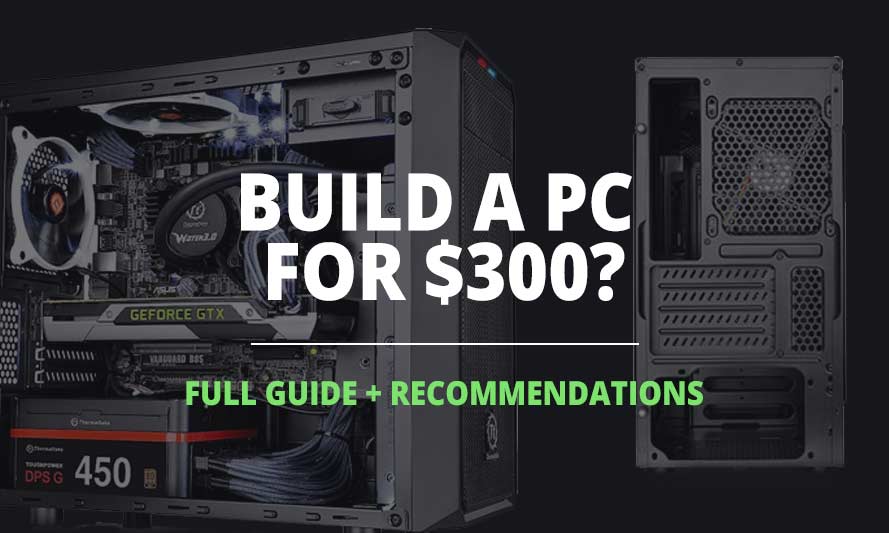
Can you build a PC for just $300? It might sound too good to be true, but the short answer is yes. Building your own computer for a beginner may sound scary, but there’s a real sense of satisfaction in powering it on and seeing everything work. And if you’re on a tight budget, you don’t have to sit on the sidelines.
In this article, we’ll walk you through exactly how to pull it off.
To be clear, a $300 build won’t be a powerhouse. You’d need to work with low-powered components, including a CPU with integrated graphics, which eliminates the need for a separate GPU and keeps costs down. We’ll get into the specifics below.
Essential Components for a 300 Bucks PC Build
At this budget, expectations need to be realistic. This isn’t a gaming rig – it’s a machine capable of handling everyday tasks like typing, web browsing, and light use (yes, Minecraft included).
Every PC needs a CPU, RAM, storage, and a motherboard. Since a discrete GPU is out of the picture here, you’ll want a processor with integrated graphics. Good options include the AMD Ryzen 3 3200G or the Intel Core i3 10100 CPUs. Both deliver solid value at their price points and can handle light gaming at decent settings, though you may need to dial back quality in more demanding titles.
Budget-wise, the CPU should take the largest share, followed by the motherboard, storage, and a display if needed.
Intel 300 Dollars PC Build
- CPU: Core i3-10100 (Used – Like New)$79.00
Price on Newegg
Amazon Price
- Motherboard: Yuehisy H410 Chipset Micro-ATX LGA 1200 Motherboard$63.79
- RAM: Timetec 16GB DDR4 2400MHz$87.99
- Storage 1: PNY CS900 250GB 3D NAND$54.00
- Case: Cooler Master MasterBox Q300L Micro-ATX Tower$39.99
- PSU: Apevia Venus 450W ATX$27.99
TOTAL COST: $352.76
📊 Price History
[Prices updated: 6:39pm, 07/06/2026]
AMD 300 Dollars PC Build

- Storage 1: PNY CS900 250GB 3D NAND$54.00
- Case: Cooler Master MasterBox Q300L Micro-ATX Tower$39.99
- PSU: Apevia Venus 450W ATX$27.99
- CPU: Ryzen 3 3200G (Used – Like New)$109.95
- Motherboard: ASRock A520M-HDV$68.49
- RAM: Timetec 16GB DDR4 2400MHz$87.99
TOTAL COST: $388.41
📊 Price History
[Prices updated: 6:39pm, 07/06/2026]
Building Your $300 PC
Having selected our components, the time has come to embark on the fun task of assembling our $300 PC. You can follow this detailed guide, or simply follow this step-by-step guide to ensure a smooth process:
- Remove the side panels from the case.
- Install the motherboard standoffs into the case.
- Attach the I/O shield to the rear of the case.
- Install the CPU and its corresponding cooler onto the motherboard.
- Insert the RAM into the appropriate slots on the motherboard.
- Place the hard drive into the drive bay.
- Install the power supply into the case, connecting it to the motherboard, CPU, and hard drive.
- Connect the case fans and any optional components you may possess.
- Finally, reattach the side panels onto the case.
Exercise caution to avoid damaging any components. Ground yourself by touching a metal object before handling anything and refrain from wearing static-prone clothing like wool or synthetic materials. Oh, and remember, proper cable management is pivotal! Keep those cables tidy and organized to facilitate adequate airflow and avoid unnecessary clutter.
Performance Assessment
So how does a $300 PC actually perform? Better than you might expect for everyday use. Web browsing, video streaming, and document work all run without issue. Gaming on the latest AAA titles at max settings isn’t on the table, but that’s not what this build is for.
To give you a concrete idea, here are benchmarks for the Intel Pentium Gold G6405: a PassMark CPU score of 4,270, a Geekbench 6 Single-Core score of 890, and a Geekbench 6 Multi-Core score of 1,890. These numbers won’t compete with high-end processors, but for the tasks this build targets, they’re more than adequate.
Concluding Thoughts
A $300 PC won’t win any benchmarks, but it will get the job done for everyday computing. The components are modest, but they’re capable – and for someone on a tight budget who needs a functional machine, that’s what matters. Building it yourself only adds to the value.
If you’ve been holding off because of cost, don’t. It’s entirely doable, and worth every step of the process. Happy building!
Did this article meet your expectations? Let us know in the comments below. We have tons of build guides to check out, including build guides on gaming, CAD PC Build, Office PC Build, Audio Engineering PC Build, Graphic Design PC Build, and more.
Frequently Asked Questions: Can You Build a PC for 300 Dollars?
Yes, it is absolutely possible to build a PC within a $300 budget. While you may not have access to the latest and high-end components, you can still create a capable machine for everyday tasks.
With a limited budget, you’ll need to make compromises on the performance and features of the components. You may have to settle for a lower-end processor, less RAM, and a smaller storage capacity. Additionally, you might have to forego optional components like a dedicated graphics card and make do with a stock cooler.
A $300 PC may not be able to handle the latest AAA games at high settings. However, it can handle older or less demanding games and indie titles. For more graphically intensive games, you may need to lower the settings to achieve playable frame rates.
A $300 PC can handle everyday tasks with ease, including web browsing, email, document work, multimedia streaming, video playback, and light photo editing. It can also handle basic productivity software and run older software titles.
When working with a limited budget, it’s important to prioritize the CPU and RAM. Look for a budget-friendly processor with integrated graphics and a cooler that offers decent performance for your intended tasks. Aim for at least 8GB of RAM to ensure smooth multitasking.
Yes, you can upgrade a $300 PC in the future. While the initial build may not have the most powerful components, you can gradually upgrade parts such as the CPU, RAM, storage, and graphics card as your budget allows.
There are several options for finding affordable PC components. You can check online retailers, local computer stores, and even consider buying used components from reputable sources. Comparing prices and looking for deals or discounts can help you stay within your budget.
When building a PC on a tight budget, it’s important to research and read reviews of components to ensure their reliability. Consider reputable brands that offer good value for money. Additionally, handle the components with care to avoid damage, and ensure proper grounding to prevent static electricity issues.
Building a PC on a $300 budget can be worthwhile, especially if you’re looking for a cost-effective solution for everyday tasks. While you may not have top-of-the-line components, building your own PC allows for customization, knowledge gain, and the ability to upgrade gradually over time.
Technical support options may vary depending on the specific components and brands you choose. Some manufacturers offer support for their products, while online communities and forums can provide assistance and troubleshooting tips. It’s advisable to research the support options available for the components you plan to use.
All Articles