


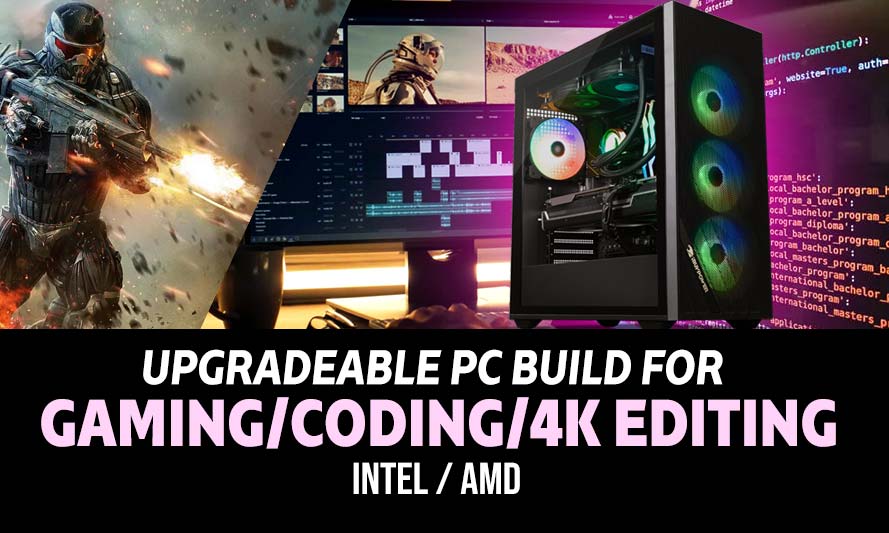
Finding the best PC parts for upgradeable desktop for coding, 4K video editing, and gaming in 2026 is not about acquiring the highest numbers on a spec sheet. It is about building a system that remains capable two years from now without requiring a complete teardown to get there. Whether you are cutting 4K timelines in DaVinci Resolve, compiling in a multi-window IDE, or running a graphically demanding open world PC game at high refresh rates, the components below are chosen with long service and forward compatibility in mind.
There is a particular kind of frustration that comes from owning a machine that used to be fast. You know it well: the render that takes forty minutes longer than it should, the frame rate that stutters exactly when it shouldn’t, the compile that holds you hostage while the CPU fan sounds like departure-gate anxiety. If any of that sounds familiar, this guide is for you.
Two complete platform builds follow: one on Intel, one on AMD. Each is a coherent system (not a parts list assembled from separate wish lists) with compatibility ironed out, and also fully customizable.
Why Upgradeability Matters More Than Raw Power in 2026
The failure mode most builders do not anticipate is platform obsolescence. A CPU that benchmarks well today means nothing if the socket it occupies will not accept a next-generation chip in eighteen months. This has been a recurring problem on the Intel side of the market, where socket transitions have been frequent enough to erode the long-term value of otherwise excellent hardware. AMD’s AM5 platform carries a more credible commitment to forward compatibility, which changes the calculus considerably for anyone building with the next upgrade already in mind.
Beyond the socket question, the interplay between components matters more than any single part. A fast GPU bottlenecked by a storage drive that cannot stream 4K assets at playback speed is not a fast system; it is an expensive disappointment with one obvious weak link. The builds below address each workload: storage throughput for editing, GPU compute for rendering and gaming, CPU core count for compilation and multitasking, and memory capacity sufficient to hold all three in active use simultaneously.
Power delivery, cooling headroom, and case volume also belong in this conversation. A system that thermal-throttles under sustained load is not performing at what you paid for, and a case without clearance for a future GPU upgrade defeats the purpose of specifying an upgradeable platform. Both builds account for these constraints.
Best PC Parts for Upgradeable Desktop 2026: Intel Build
These components are hand-picked and vetted for compatibility, though we do not guarantee availability. They are suitable for a high-performance Intel-based desktop build capable of handling 4K video editing, multitasking development environments, and demanding gaming titles at high refresh rates. If you prefer different components, you can swap out any part using the AI PC Builder tool. Simply click the BUILD/CUSTOMIZE THIS button to get started.
- CPU: Core Ultra 9 285K$509.99
Price on Newegg
Amazon Price
- Motherboard: ASUS ROG Maximus Z890 Apex$549.97
- GPU: Gigabyte GeForce RTX 5080 Gaming OC (Unavailable)$1,699.99
- RAM: Corsair Vengeance DDR5 RAM 32GB$549.99
- Storage 1: Samsung 990 PRO SSD NVMe 2TB$409.99
- Storage 2: Seagate BarraCuda 4TB Internal HDD$198.39
- PSU: Corsair RM1000X Fully Modular Cybenetics Gold Certified Low-Noise ATX PSU$169.99
- Case: Fractal Design Define 7 Compact (Unavailable)$134.99
- CPU Cooler: Noctua NH-D15 chromax Black$119.95
- Display: Sansui 34-Inch Curved Gaming Monitor$215.99
TOTAL COST: $4,559.24
📊 Price History
[Prices updated: 5:23pm, 10/27/2026]
Compatibility Notes
- Confirm cooler clearance with your chosen case; verify RAM slot interference on the specific motherboard layout before purchase.
- PCIe 5.0 x16 slot required for full bandwidth. Minimum 1000W PSU recommended at this configuration.
- LGA1851 socket. Compatible with Intel Core Ultra 200 series processors.
- Requires an LGA1851 motherboard with a 800-series chipset. Supports DDR5 only.
Best PC Parts for Upgradeable Desktop 2026: AMD Build
These components are hand-picked and vetted for compatibility, though we do not guarantee availability. They are suitable for a high-performance AMD-based desktop build capable of handling 4K video editing, multitasking development environments, and demanding gaming titles at high refresh rates. If you prefer different components, you can swap out any part using the AI PC Builder tool. Simply click the BUILD/CUSTOMIZE THIS button to get started.

- CPU: Ryzen 9 9900X$326.00
- Motherboard: ASUS ProArt X870E Creator WiFi$506.99
- GPU: Gigabyte GeForce RTX 5080 Gaming OC (Unavailable)$1,699.99
- RAM: G.Skill Ripjaws S5 32GB DDR5-6000$599.99
- Storage 1: Samsung 990 PRO SSD NVMe 2TB$409.99
- Storage 2: Seagate BarraCuda 4TB Internal HDD$198.39
- PSU: Corsair RM1000X Fully Modular Cybenetics Gold Certified Low-Noise ATX PSU$169.99
- CPU Cooler: Noctua NH-D15 chromax Black$119.95
- Case: Fractal Design Define 7 Compact (Unavailable)$134.99
- Display: Sansui 34-Inch Curved Gaming Monitor$215.99
TOTAL COST: $4,382.27
📊 Price History
[Prices updated: 5:23pm, 10/27/2026]
Compatibility Notes
- Verify RAM slot clearance on the specific motherboard layout before purchase.
- PCIe 5.0 x16 slot required. A 1000W PSU is the recommended floor for this pairing.
- AM5 socket. Compatible with all Ryzen 7000 and 9000 series processors.
- Requires an AM5 motherboard with a 600-series or 800-series chipset. DDR5 memory only.
Installation and Setting Up
Assembly sequence matters more than most first-time builders expect. The practical order is: CPU installation and cooler mounting before the motherboard goes into the case, M.2 drive installation next (easier without a GPU in the way), then PSU mounting and cable routing before the motherboard is seated. GPU installation comes last, once all other components are confirmed and the system has posted successfully.
Confirm RAM slot placement before installation; most motherboards require specific slots to be populated first for dual-channel operation, and the manual will specify which ones. For the Noctua NH-D15 G2, check RAM clearance against the first slot before committing to the cooler’s orientation.
Cable management is easier planned before the build than corrected after it. A modular PSU reduces the cable volume considerably, but routing decisions made during assembly determine how workable future upgrades will be.
For a detailed walkthrough of every stage, from CPU seating to first boot, this step-by-step DIY PC build guide covers the process thoroughly and is a useful reference for builders working through assembly for the first time.
BIOS configuration after first boot should include enabling XMP or EXPO for DDR5 memory; without it, RAM runs at default JEDEC speeds rather than the rated frequency. On AMD platforms, also confirm that the correct Precision Boost settings are active for the 9900X.
Future Upgrade Considerations
Both platforms are designed to absorb upgrades incrementally rather than requiring wholesale replacement. On the AMD side, AM5 compatibility with future Ryzen generations means a CPU upgrade in 2027 or 2028 is a slot swap rather than a platform change. The ASUS ProArt X670E’s PCIe 5.0 M.2 slot accommodates next-generation NVMe drives as they reach practical price points.
On the Intel side, the LGA1851 socket’s future depends on Intel’s roadmap decisions, but the ROG Maximus Z890 Apex provides sufficient PCIe bandwidth and VRM headroom to remain relevant through at least one GPU generation beyond the RTX 5080.
RAM expansion is straightforward on both builds: the two open DIMM slots allow a move from 32GB to 64GB without replacing existing memory. GPU upgrades will depend on PSU headroom and PCIe slot generation; both builds are provisioned for cards requiring up to 600W TDP without PSU replacement.
Secondary storage expansion requires only an available M.2 slot or SATA port, both of which are present on the specified motherboards. A NAS or external drive array is a practical addition for creators accumulating large project libraries faster than local storage can absorb them.
Concluding Thoughts
The best PC parts for upgradeable desktop for coding, 4K video editing, and gaming in 2026 are not the ones with the highest individual benchmark scores. They are the ones that function as a coherent system, leave room for the next generation of components, and do not require a complete rebuild to remain relevant. Both configurations above are built on that principle: adequate power delivery, sufficient cooling headroom, platform longevity, and enough storage throughput to keep creative workloads moving without artificial delays.
The AMD build carries a stronger argument for long-term platform investment given AM5’s stated roadmap. The Intel build is competitive on performance and may suit builders already invested in that ecosystem. Either way, the components selected here represent a system that earns its cost over time rather than depreciating into irrelevance within eighteen months of assembly.
All Articles