


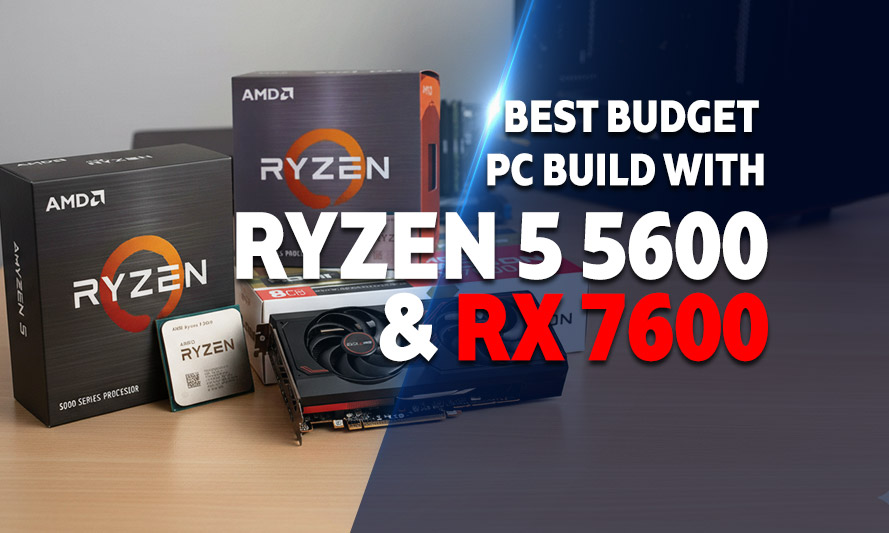
If your GPU is still sweating through games that launched three console generations ago, it might be time to have a serious conversation with your wallet. The good news is that a budget PC build with Ryzen 5 5600 and RX 7600 is one of the most sensible moves you can make in 2026, delivering genuine 1080p performance without the kind of price tag that requires a payment plan or a sympathetic relative. This combination punches well above its weight class, and the numbers back that up.
The Ryzen 5 5600 has aged like a fine wine in a hobby notorious for making last year’s hardware feel like archaeological finds. Paired with AMD’s RX 7600, you get a system that handles modern titles at high settings with respectable frame rates, all while keeping total build costs firmly in the budget bracket. Whether you’re upgrading from an aging rig or building from scratch, this pairing makes a compelling case.
This guide walks through two complete builds, one on AMD’s AM4 platform and a second on Intel’s LGA1700, so you can pick the platform that suits your situation. Component prices reflect the current market in 2026, including the ongoing RAM and storage price pressures that have made careful part selection more important than ever.
About the Ryzen 5 5600 and RX 7600 Combo
The Ryzen 5 5600 is a six-core, twelve-thread processor built on AMD’s Zen 3 architecture. It launched in late 2021 but remains competitive in 2026 because game engines still rarely saturate more than eight threads in any meaningful way. Clock speeds top out at 4.4GHz boost, and the 65W TDP means it runs cool and quiet on modest cooling solutions.
The RX 7600 brings AMD’s RDNA 3 architecture to the budget segment. It carries 8GB of GDDR6 memory on a 128-bit bus, which sounds modest until you see it consistently outperform the RTX 3060 in rasterization workloads at 1080p. FSR 3 support adds frame generation to the equation, which effectively multiplies perceived frame rates in supported titles.
Together, they form a system that targets 60-100+ FPS in demanding titles at 1080p high settings, and 144+ FPS in less demanding esports titles. For the price bracket, that’s a legitimate achievement. The bottleneck between them is minimal at 1080p, which means neither component is wasting its potential waiting on the other.
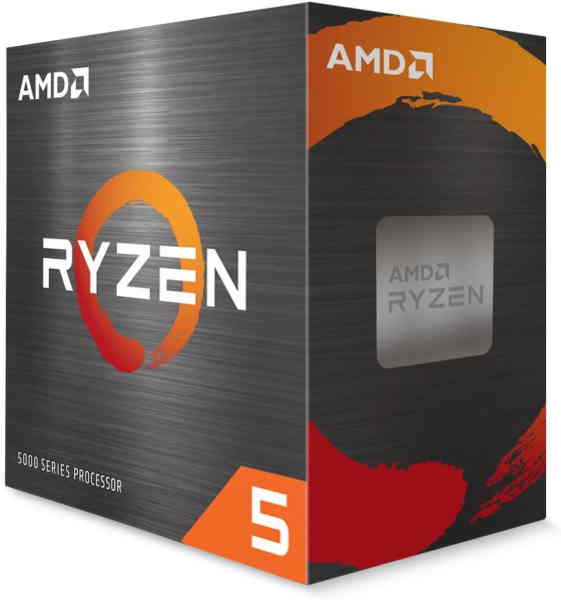
Ryzen 5 5600
The AMD Ryzen 5 5600 is a six-core, twelve-thread Zen 3 processor running at 3.5GHz base and 4.4GHz boost, with a 65W TDP and the Wraith Stealth cooler included. Its strong IPC gains over the previous generation made it a standout value on release, and it remains a capable chip for gaming and everyday productivity on the mature AM4 platform.
For 4K media workloads, the 5600 lacks hardware AV1 decode, so it depends on the GPU to carry that pipeline. It handles software decode adequately at stock, but builders running high-bitrate content regularly will notice the ceiling sooner than they would on a newer platform.
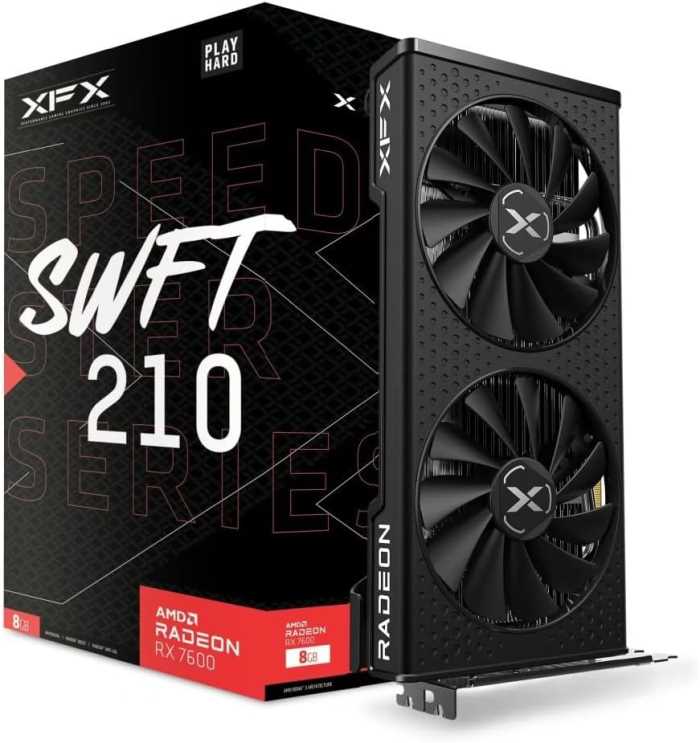
XFX Speedster SWFT210 Radeon RX 7600
AMD PC Build with Ryzen 5 5600 and RX 7600
The AM4 platform remains one of the most cost-effective gaming foundations available. Motherboards are mature, widely available, and often discounted. DDR4 memory, while slightly elevated in price compared to 2024 levels, is still cheaper than DDR5 at equivalent speeds. This build targets the sweet spot between affordability and genuine gaming capability.
Recommended Components for the AMD Budget Build
These components are hand-picked and vetted for compatibility, though we do not guarantee availability. They are suitable for an AMD-based PC build based on the Ryzen 5 5600/RX 7600 GPU. If you do not like the recommendations, you can easily swap out unwanted parts and add new ones using the AI PC Builder tool. Simply click on the BUILD/CUSTOMIZE THIS button to get started.

- CPU: Ryzen 5 5600$161.90
Price on Newegg
Amazon Price
- Motherboard: MSI B550M Pro-VDH WiFi$89.99
- RAM: Teamgroup T-Force Vulcan Z 16GB DDR4$129.99
- Storage 1: Kingston NV3 1TB M.2 2280 NVMe SSD$156.77
- PSU: Apevia ATX-PM650W Premier 650W 80+ Gold Certified$54.99
- Case: Zalman Cubix Compact Mini Tower Black$36.99
- CPU Cooler: Thermalright Assassin X120 Refined SE CPU Air Cooler$17.90
- GPU: XFX Speedster SWFT210 Radeon RX 7600$349.99
TOTAL COST: $998.52
📊 Price History
[Prices updated: 2:07pm, 09/13/2026]
Compatibility and Platform Notes
The MSI B550M PRO-VDH WiFi supports all Ryzen 3000 through 5000 series processors without a BIOS update when purchased with a Ryzen 5000 chip installed. It includes PCIe 4.0 support for the storage drive, which keeps file load times sharp. The board also features built-in WiFi 5, which saves the cost of a separate adapter.
Teamgroup’s DDR4-3600 kit is a strong choice here because AM4 systems respond well to memory speeds in the 3600MHz range, where the Infinity Fabric runs in a 1:1 ratio with memory frequency. This reduces latency and gives the CPU a measurable performance lift in latency-sensitive games. With RAM prices up roughly 15-20% since late 2025, this kit still represents good value at its current street price.
The Thermalright Assassin X 120 R SE is a legitimate cooler that keeps the 5600 well within thermal limits even during extended gaming sessions, and it does so without the noise levels of stock AMD coolers under load.
Intel PC Build Paired with the RX 7600
Intel’s LGA1700 platform offers a different set of trade-offs. Core i5 processors in this bracket tend to perform comparably to the Ryzen 5 5600 in gaming, and in some workloads they pull ahead. If you already own an LGA1700 board or can source one at a good price, this build is worth serious consideration.
The Core i5-12400F remains a strong budget gaming CPU in 2026. Six performance cores, no integrated graphics (that’s why it has the F suffix, which lowers the price), and a platform that supports DDR4 on budget boards keeps total build cost in a comparable range to the AMD option above.
Recommended Components for the Intel Budget Build
These components are hand-picked and vetted for compatibility, though we do not guarantee availability. They are suitable for an Intel-based PC build with the AMD RX 7600 GPU. If you do not like the recommendations, you can easily swap out unwanted parts and add new ones using the AI PC Builder tool. Simply click on the BUILD/CUSTOMIZE THIS button to get started.
- CPU: Core i5-12400F$169.99
- Motherboard: Gigabyte H610M S2H V2$73.40
- GPU: XFX Speedster SWFT210 Radeon RX 7600$349.99
- RAM: Patriot Memory Viper Venom DDR5 RAM 16GB$232.99
- Storage 1: Kingston NV3 1TB M.2 2280 NVMe SSD$156.77
- PSU: Apevia ATX-PM650W Premier 650W 80+ Gold Certified$54.99
- Case: Zalman Cubix Compact Mini Tower$36.99
- CPU Cooler: be quiet! Pure Rock 2$54.90
TOTAL COST: $1,130.02
📊 Price History
[Prices updated: 2:07pm, 09/13/2026]
Compatibility and Platform Notes
The Gigabyte H610M S2H V2 is one of the more reliable budget LGA1700 boards available. It supports DDR5 memory, which is a notch newer than the AMD build’s DDR4, and the VRM configuration handles the i5-12400F without thermal throttling under sustained load. PCIe 4.0 on the primary M.2 slot accommodates the Kingston NVMe drive without compromise.
The Patriot 16GB RAM is a solid memory kit for Intel’s Alder Lake platform. Storage prices have crept upward since late 2025, but 1TB NVMe drives in the PCIe 4.0 class still represent the best performance-per-dollar in the storage category.
The be quiet! Pure Rock 2 is an understated cooler that keeps the i5-12400F running at well under 80°C during gaming, which is exactly where you want it. The Apevia PSU brings 80+ Gold efficiency to this build, which matters for long-term electricity costs and component longevity.
Putting it Together
Both builds above follow a similar assembly process. The AM4 and LGA 1700 platforms each have their quirks, but neither presents serious challenges for a first-time builder willing to follow instructions carefully. The most common mistake at this stage is applying too much thermal paste; a pea-sized amount in the center of the CPU is sufficient. The cooler spreads it during mounting.
Seating the GPU in the primary PCIe x16 slot is straightforward, but confirm the locking tab clicks into place. The RX 7600 requires a single 8-pin power connector; verify this is fully seated before powering on. Loose power connectors are responsible for a disproportionate number of “my PC won’t boot” posts on every forum ever created.
For those who prefer a guided walkthrough from start to finish, this step-by-step DIY PC build guide covers the entire process with clear instructions suited to builders at any experience level. It’s worth bookmarking before you open the first anti-static bag.
Once assembled, install Windows from a USB drive, then head directly to AMD’s website for the latest Adrenalin drivers for the RX 7600. Do not use the driver disc that ships with the card; it is outdated before the box leaves the factory.
Optimizing Your Build for Gaming
After the OS and drivers are installed, a few settings make a measurable difference in actual gameplay. In AMD Adrenalin, enable Radeon Anti-Lag+ for supported titles; it reduces input latency between mouse movement and on-screen response, which matters in competitive shooters more than most benchmarks suggest.
Enable Resizable BAR (also called Smart Access Memory on AMD systems) in your BIOS. Both the Ryzen 5 5600 and Core i5-12400F support this feature, and it allows the GPU to access its full VRAM pool directly from the CPU, improving frame rates in a number of titles by 5-15%. It costs nothing and takes about ninety seconds to enable.
For the AMD build specifically, setting the EXPO or DOCP profile in BIOS to run the DDR4-3600 kit at its rated speed is essential. Out of the box, most motherboards default to DDR4-2133 or 2400 regardless of what the kit is rated for. Running at rated speed on AM4 is one of the cheapest performance upgrades available, and it requires no additional hardware.
FSR 3 and Frame Generation
AMD’s FidelityFX Super Resolution 3 with frame generation is one of the RX 7600’s most practical advantages. In supported titles, enabling FSR 3 at Quality mode with frame generation active can effectively double perceived frame rates with only minor visual trade-offs. For a budget build targeting 1080p, this is the difference between 55 FPS and 100+ FPS in demanding games without spending a single additional dollar.
The list of FSR 3 supported games has grown substantially through 2025 and into 2026. Check AMD’s official game compatibility list before dismissing a title as “too demanding” for this build; the answer may already be sitting in the driver settings.
Power Supply Considerations
Both builds recommend 650W PSUs, which provides adequate headroom for the Ryzen 5 5600 or i5-12400F paired with the RX 7600. The combined system draw under full gaming load sits around 280-320W, so 650W gives you comfortable overhead for future upgrades or peripherals. Going below 550W is inadvisable; going above 750W for this specific configuration is unnecessary spending.
Prioritize 80+ Bronze or higher efficiency ratings. The difference between 80+ Bronze and 80+ Gold in annual electricity cost is real but modest; the more important consideration is build quality and capacitor quality from the manufacturer. Segotep and Thermaltake both produce reliable units in the budget-to-mid tier.
Concluding Thoughts
The Ryzen 5 5600 and RX 7600 remain a compelling pairing in 2026, not because they are new, but because the price-to-performance ratio has only improved as both components have aged into the budget tier. Whether you go with the AMD platform for its mature ecosystem and upgrade headroom, or the Intel Core i5-12400F for its stronger single-core throughput and slightly more predictable memory behavior, either build delivers 1080p gaming performance that would have cost significantly more two years ago.
The differences between the two configurations are real but unlikely to matter in practice. Pick the platform where the total component cost lands lower in your region at the time of purchase.
All Articles