What is the Best Monitor for Graphic Design in 2026?

Add a Comment    /     Written by: Sunday Zuoke    /
Read time: 0 minutes
What is the best monitor for graphic design in 2022?

Asus built its ProArt line for people who cannot afford to guess at color, and the 27-inch model sits at the sweet spot of that range. It costs less than the company’s 4K and OLED ProArt panels but keeps the calibration pedigree that photographers, illustrators, and video editors actually need. After spending time with the specs and the feature set, our take is straightforward: if your work depends on what a color looks like rather than how fast a frame renders, this monitor earns its place on the desk.

This page contains affiliate links. We may earn a little commission from qualifying purchases made through these links, at not extra cost to you. This is to support our work.

Editor's Choice

ASUS ProArt 27 Inch QHD Professional Monitor
Price: $229.00
ASUS ProArt 27 Inch QHD Professional Monitor
The Asus ProArt PA278CV delivers factory-calibrated, Delta E under 2 color accuracy in a well-built 27-inch WQHD package, making it a strong pick for designers and photo editors on a mid-range budget. Brightness and contrast are unremarkable, and the 60Hz panel is not built for gaming, but for color-critical work, it remains one of the more dependable choices in its price bracket.
Color Accuracy
★★★★★
Build Quality
★★★★☆
Ergonomics
★★★★★
Connectivity
★★★★☆
Brightness and Contrast
★★★★☆
Value for Money
★★★★☆
Overall Rating:
★★★★☆
4.1 / 5
RELATED ARTICLE
Best Wi-Fi Routers for Streaming & Gaming

We review the best of the best routers you can grab for gaming and streaming…
Design and Build

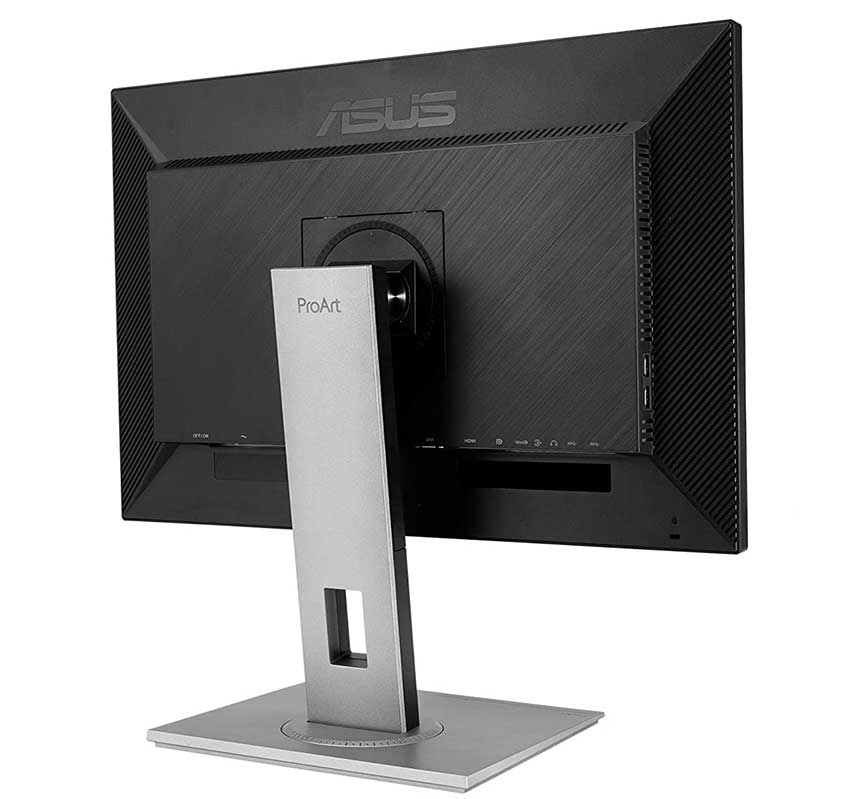
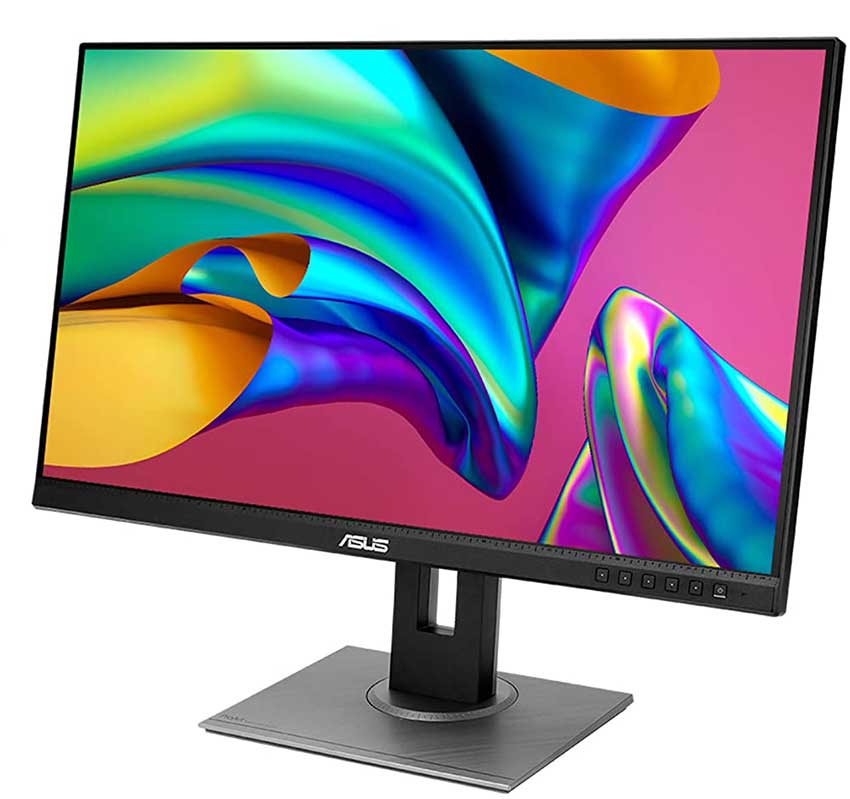
The panel favors function over flash. A slim, nearly borderless bezel on three sides makes it easy to line up two or three units side by side without a thick black gutter breaking up the workspace, and the stand carries the weight without wobble. Asus ships VESA mounting points on the back for anyone who prefers an arm, and the whole unit tips the scale at a substantial 7.56 kg, a sign of a sturdier chassis than the price might suggest.

Panel and Color Accuracy

The core of this monitor is a 27-inch WQHD IPS panel running at 2560×1440, factory calibrated and Calman Verified before it leaves the plant. Asus rates the average color deviation at Delta E below 2, which in practice means colors on screen track closely enough to a reference standard that most eyes will not catch the difference. Coverage lands at 100 percent sRGB and 100 percent Rec. 709, adequate for web, print-adjacent, and broadcast-standard work, though anyone shooting for wide-gamut Adobe RGB or DCI-P3 output will need to look further up the ProArt catalog.

Six-axis color adjustment through the ProArt Palette software lets a user fine-tune hue, gamma, and temperature per channel rather than relying on a single global slider, and six preset modes cover common tasks like darkroom review and rapid rendering. Peak brightness caps out at 350 nits and the contrast ratio sits at a fairly ordinary 1000:1, numbers that will not impress on a spec sheet next to gaming panels but rarely matter for print and screen color work, where consistency counts more than raw punch.

Ergonomics and Connectivity

Height, tilt, swivel, and pivot adjustments are all present, and a built-in sensor rotates the on-screen image automatically when the panel is turned to portrait orientation, useful for anyone laying out long-form documents or portrait photography. Port selection covers DisplayPort, Mini DisplayPort, HDMI, dual-link DVI, and a four-port USB 3.2 hub, enough for daisy-chaining a second monitor off a single DisplayPort cable. The one dated inclusion is DVI, a connector most modern GPUs have dropped; VGA is absent entirely, which will not bother anyone running current hardware.

Response time lands at 5ms GTG and the panel tops out around 60Hz, numbers that flag this as a productivity display rather than a gaming one. Buyers who split time between design work and gaming on the same screen should weigh that tradeoff before buying.
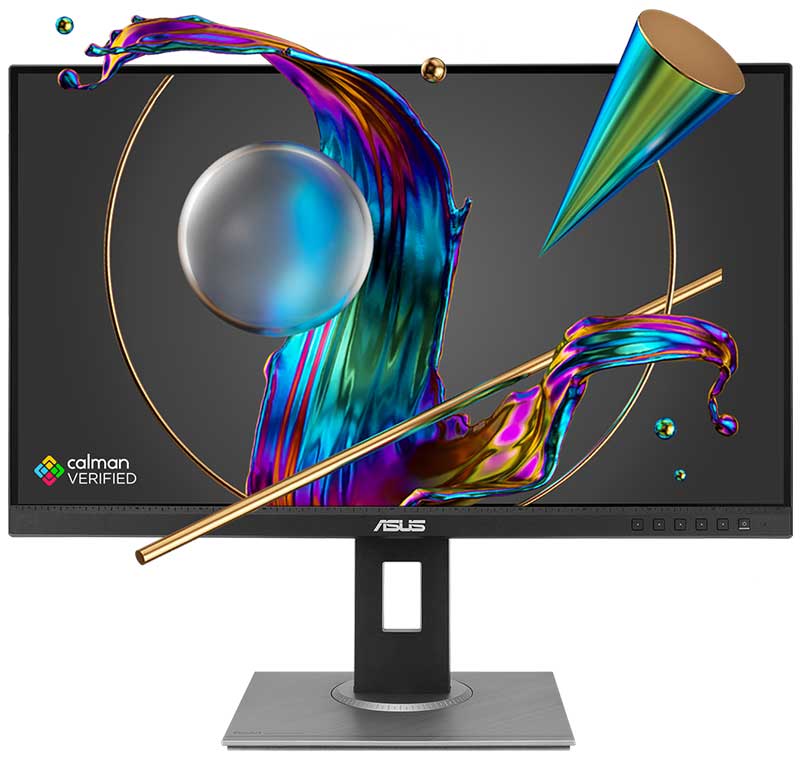
What is the Best Monitor for Graphic Design?

Specifications

Panel: 27-inch IPS, WQHD 2560×1440
Brightness: 350 cd/m2
Contrast: 1000:1 typical
Color coverage: 100% sRGB, 100% Rec. 709
Color accuracy: Delta E < 2, factory calibrated
Response time: 5ms GTG
Ports: DisplayPort 1.2, Mini DisplayPort, HDMI 1.4, dual-link DVI, USB 3.2 Gen 1 x4
Ergonomics: tilt, swivel, pivot, height adjust, VESA 100x100mm
Weight: 7.56 kg

RELATED ARTICLE
Best 24″ Monitors for Various Purposes

Take your pick of the best 24-inch Monitors for gaming, productivity, and every other thing you can think of…

Related Content >

What’s the best PC Build for Graphic Design in 2026?

Best Computer Build for Graphic Design 2026 (Updated)

Best PC Build for Content Creators in 2026 Intel vs AMD

The Best Desktop PC Build for Creators and Designers 2026

What are the Best Graphics Drawing Tablets for Artists in 2026?

Concluding Thoughts

Judged against what it sets out to do, the PA278CV succeeds. Asus did not chase peak brightness or a high refresh rate here; it chased color fidelity, and that focus shows in the Delta E figures and the factory calibration report that ships in the box. For a designer, photo editor, or video colorist working primarily in sRGB and Rec. 709, that trade is the right one.

The compromises are predictable rather than concerning. A 60Hz panel and modest 1000:1 contrast will disappoint anyone hoping to use this as a dual-purpose gaming display, and the wider Adobe RGB and DCI-P3 crowd will need to step up to a pricier ProArt model. Within its intended lane, though, the PA278CV has few real rivals at this price. It is not the most exciting monitor on the market, but excitement was never the assignment; accuracy was, and it delivers. As a computer monitor for a graphic design PC build, this is a good choice as it is just the right size and the cost is not prohibitive.

All Articles
BUILD GUIDESPRE-BUILT CONFIGURATIONS
BEST 3D ANIMATION AND RENDER DESKTOP BUILDBudget 3D Render AMD PC Build Parts List
BEST BUDGET GAMING PC: AN EXCLUSIVE GUIDEBUDGET AMD GAMING PC PARTS LIST
BEST COMPUTER CONFIGURATION FOR GRAPHIC DESIGNBudget AMD Photo Editing PC Build Parts List
BEST GAMING PC BUILD IN – BUDGET, MID-RANGE, AND HIGH-ENDBudget CAD AMD PC Build Parts List
BEST PC BUILD FOR 3D MODELING AND RENDERING IN ALL BUDGETSBudget Intel 3D Render PC Build Parts List
BUILD A PC FOR MUSIC PRODUCTIONBudget Intel Gaming PC Build Parts List
BUILD A VIDEO EDITING PC – BUDGET, MID-RANGE & HIGH-ENDBudget Intel Photo Editing PC Build Parts List
BUILD THE BEST PC FOR PHOTOGRAPHY AND PHOTO EDITINGBudget Intel Streaming PC Build Parts List
THE BEST 4K VIDEO EDITING PC BUILD: A DEFINITIVE GUIDEBudget Intel Video Editing PC Build Parts List
ULTIMATE GRAPHIC DESIGN COMPUTER BUILDGraphic Design Budget AMD PC Build Parts List
BEST VR READY PC BUILD – ALL BUDGETSGraphic Design High-End AMD PC Build Parts List
DEDICATED STREAMING PC BUILDIntel Budget Music Production PC Build Parts List
BEST CAD WORKSTATION BUILDIntel Budget VR Gaming PC Build Parts List
BEST PC BUILD FOR OFFICE WORKIntel High-End CAD PC Build Parts List
BUILD A PC FOR ADOBE CREATIVE CLOUDIntel High-End Graphic Design PC Build Parts List
IMPORTANCE OF DEDICATED GPU FOR VIDEO/PHOTO EDITING/CASUAL USE
BUILD A PC FOR ADOBE AFTER EFFECTSIntel High-End Music Production PC Build Parts List
HOW TO DIY BUILD YOUR OWN PC STEP BY STEPIntel High-End Streaming PC Build Parts List
HOW MUCH MONEY CAN I SAVE BY BUILDING MY OWN PC?Mid Range AMD Gaming PC Build Parts List
HOW TO GROUND YOURSELF WHEN BUILDING YOUR PCMid Range Intel 3D Render PC Build Parts List
HOW MUCH DOES IT ACTUALLY COST TO BUILD A PC?Mid Range Intel Photo Editing PC Build Parts List
PC BUILD TO MATCH OR EXCEED PS5 PERFORMANCEMid-Range 3D Render AMD PC Build Parts List
PC BUILD FOR CYBERPUNK 2077Music Production Budget AMD PC Build Parts List
BUILD A PC FOR ELDEN RINGMusic Production Mid-Range AMD PC Build Parts List
BUILD A PC FOR ESCAPE FROM TARKOVOffice Intel PC Build Parts List
BUILD A PC FOR UNREAL ENGINE 5Streaming High-End AMD PC Build Parts List
BUILD A PC TO RUN MINECRAFTVideo Editing Budget AMD PC Build Parts List
PC BUILD WITH GEFORCE RTX 4090Video Editing Mid-Range AMD PC Build Parts List
PC BUILD WITH GEFORCE RTX 3080VR Gaming High-End AMD PC Build Parts List
PC BUILD WITH THE RTX 3060 TiTHE BEST $4000 PC BUILD – HYPE OR FACT?
BUILD A PC AROUND THE RYZEN 7 5800X
PC BUILD WITH RTX 4080MORE BUILD GUIDES
5 BENEFITS OF A PC BUILD WITH WATER COOLINGRECOMMENDATIONS FOR A HOME PC BUILD
PC BUILD WITHOUT DISCRETE GRAPHICS CARDPC BUILD FOR RACING SIMULATORS
PC BUILD WITHOUT A CASERYZEN 5 5600G PC BUILD FOR CASUAL GAMERS
PC BUILD LIKE XBOX SERIES SPC BUILD FOR VISUAL STUDIO
PC BUILD WITHOUT WATER COOLINGPC BUILD FOR RAINBOW SIX SIEGE
BUILD A PC WITHOUT BOTTLENECKSPC BUILD FOR REVIT
PC BUILD LIKE XBOX SERIES XPC BUILD FOR VIRTUAL MACHINES
PC BUILD FOR STAR CITIZENAMD VS INTEL PC BUILD
PC BUILD FOR 1000 DOLLARSPC BUILD FOR GAMING & VIDEO EDITING
BEST PC BUILD FOR 2000 DOLLARSPC BUILD FOR PHOTO & VIDEO EDITING
BEST PC BUILD FOR $1500PC BUILD FOR SOLIDWORKS
PC BUILD FOR 400 DOLLARSPC BUILD FOR VFX
PC BUILD FOR 300 DOLLARSPC BUILD FOR VALORANT
PC BUILD FOR 500 DOLLARSPC BUILD FOR STABLE DIFFUSION
PC BUILD FOR GTA 6PC BUILD FOR AI DEVELOPMENT
PC BUILD WITH RTX 5090BEST WEBSITE FOR GAMING PCS
PC BUILD FOR 4K GAMINGCOST OF BUILDING A GAMING PC
PC BUILD FOR ANDROID STUDIOPC BUILD FOR DEEP LEARNING
PC BUILD TO PLAY ASSASSIN’S CREED SHADOWSPC BUILD FOR GTA 5
PC BUILD FOR THE LAST OF US 2PC BUILD TO PLAY ALAN WAKE 2
PC BUILD FOR RED DEAD REDEMPTION 2PC BUILD TO PLAY BATTLEFIELD 6
PC BUILD FOR LOCAL AI DEVBEST PC BUILD FOR AI VIDEO GENERATION
UPGRADEABLE PC BUILD FOR GAMING/CODING/VIDEO EDITINGPC BUILD FOR MOTION GRAPHICS
PC BUILDS FOR GAMING/AI DEVPRICE RANGES FOR GAMING/PRODUCTIVITY PC BUILDS
COST OF A PC BUILD WITH RTX 5090BEST DESKTOP PC BULD FOR CREATORS AND DESIGNERS
RECOMMENDED PC SPECS FOR 4K VIDEO PLAYBACKTOP PROFESSIONAL WORKSTATIONS FOR GRAPHIC DESIGN, CAD AND ENGINEERING
BEST BUDGET PC BUILD WITH RYZEN 5 5600/RX 7600BEST BUDGET GAMING AND STREAMING PC BUILD WITHOUT RGB
PC BUILD FOR DATA SCIENCE AND MACHINE LEARNINGBEST CPUs FOR AI WORKSTATIONS
BEST MOTHERBOARD FOR 4K VIDEO EDITINGPC BUILD FOR DAVINCI RESOLVE INTEL vs AMD
RTX 5090 PC BUILD FOR LLMBEST BUDGET PC BUILD FOR 1440P GAMING
WHAT’S THE BEST CPU FOR PHOTOSHOP?BEST PC BUILD FOR BLENDER
BEST CPU AND GPU FOR VIDEO EDITINGHOW ESSENTIAL IS DISCRETE GRAPHICS FOR VIDEO EDITING?
KEY FACTORS FOR CHOOSING A MONITOR FOR VIDEO EDITINGRECOMMENDED PC BUILD FOR MAX GRAPHICS QUALITY AT 4K
PC BUILD FOR CONTENT CREATORSLOCAL AI PC BUILD WITH RADEON AI PRO R9700 CREATOR
PC BUILD FOR GAMING/STREAMING WITHOUT RGBHIGH END GAMING PC BUILD NO BUDGET LIMITS
BUDGET PC BUILD FOR AI-ASSISTED 3D ARTRX 7600 PC BUILD
BEST BUDGET 1080P ESPORTS GAMING PC BUILDTTHE BEST MEDIA SERVER PC BUILD ONLINE
PRE-BUILT CONFIGURATIONSREVIEWS & OTHERS
Graphic Design Mid Range AMD PC Build Parts ListBEST-RATED GRAPHICS DRAWING TABLETS
High-End AMD Photo Editing PC Build Parts ListBEST GPUs FOR VIDEO EDITING AND TRANSCODING
High-End Intel 3D Render PC Build Parts ListBEST GPUs UNDER $100 FULL REVIEW
High-End Intel Gaming PC Build Parts ListBEST LAPTOP FOR SOLIDWORKS: REVIEWS AND SPECIFICATIONS
High-End Intel Photo Editing PC Build Parts ListBEST MONITOR FOR GRAPHIC DESIGN
High-End Intel Video Editing PC Build Parts ListBEST WI-FI ROUTERS FOR STREAMING AND GAMING
High-End 3D Render AMD PC Build Parts ListTHE BEST 24-INCH MONITORS: FULL REVIEW AND SPECS
HIGH-END AMD GAMING PC PARTS LISTBUILD A VR-READY PC – FULL GUIDE & RECOMMENDATIONS
High-End CAD AMD PC Build Parts ListBEST GAMING LAPTOPS UNDER 3000 DOLLARS – FULL REVIEW
Intel Budget CAD PC Build Parts ListBEST-RATED LAPTOPS FOR AUTOCAD 2025
Intel Budget Graphic Design PC Build Parts ListTOP 10 BEST VR HEADSETS – FULL REVIEW
Intel High-End VR Gaming PC Build Parts ListTOP 10 BEST CONVERTIBLE LAPTOPS – FULL REVIEW
Intel Mid Range CAD PC Build Parts ListBEST 3D PRINTERS FOR MINIATURES – FULL REVIEW
Intel Mid Range Graphic Design PC Build Parts List
Intel Mid Range Music Production PC Build Parts ListOTHERS
Intel Mid-Range Streaming PC Build Parts ListWHY BUILD A CUSTOM PC?
Intel Mid-Range VR Gaming PC Build Parts ListPC BUILDER AND COST CALCULATOR
Mid Range AMD Photo Editing PC Build Parts ListREVIEWS
Mid Range Intel Gaming PC Build Parts ListBUILD GUIDES FOR CUSTOM PCs
Mid Range Intel Video Editing PC Build Parts ListThe Mac vs Windows war and the rest of us
Mid-Range CAD AMD PC Build Parts ListGoogle says goodbye to its Google Photos Subscription Service
Music Production High-End AMD PC Build Parts ListBuild a PC in 2026 – Ultimate Guides
Office AMD PC Build Parts ListHow to clean up your PC and make it faster – Full Guide
Streaming Budget AMD PC Build Parts ListHow to fix an External Hard Drive that is corrupted and unreadable without Formatting
Streaming Mid-Range AMD PC Build Parts ListHOW TO: PC BUILD KEEPS TURNING ON AND OFF
Video Editing High-End AMD PC Build Parts ListPC BUILD TURNS ON BUT NO DISPLAY – SOLUTIONS
VR Gaming Budget AMD PC Build Parts ListARE PRE-BUILT PCS WORTH IT?
VR Gaming Mid-Range AMD PC Build Parts ListWHAT PARTS DO I NEED TO BUILD A PC?
PC BUILD VS LAPTOPS: WHICH?

Leave a Reply

Your email address will not be published. Required fields are marked *

You cannot copy content from this page

Scroll to Top