


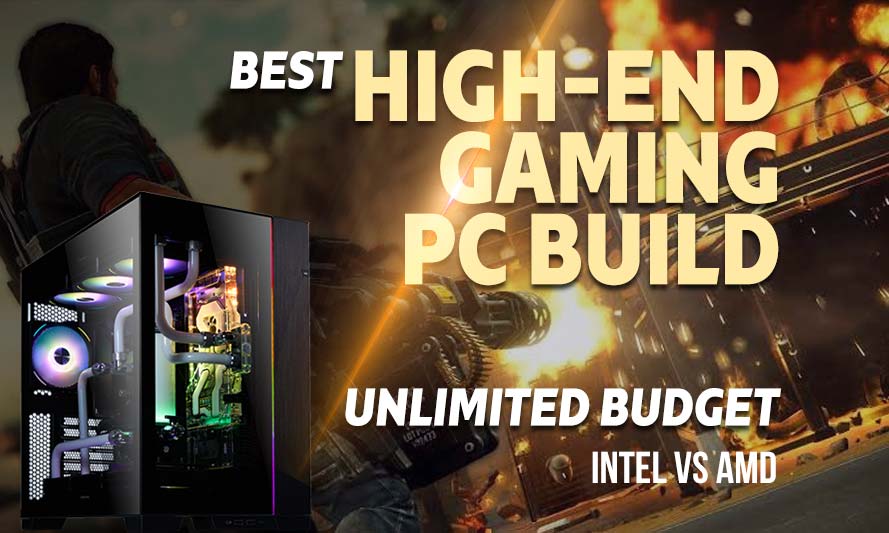
If you have ever wondered what happens when you strip away every budget constraint and just build the most savage gaming rig money can allow, welcome to the deep end. The best high-end gaming PC build with unlimited budget is less a practical exercise and more a philosophical statement: this is what peak PC gaming looks like in 2026, no compromises, no “good enough,” no regrets. Whether you are Team Red or Team Blue, this guide breaks down two elite builds side by side, identical in every component except the CPU and motherboard, so you can see exactly where the real differences lie.
Spoiler: both builds will run anything you throw at them at 4K with frame rates that would make a console gamer weep quietly into their controller.
What “Unlimited Budget” Actually Means in 2026
Unlimited budget does not mean reckless spending. It means selecting components purely on performance merit, with zero concession to price. In 2026, that conversation centers on NVIDIA’s RTX 5090, DDR5 memory running at serious speeds, PCIe 5.0 NVMe storage, and flagship CPUs from both AMD and Intel’s current generation lineups.
The goal here is a machine that handles 4K gaming at maximum settings, supports 240Hz and beyond on high-refresh monitors, handles content creation on the side, and remains relevant for years without a meaningful upgrade. That is the bar.
Intel vs AMD: The Core Argument
Intel’s Core Ultra 9 285K and AMD’s Ryzen 9 9950X are the two heavyweights competing at the top of the consumer desktop market in 2026. Both are exceptional. Both will bottleneck your GPU in almost no gaming scenario. The differences show up in workload diversity: AMD tends to edge ahead in heavily threaded creative tasks, while Intel’s architecture still holds its own in per-core performance for certain titles.
For pure gaming at this tier, the gap is narrow enough that your choice may reasonably come down to platform preference, ecosystem familiarity, or simply which color scheme you prefer inside your case. We are not judging.
AMD PC Build for High-End Gaming
These components are hand-picked and vetted for compatibility, though we do not guarantee availability. They are suitable for an AMD-based high-end gaming PC build targeting 4K maximum settings performance. If you do not like the recommendations, you can easily swap out unwanted parts and add new ones using the AI PC Builder tool. Simply click on the BUILD/CUSTOMIZE THIS button to get started.
- CPU: Ryzen 9 9950X$539.00
Price on Newegg
Amazon Price
- Motherboard: ASUS ROG Crosshair X870E Hero$539.95
- GPU: ASUS ROG Astral GeForce RTX 5090 OC Edition (Unavailable)$7,898.00
- RAM: TEAMGROUP T-Force Delta RGB DDR5 64GB$999.99
- Storage 1: Samsung 9100 Pro NVMe PCIe 5 4TB $1,040.00
- Storage 2: WD_Black SN850X 8TB NVMe SSD$1,899.99
- PSU: Lian Li Edge 1000W Fully Modular ATX Power Supply Cybernetics Gold Efficiency $155.75
- Case: LIAN LI O11 Dynamic EVO Gaming PC Case (Unavailable)$379.99
- CPU Cooler: Thermalright Frozen Prism 360 Black ARGB CPU Liquid Cooler$53.90
TOTAL COST: $13,506.57
📊 Price History
[Prices updated: 6:59pm, 10/28/2026]
The Ryzen 9 9950X is AMD’s current flagship 16-core processor, built on the Zen 5 architecture. It handles gaming and content creation with equal composure, and paired with the ROG Crosshair X870E Hero, you get full PCIe 5.0 support for both the GPU and primary NVMe slot.
The Teamgroup T-Force Delta DDR5-6000 kit is an excellent choice at this tier; fast, stable, and visually sharp inside a windowed case. The Sabrent Rocket 5 in PCIe 5.0 configuration delivers read speeds that make loading times feel like a rounding error.
Intel PC Build for High-End Gaming
These components are hand-picked and vetted for compatibility, though we do not guarantee availability. They are suitable for an Intel-based high-end gaming PC build targeting 4K maximum settings performance. If you do not like the recommendations, you can easily swap out unwanted parts and add new ones using the AI PC Builder tool. Simply click on the BUILD/CUSTOMIZE THIS button to get started.
- CPU: Core Ultra 9 285K$509.99
- Motherboard: msi MEG Z890 ACE Gaming$599.99
- GPU: ASUS ROG Astral GeForce RTX 5090 OC Edition (Unavailable)$7,898.00
- RAM: TEAMGROUP T-Force Delta RGB DDR5 64GB$999.99
- Storage 1: Samsung 9100 Pro NVMe PCIe 5 4TB $1,040.00
- Storage 2: WD_Black SN850X 8TB NVMe SSD$1,899.99
- PSU: Lian Li Edge 1000W Fully Modular ATX Power Supply Cybernetics Gold Efficiency $155.75
- Case: LIAN LI O11 Dynamic EVO Gaming PC Case (Unavailable)$379.99
- CPU Cooler: Thermalright Frozen Prism 360 Black ARGB CPU Liquid Cooler$53.90
TOTAL COST: $13,537.60
📊 Price History
[Prices updated: 6:59pm, 10/28/2026]
The Core Ultra 9 285K runs on Intel’s Arrow Lake architecture and slots into the Z890 platform, which also supports PCIe 5.0 across the board. The MSI MEG Z890 ACE is a flagship board with excellent VRM thermals, extensive connectivity, and overclocking headroom that most users will never fully exploit.
Every other component is identical to the AMD build above. That is intentional. It isolates the CPU and platform variables cleanly, so you can assess performance differences without the noise of mismatched hardware skewing results. Also, whichever build you choose above, you’re covered in terms of storage: the beefy 8TB of fast storage is more than enough for your beloved downloaded game catalog, plus the 4TB for your OS and apps.
Putting it Together
Building a PC at this tier is not dramatically more difficult than building a mid-range system, but the components are larger, heavier, and less forgiving of careless handling. The RTX 5090, for instance, is a substantial card; verify your case clearance before ordering, and confirm your PCIe power connectors are rated for the load.
The Lian Li O11 Dynamic EVO XL is a strong choice here because it accommodates triple-radiator AIO configurations, has excellent airflow routing, and provides enough interior volume to manage cable runs cleanly. With 64GB of DDR5 and a 4TB NVMe primary drive, you will not be hunting for space anytime soon.
If this is your first build or you want a structured walkthrough of the assembly process, this step-by-step DIY PC build guide covers the process from start to post. It is worth reading even if you have built before, since some best practices have shifted with newer platform requirements.
One practical note: seat your AIO cooler before installing the motherboard in the case if your case allows it. The Thermalright Frozen Prism 360 is straightforward to mount, but working inside a fully populated case on a flagship board is the kind of experience that ages you prematurely.
Optimizing Your Build for Maximum Gaming Performance
Hardware alone does not deliver peak performance. The software environment matters considerably, and at this tier, leaving optimization on the table is the PC equivalent of buying a Ferrari and running it on regular fuel.
BIOS and Memory Configuration
Enable XMP or EXPO in your BIOS immediately after first boot. Both the AMD and Intel platforms support DDR5-6000 natively through their respective memory profiles, and running your Teamgroup kit at its rated speed is a meaningful uplift over the default JEDEC speed.
On the AMD side, EXPO profiles are tuned specifically for Ryzen’s memory controller. On Intel’s Z890 platform, XMP 3.0 handles the same function. Either way, a few seconds in the BIOS translates to measurable frame rate gains in memory-sensitive titles.
GPU Driver and NVIDIA App Settings
Keep your GPU drivers current. NVIDIA’s driver releases in 2026 continue to include performance optimizations for specific titles, and the RTX 5090 benefits from DLSS 4 with Multi Frame Generation, which is a significant feature at 4K. Enable it in supported titles and watch your frame counter do things that should not be physically possible.
In the NVIDIA App, set your preferred rendering resolution and confirm that Resizable BAR is enabled. Both the AMD and Intel platforms support this feature, and it provides a consistent performance uplift across a broad range of titles.
Thermal Management
The Thermalright Frozen Prism 360 is more than adequate for either the Ryzen 9 9950X or the Core Ultra 9 285K under gaming loads. For sustained content creation workloads, consider setting a more aggressive fan curve in your BIOS or through software like Fan Control. Both CPUs can run warm under extended all-core loads, and a proactive fan curve keeps thermals from becoming a throttle point.
Storage Optimization
Install Windows and your primary game library on the Sabrent Rocket 5. Use the Seagate FireCuda 530 as overflow storage for less frequently accessed titles and media. PCIe 5.0 NVMe drives generate meaningful heat under sustained sequential loads; verify that your motherboard’s M.2 heatsink is properly seated, as both the ROG Crosshair X870E Hero and the MSI MEG Z890 ACE include thermal solutions for their primary M.2 slots.
How These Builds Compare to Other Tiers
If the unlimited budget approach feels like overkill for your situation, or if you want to understand the performance landscape across price points, the best gaming PC build guide covering budget, mid-range, and high-end options is a thorough reference. It contextualizes where each tier sits in terms of real-world gaming performance.
For readers who are newer to PC building and want to start with something more financially measured before committing to a flagship build, the best budget gaming PC guide is a sensible starting point. Understanding what you are giving up at lower price points makes the case for high-end hardware considerably more concrete.
AMD or Intel: Which Platform Wins?
In gaming at 4K maximum settings with an RTX 5090, the honest answer is that the GPU is the dominant variable, and both CPUs are fast enough that neither will hold it back in any meaningful way. Benchmark differences between the Ryzen 9 9950X and the Core Ultra 9 285K in gaming scenarios are measured in single-digit frame rates at this resolution, which falls well within margin-of-error territory for most real-world use.
Where AMD pulls ahead is in heavily threaded workloads: video encoding, 3D rendering, large compilation tasks. Where Intel competes strongly is in latency-sensitive applications and certain gaming titles that respond well to its hybrid architecture. If your machine is purely a gaming rig, the distinction is largely academic. If you stream, edit, or run production software alongside gaming, AMD’s core count advantage becomes more tangible.
Either way, both of these builds represent the best high-end gaming PC build configuration available in 2026, and both will still be performing at a high level well into the next hardware generation.
Conclusion
When budget is not the constraint, the question shifts from “what can I afford” to “what do I actually need.” Both builds outlined here answer that question at the highest level the consumer market currently supports. The AMD and Intel platforms arrive at nearly the same destination through slightly different routes, and the RTX 5090 ensures the journey is equally spectacular regardless of which road you take.
Pick your platform, confirm your component compatibility, and build something worth booting up.
All Articles