


If you’ve ever tried rendering a ten-second AI video clip on a graphics card that thinks it’s still 2019, you already understand the stakes. Finding the best GPU for AI video generation in 2026 isn’t just a spec-sheet exercise; it’s the difference between a model that spits out a clip in ninety seconds and one that makes you question your life choices for twenty minutes at a time. VRAM, tensor cores, and driver support all conspire to decide whether your rig is a creative powerhouse or an expensive space heater.
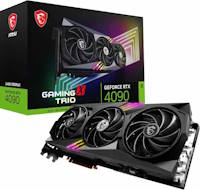
MSI GeForce RTX 4090 Gaming X Trio
This guide breaks down six serious contenders, rates them on price, raw compute, and value for money, and names names when it comes to who actually deserves a spot in your workstation. No fluff, no vague “it depends” hand-waving; just the numbers and the verdict.
Why GPUs Matter in AI Video Generation
AI video generation is a different beast from gaming or even standard AI image work. Models like Stable Video Diffusion, CogVideoX, and the growing pile of open-source video diffusion checkpoints are enormous, and they are hungry for VRAM in a way that would make a Chrome tab farm blush.
Unlike gaming, where frame rates depend heavily on core clocks and rasterization hardware, AI video generation leans almost entirely on tensor core throughput and how much video memory you can cram data into before the whole process chokes. A card that plays every game at max settings can still fall flat on its face the moment you feed it a 1024×576 video diffusion pipeline with a few extra ControlNet passes stacked on top.
Three factors matter most when picking the best GPU for AI video generation:
- VRAM capacity, since larger models and higher resolutions eat memory fast
- Tensor/compute throughput, which determines how many steps you can churn through per minute
- Software ecosystem, because CUDA support is still miles ahead of ROCm for most video diffusion tools
Keep those three in mind as we go through the lineup, because none of these cards win on all fronts.
| Products | Best Performance  | Best Overall |  | 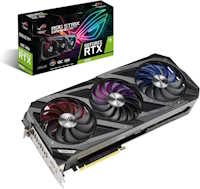 | Best Value for Money 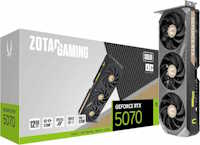 | Best Budget  |
ASUS ROG Astral GeForce RTX 5090 BTF OC Edition | MSI GeForce RTX 4090 Gaming X Trio | ASUS TUF Gaming RX 7900 XTX | ASUS ROG Strix RTX 3090 OC | Zotac Gaming RTX 5070 Ti | Zotac Gaming RTX 5060 Ti Twin Edge OC | |
| PRICE | $5,599.99 | $3,490 | $1,795.00 | $1,699.99 | $1,499.99 | $799.00 |
| OVERALL RATING | 2.7 | 3.0 | 3.6 | 3.2 | 3.9 | 3.8 |
| PRICE | ||||||
| RAW COMPUTE | ||||||
| VALUE FOR MONEY | ||||||
| WHERE TO BUY | See on Amazon ↗ | See on Amazon ↗ | See on Amazon ↗ | See on Amazon ↗ | See on Amazon ↗ | See on Amazon ↗ |
The Lineup: Best GPUs for AI Video Gen
RTX 5090

ASUS ROG Astral GeForce RTX 5090 BTF OC Edition
32GB of GDDR7 and a cable-free BTF design give the Astral OC enough headroom to push 720p AI video generation without breaking a sweat. That performance comes at a cost, though – this is one of the priciest RTX 5090 cards on the market, and its size will rule out anything but a full-tower build.
The RTX 5090 is the card you buy when budget is a rumor rather than a constraint. With a hefty VRAM pool and Blackwell-generation tensor cores, it chews through high-resolution AI video workloads, including the heaviest checkpoints floating around research circles in 2026. If you want 720p output on the largest available models without babysitting your batch sizes, this is the card.
Pros:
- No compromises on resolution or model size
- Fastest raw compute of any consumer card on this list
- Handles multi-pass, high-frame-count generations without choking
Cons:
- Priced like a used car, sitting around $5,000 to $6,000
- Massive power draw and cooling requirements
- Overkill for casual or hobbyist use
RTX 4090
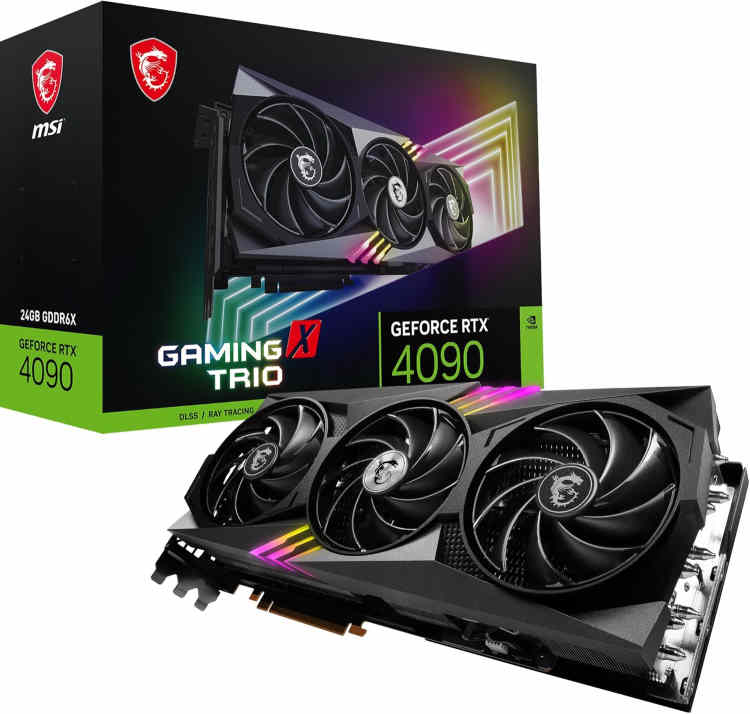
MSI GeForce RTX 4090 Gaming X Trio
MSI’s Tri Frozr 2 cooling and 24GB of GDDR6X let the Gaming X Trio hold sustained boost clocks through long 480p generation runs without the thermal throttling smaller cards run into. The trade-off is size and power – this is a triple-slot card that eats nearly a foot of case space and pulls enough wattage to demand a serious PSU.
The RTX 4090 remains the reasonable person’s flagship, and honestly, it’s the workhorse most serious AI video generation users actually own. It’s the “daily driver” of the bunch, capable of comfortable 480p generation across the widest range of community models and workflows currently available.
Pros:
- Broadest model compatibility of any card here
- Strong CUDA ecosystem support, still the gold standard for AI tooling
- Excellent secondary market availability
Cons:
- Still expensive, typically $2,900 to $4,000
- Meaningfully slower than the 5090 on the largest models
- Power hungry, though nowhere near 5090 territory
RX 7900 XTX
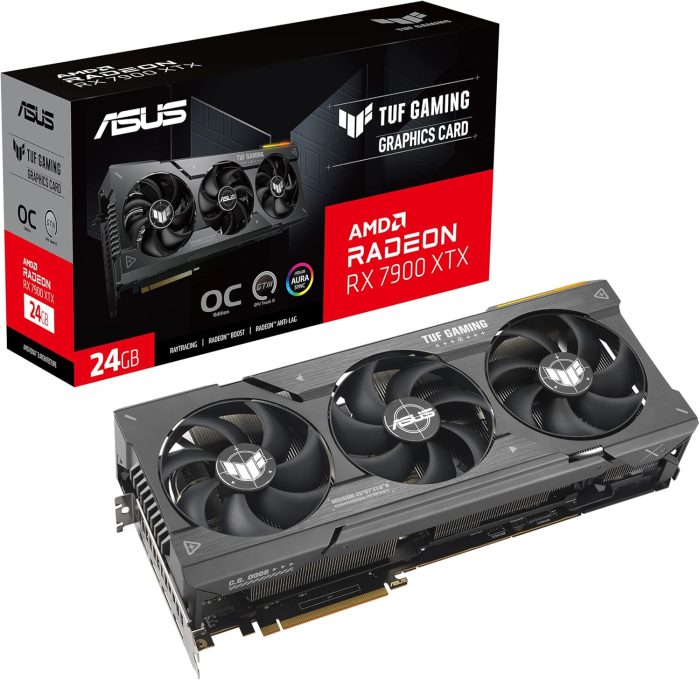
ASUS TUF Gaming Radeon RX 7900XTX OC
Where the TUF Gaming RX 7900 XTX earns its keep is VRAM per dollar. For 24GB at a price well below NVIDIA’s 24GB cards, backed by a beefy triple-fan cooler that keeps thermals in check during long render sessions. What it can’t shortcut is software: ROCm support for AI video pipelines still lags behind CUDA, so budget extra setup time against the money saved.
AMD’s RX 7900 XTX offers the tempting proposition of 24GB VRAM at a price that doesn’t require a second mortgage. The catch, and it’s a real one, is ROCm. AMD’s compute stack has improved, but it still lags behind CUDA in day-to-day usability for most AI video pipelines, which means more troubleshooting and fewer plug-and-play workflows.
Pros:
- 24GB VRAM at a genuinely budget-friendly price
- Solid raw hardware for the money
- Great secondary option if you also game on the side
Cons:
- ROCm support remains inconsistent across popular AI video tools
- Fewer community guides and pre-built workflows compared to Nvidia cards
- Driver quirks that CUDA users simply never deal with
RTX 3090
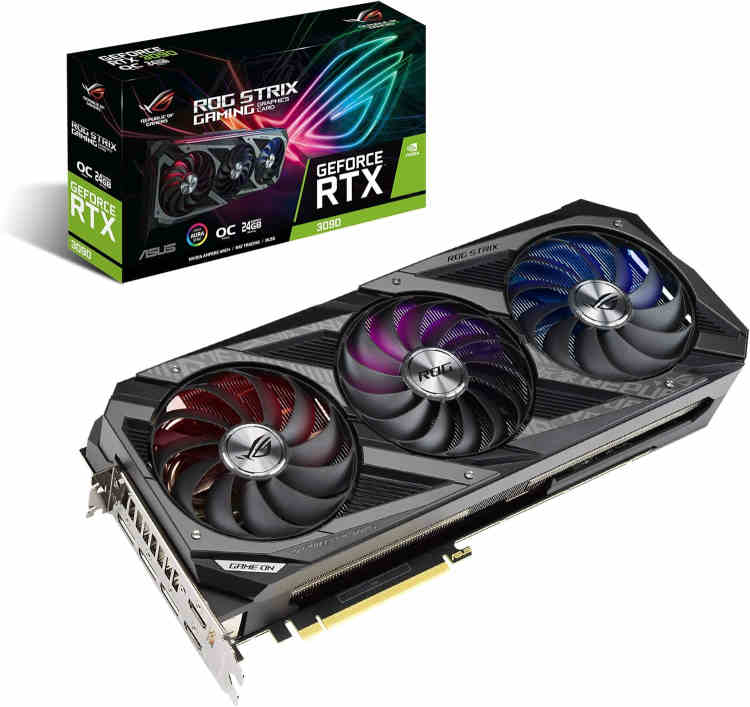
ASUS ROG Strix GeForce RTX 3090 OC Edition
The ROG Strix RTX 3090 OC still delivers 24GB of GDDR6X and a robust triple-fan cooler built for sustained loads; on the used market, that’s a genuine bargain route into 24GB territory. Ampere’s compute simply trails the newer 4090 and 5090 by a wide margin, and buyers take on the usual risks of secondhand silicon, wear, prior mining use, and an expired warranty.
The RTX 3090 is aging, but 24GB of VRAM at a used-market price still makes it relevant. It’s the cheapest legitimate route to that magic 24GB threshold, provided you’re fine with Ampere-generation compute speeds, which lag noticeably behind newer architectures.
Pros:
- Full CUDA support with zero compatibility headaches
- 24GB VRAM at a fraction of 4090 or 5090 pricing
- Widely available on the used market
Cons:
- Noticeably slower than the 4090 on identical workloads
- Older architecture means missing newer tensor core optimizations
- Used-market pricing can vary wildly depending on wear and cooler quality
RTX 5070 Ti
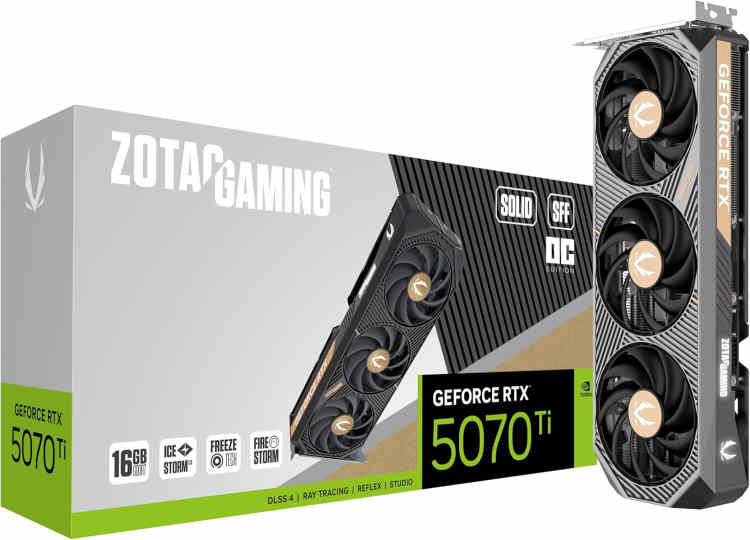
Zotac Gaming GeForce RTX 5070 Ti
The Zotac Gaming RTX 5070 Ti pairs 16GB of GDDR7 with a compact dual-fan cooler, giving it real speed for lighter AI video models without demanding a full-size case. Its VRAM ceiling is the catch; anything pushing past what 16GB can hold forces you into offloading tricks or a smaller checkpoint.
The RTX 5070 Ti quietly became the sweet spot pick GPU for AI video generation in 2026. It doesn’t have the VRAM ceiling of the 24GB cards, but it’s meaningfully faster than older 16GB options, and it handles lighter to mid-weight video diffusion models with real efficiency.
Pros:
- Excellent generation speed for its price bracket
- Newer Blackwell architecture brings real tensor core gains
- Reasonable power draw compared to the flagship cards
Cons:
- VRAM ceiling limits the largest, most demanding models
- Pricing has fluctuated wildly across retailers, from around $900 to $2,000
- Not ideal if you’re chasing high-resolution, long-duration clips
RTX 5060 Ti 16GB

Zotac Gaming GeForce RTX 5060 Ti Twin Edge OC
The Zotac Gaming RTX 5060 Ti Twin Edge OC packs 16GB of GDDR7 into a compact, affordable card, making it the cheapest reasonable entry point into local AI video generation. Its Blackwell compute is modest by comparison, so 480p renders take patience and 720p is off the table for anything but the smallest models.
The RTX 5060 Ti 16GB is the entry point for anyone who wants to dip a toe into AI video generation without draining their savings account. It handles 480p output on smaller models reasonably well, though anyone eyeing larger checkpoints will hit a wall fast.
Pros:
- Most affordable card on this list by a wide margin
- 16GB VRAM is enough for entry-level and mid-tier smaller models
- Low power draw, easy on any decent PSU
Cons:
- Struggles or fails outright on larger, more demanding checkpoints
- Noticeably slower generation times across the board
- Not a long-term solution if you plan to scale up your projects
If you’re assembling a rig around any of these cards, our step-by-step DIY PC building guide walks through the process from motherboard selection to final cable management, which matters more than people admit when you’re stuffing a 5090 into a case that wasn’t built for it.
More Like THis >>
Best PC Build for AI Video Generation in 2026: Top 5 Rigs
Best PC Hardware Configurations for Generative AI: 2026 Guide
Best CPU for AI Workstation in 2026: Top 7 Picks
Local AI PC Build with the Radeon AI PRO R9700 Creator – Best 2026 Setup for Enthusiasts
Best PC Build for Local AI in 2026: Top 5 Powerhouse Rigs
Best PC Build for AI Development & Machine Learning in 2026
Verdict: The Best GPU for AI Video Generation
Six cards, three metrics, and one honest conclusion: there isn’t a single perfect answer, but there is a clear winner for each type of buyer.
Best Budget: The RTX 5060 Ti 16GB. It won’t touch the heavyweight models, but for anyone testing the waters or working strictly with smaller checkpoints, it’s the most sensible entry point without gambling on the used market.
Best Value for Money: The RTX 5070 Ti. It strikes a genuinely good balance between speed and price, and its newer architecture squeezes more performance out of every dollar than any other card on this list.
Best Performance: The RTX 5090. There’s no debate here; it’s faster than everything else by a wide margin, and if raw output speed and model size are your only concerns, it earns its outrageous price tag.
Best Overall: The RTX 4090. It isn’t the fastest or the cheapest, but it remains the most well-rounded, widely supported, and dependable choice for anyone serious about AI video generation without living at the absolute bleeding edge of the market.
Ultimately, choosing the best GPU for AI video generation comes down to how much VRAM your favorite models demand and how patient you are willing to be with generation times. Budget buyers should start with the 5060 Ti, value seekers should look hard at the 5070 Ti, and anyone with deep pockets and zero patience should just buy the 5090 and stop reading comparison articles altogether.
All Articles