


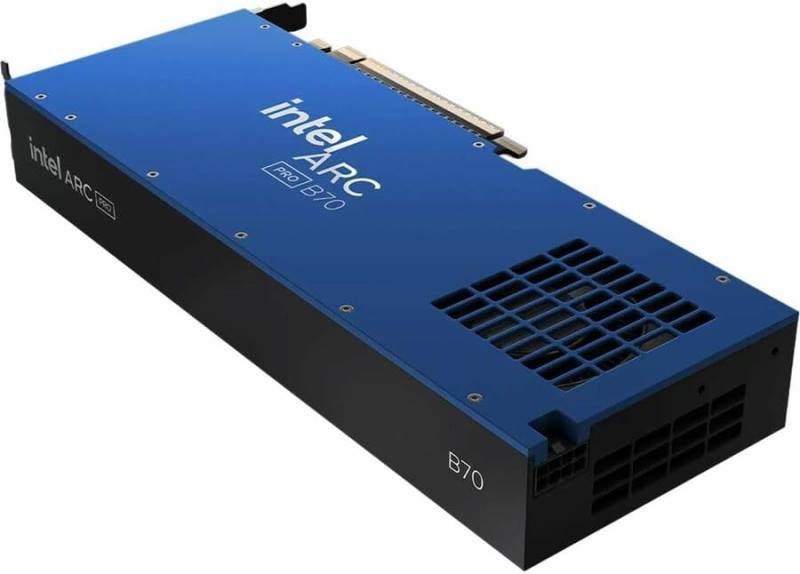
Intel Arc Pro B70
The Intel Arc Pro B70 is a professional-grade graphics card engineered to meet the demanding needs of content creators, engineers, and data scientists. With a massive 32GB of GDDR6 memory and a 256-bit memory bus, this GPU delivers exceptional bandwidth for large datasets, complex 3D scenes, and high-resolution video editing. Whether you're rendering 8K footage, training AI models, or designing intricate CAD models, the Arc Pro B70 provides the performance and reliability you need.
Key Features
- 32GB GDDR6 Memory: Ample capacity for massive textures, complex simulations, and multi-tasking.
- 256-bit Memory Bus: High bandwidth ensures smooth performance in memory-intensive applications.
- 4,096 Stream Processors: Powerful compute capability for parallel workloads.
- Boost Clock up to 2800MHz: Fast clock speeds for responsive performance.
- Advanced Connectivity: 1x HDMI 2.1a and 3x DisplayPort 2.1 support multiple 8K displays.
- Efficient Power Design: 230W typical board power with a recommended 550W PSU.
Performance Highlights
The Arc Pro B70 excels in professional applications. Its 32GB memory buffer allows you to work with massive 3D scenes and 8K video timelines without stuttering. The 256-bit bus provides up to 512 GB/s of bandwidth, ensuring rapid data transfer between the GPU and memory. With 4,096 stream processors, rendering and compute tasks are accelerated significantly, reducing turnaround times for projects.
Target Audience
This GPU is ideal for:
- Video editors working with 8K or multi-stream 4K footage.
- 3D artists and animators using Blender, Maya, or Cinema 4D.
- Engineers running CAD and simulation software like SolidWorks or ANSYS.
- Data scientists and researchers training machine learning models.
- Professionals requiring multi-display setups with high resolutions.
Use Cases
From video production to scientific computing, the Arc Pro B70 is versatile. It supports hardware-accelerated ray tracing and AI inference, making it suitable for architectural visualization and real-time rendering. The DisplayPort 2.1 outputs allow you to connect up to four 8K monitors, enhancing productivity in financial trading or medical imaging environments.
With a compact 267mm length, the Arc Pro B70 fits into most mid-tower cases, and its 230W power draw means it can be powered by a standard 550W PSU, making upgrades straightforward. Intel's professional drivers are certified for major applications, ensuring stability and compatibility.
Key Specifications
Detailed Parameters
- TDP in Watts:
- 230
- Minimum PSU Wattage Supported:
- 550
- Length in mm:
- 267
Pros
- Massive 32GB VRAM for large workloads
- High bandwidth 256-bit bus
- Excellent multi-display support with DisplayPort 2.1
- Efficient power consumption for the performance
- Professional driver support and stability
Cons
- May be overkill for gaming-only users
- Limited availability compared to consumer GPUs
- Requires a 550W PSU, which may be an upgrade for some