


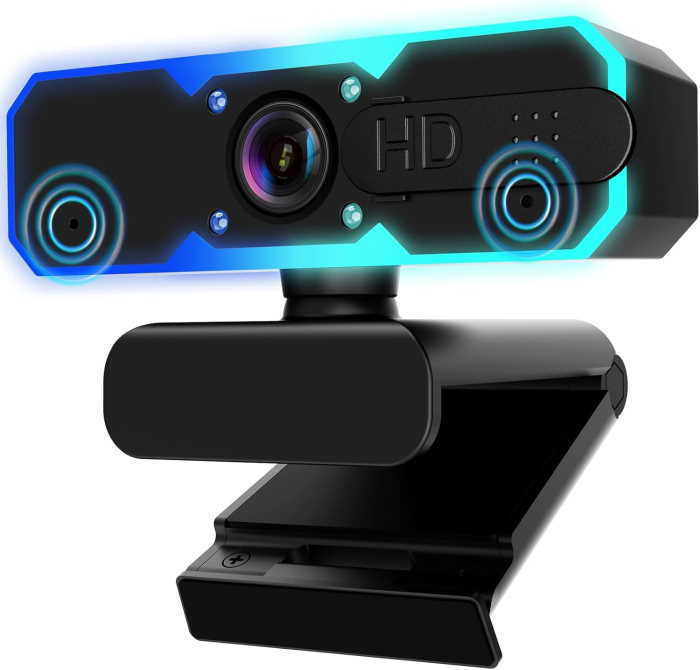
NBPower 1080P 60FPS Streaming Webcam
Elevate Your Video Experience with the NBPower 1080P 60FPS Streaming Webcam
In today's digital world, clear and professional video is essential. Whether you're a streamer, remote worker, or content creator, the NBPower 1080P 60FPS Streaming Webcam is designed to deliver exceptional video quality with ease. This webcam combines high-definition resolution, smooth frame rates, and innovative features like Fill RGB Light and Autofocus to ensure you always look your best.
Key Features and Benefits
- Full HD 1080P Resolution: Enjoy crisp, detailed video at 1920 x 1080 pixels, making every conversation and stream look professional.
- 60FPS Smooth Video: Experience fluid, lifelike motion with 60 frames per second, perfect for fast-paced streaming and video calls.
- Fill RGB Light: Built-in RGB lighting enhances your appearance in low-light conditions, providing a professional studio-like effect.
- Autofocus: The autofocus system keeps you sharp and in focus, even if you move around during calls or streams.
- Wide Compatibility: Works seamlessly with laptops, desktops, Windows, Mac OS, and PC, making it a versatile choice for any setup.
Who Is This Webcam For?
The NBPower 1080P 60FPS Streaming Webcam is perfect for:
- Streamers and Gamers: Deliver high-quality streams with smooth 60FPS video and vibrant RGB lighting to engage your audience.
- Remote Professionals: Look sharp in Zoom, Teams, and other video conferencing platforms, even in dimly lit home offices.
- Content Creators: Record tutorials, vlogs, and reviews with clear visuals and reliable autofocus.
- Students and Educators: Enhance online learning and virtual classes with superior video quality.
Performance and Usability
The NBPower webcam is engineered for plug-and-play simplicity. Simply connect via USB to your computer, and you're ready to go—no additional drivers required. The built-in Fill RGB Light can be adjusted to suit your environment, ensuring you always look your best. The autofocus feature works quickly and accurately, keeping you in sharp focus whether you're sitting still or moving around.
With its sleek design and universal mounting clip, this webcam fits easily on any monitor or laptop screen. It's a reliable and affordable solution for anyone looking to upgrade their video quality without breaking the bank.
Conclusion
The NBPower 1080P 60FPS Streaming Webcam is a feature-packed device that offers outstanding value. Its combination of high-resolution video, smooth frame rates, RGB lighting, and autofocus makes it a top choice for a wide range of users. Upgrade your video setup today and experience the difference.
Key Specifications
Pros
- Full HD 1080P resolution for sharp video
- 60FPS provides smooth, lifelike motion
- Built-in Fill RGB Light enhances low-light performance
- Autofocus keeps you sharp even when moving
- Plug-and-play with wide compatibility (Windows, Mac, PC)
Cons
- RGB light may be distracting for some users
- No built-in microphone (if applicable, but not specified)
- Requires USB connection, not wireless