


Building your own PC for $1000 gives you significantly better value than buying prebuilt. You’ll get full control over component selection and can build a system that handles 1080p or 1440p gaming while also crushing productivity tasks. In summary, with proper planning and budget allocation, you can build a decent PC for about 1000 dollars. We will explain this in detail in the article below.
Why Build Instead of Buy
Custom builds let you choose exactly what goes into your system. Skip the configurations you don’t want and focus your budget where it matters. More importantly, you avoid the markup on prebuilt systems. That $1000 can match or beat prebuilts costing $200-300 more.
Core Components for a $1000 Build
Processor: Target mid-range CPUs like the AMD Ryzen 5 5600X or Intel Core i5-11400F. Both deliver strong performance for gaming and multitasking without breaking your budget.
Graphics Card: Your biggest gaming priority. The NVIDIA GeForce RTX 3050 or AMD Radeon RX 6700 XT handle modern games at 1080p and 1440p with high settings.
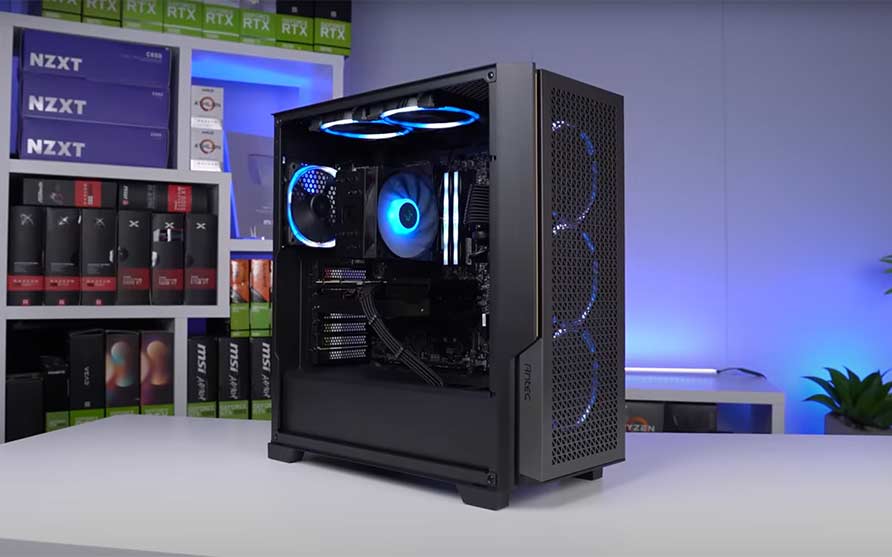
RAM: 16GB DDR4 is the sweet spot. It’s enough for gaming and productivity work without overspending on capacity you won’t use.
Storage: Start with a 500GB NVMe SSD for your OS and main applications, then add a 1TB HDD for bulk storage. This combo gives you speed where it counts and capacity where you need it.
Power Supply: Get a reliable 600W or 650W unit from Corsair or EVGA. Don’t cheap out here—a quality PSU protects your entire investment.
Motherboard: Match your CPU choice with a compatible mid-range board. The ASUS TUF Gaming B550-PLUS (AMD) or MSI MPG B560 Gaming Plus (Intel) balance features and price effectively.
Case: Any mid-tower with good airflow works. The Fractal Design Meshify C or NZXT H510 offer clean cable management and adequate cooling.
Cooling: The stock cooler will work, but consider upgrading to a Noctua NH-U12S air cooler or Corsair H100i liquid cooler for better temperatures and quieter operation.
$1000 PC Build Recommendations
AMD Gaming PC Build Under $1000
These components are hand-picked and vetted for compatibility, though we don’t guarantee availability. They are suitable for an AMD-based PC for gaming. If you don’t like the recommendations, you can easily swap out unwanted parts and add new ones using the AI PC Builder tool. Simply click on the BUILD/CUSTOMIZE THIS button to get started.

- CPU: Ryzen 5 5600X$178.79
Price on Newegg
Amazon Price
- Motherboard: ASUS Prime B550M-A WiFi II$89.99
- RAM: Timetec 16GB DDR4 2400MHz$87.99
- GPU: ASUS Dual GeForce RTX 3050 OC$257.22
- PSU: Apevia Venus 500W ATX$29.99
- Storage 1: Klevv Cras C910 1TB NVMe PCIe 4$163.99
- Storage 2: Seagate BarraCuda 4TB Internal HDD$195.99
- Display: Acer Nitro 23.8-inch Full HD Gaming Monitor$109.99
- Case: Cooler Master MasterBox Q300L Micro-ATX Tower$39.99
TOTAL COST: $1,153.94
📊 Price History
[Prices updated: 10:44pm, 08/25/2026]
This configuration handles demanding games at 1080p and 1440p with solid frame rates. The Ryzen 5 5600X and RTX 3050 combo is proven for modern gaming.
Intel Productivity PC Build Under $1000
Our recommended $1000 PC build – great for video editing, programming, and graphic design. These components are hand-picked and vetted for compatibility, though we don’t guarantee availability. They are suitable for an Intel-based PC for gaming. If you don’t like the recommendations, you can easily swap out unwanted parts and add new ones using the AI PC Builder tool. Simply click on the BUILD/CUSTOMIZE THIS button to get started.
- CPU: Core i5-11400F$149.00
- Motherboard: ASUS Pro Q570M-C/CSM$160.99
- RAM: Timetec 16GB DDR4 2400MHz$87.99
- PSU: Apevia Venus 500W ATX$29.99
- Storage 1: Klevv Cras C910 1TB NVMe PCIe 4$163.99
- Storage 2: Seagate BarraCuda 4TB Internal HDD$195.99
- Display: Acer Nitro 23.8-inch Full HD Gaming Monitor$109.99
- GPU: Sparkle Intel Arc A310 $139.99
- Case: Cooler Master MasterBox Q300L Micro-ATX Tower$39.99
TOTAL COST: $1,077.92
📊 Price History
[Prices updated: 10:44pm, 08/25/2026]
The Intel i5-11400F delivers solid performance for video editing, programming, and design work. The GTX 1650 or any equivalent low-budget GPU handles light gaming and accelerates creative applications.
Assembly Basics
- Research components and verify compatibility
- Follow motherboard manual for assembly order
- Connect power and data cables carefully
- Install your operating system and drivers
- Test thoroughly and troubleshoot any issues
Take your time and read the instructions. If you’re uncertain, watch a build guide video or ask an experienced friend for help. The process is straightforward once you understand the basics.
The Bottom Line
A $1000 budget builds a capable gaming and productivity PC that competes with systems costing significantly more. Building yourself takes a few hours but saves money and gives you exactly the configuration you want.
Check out other PC builds such as the RTX 4090 build, 4080 build, Ryzen 5800X build, and Cyberpunk 2077 build, among others.
All Articles