


Battlefield 6 is the kind of game that will expose a weak PC the way a bad internet connection exposes itself during a ranked match: loudly, embarrassingly, and at the worst possible moment. If you have been running on aging hardware and watching your frame rate crater every time a building collapses or a squad of players rolls through with armored vehicles, this guide is for you. Building a capable PC build to play Battlefield 6 does not require selling a kidney or maxing out a credit card. With the right component choices in 2026, you can get into the fight with solid performance at a price that still leaves money for the actual game.
About Battlefield 6
Battlefield 6 is shaping up to be one of the most graphically demanding shooters of this generation. DICE has leaned hard into large-scale destruction, real-time physics, and dense player counts, the kind of features that stress both the CPU and GPU simultaneously.
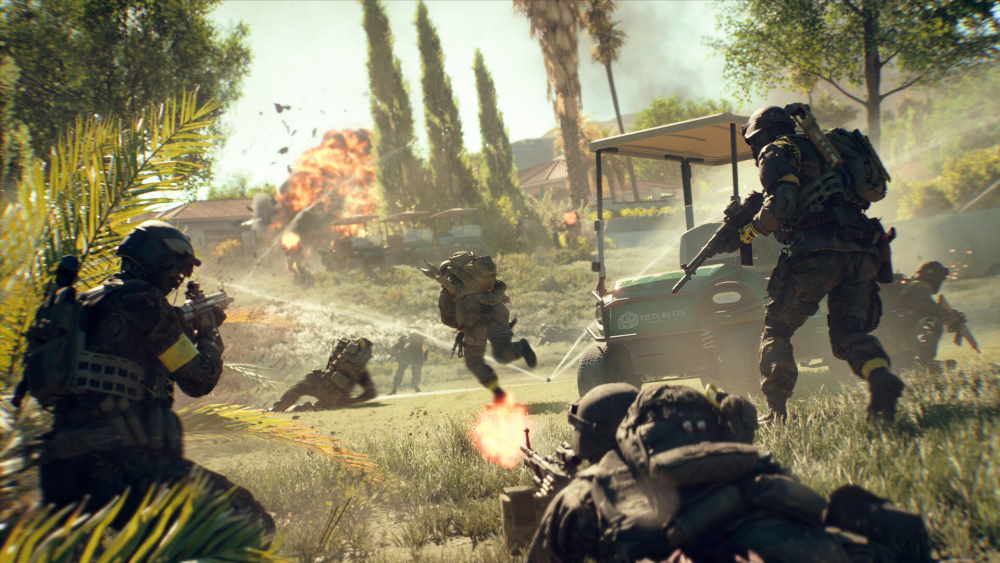
The game is built around chaotic, 64-to-128 player multiplayer maps with dynamic weather, destructible environments, and vehicle warfare. That combination means your processor handles a lot of simultaneous game logic while your GPU pushes all those pixels to the screen.
Based on what has been confirmed so far, the recommended specs point toward a mid-range GPU and a capable multi-core CPU as the minimum bar for a comfortable experience at 1080p or 1440p. Anything below that threshold and you are playing on borrowed time.
AMD PC Build for Battlefield 6
AMD’s current lineup offers some of the best price-to-performance ratios available right now, which makes it a natural fit for a budget-conscious build. The Ryzen 5 and Ryzen 7 series CPUs handle Battlefield’s multi-threaded workloads well, and pairing one with a mid-range Radeon GPU keeps the total cost manageable without gutting your frame rate.
Recommended Components for an AMD PC Build to Play Battlefield 6
These components are hand-picked and vetted for compatibility, though we don’t guarantee availability. They are suitable for an AMD-based PC build delivering strong 1080p and 1440p gaming performance in Battlefield 6. If you don’t like the recommendations, you can easily swap out unwanted parts and add new ones using the AI PC Builder tool. Simply click on the BUILD/CUSTOMIZE THIS button to get started.
- CPU: Ryzen 5 7600X$163.69
Price on Newegg
Amazon Price
- Motherboard: MSI MAG B650 Tomahawk WiFi$154.99
- GPU: ASUS Dual Radeon RX 7700XT $845.00
- RAM: Corsair Vengeance DDR5 RAM 32GB$549.99
- Storage 1: Kingston NV3 1TB M.2 2280 NVMe SSD$159.00
- PSU: Corsair RM750e Fully Modular Low-Noise Power Supply$68.99
- Case: Fractal Design Pop Air RGB$97.27
- CPU Cooler: Cooler Master Hyper 212$35.98
TOTAL COST: $2,074.91
📊 Price History
[Prices updated: 7:44pm, 10/28/2026]
Why This AMD Build Works
The Ryzen 5 7600X is a six-core processor with strong single-threaded performance, which matters for how Battlefield handles game logic and AI processing. It does not bottleneck a mid-range GPU, and it runs cool enough under the Noctua cooler without requiring a liquid cooling loop.
The RX 7700 XT is the workhorse here. It handles 1080p at high settings with frames to spare, and at 1440p it remains competitive with FSR enabled. Pair that with 32GB of fast DDR5 and you have a system that will not stutter when the map starts falling apart around you.
Intel PC Build for Battlefield 6
Intel’s Core i5 and i7 processors from the 13th and 14th generation remain strong options in 2026, particularly if you find them at a discount. The platform is mature, motherboard prices have settled, and DDR4 compatibility means you can save on memory without a significant performance hit.
Recommended Components for an Intel PC Build to Play Battlefield 6
These components are hand-picked and vetted for compatibility, though we don’t guarantee availability. They are suitable for an Intel-based PC build delivering strong 1080p and 1440p gaming performance in Battlefield 6. If you don’t like the recommendations, you can easily swap out unwanted parts and add new ones using the AI PC Builder tool. Simply click on the BUILD/CUSTOMIZE THIS button to get started.
- CPU: Core i5 13600KF$189.99
- Motherboard: ASUS Prime Z790-P WiFi$129.99
- GPU: ASUS TUF Gaming GeForce RTX 4060 Ti OC Edition (Unavailable)$650.00
- RAM: G.Skill Ripjaws V Series 32GB DDR4$238.00
- Storage 1: WD_BLACK SN850X 1TB NVMe SSD$247.90
- PSU: Seasonic Focus GX-750 80+ Gold Full-Modular PSU$151.00
- Case: NZXT H5 Flow$69.99
- CPU Cooler: be quiet! Pure Rock 2 (Unavailable)$43.90
TOTAL COST: $1,720.77
📊 Price History
[Prices updated: 7:44pm, 10/28/2026]
Why This Intel Build Works
The i5-13600KF is arguably one of the best gaming CPUs at its price point right now. It has enough cores and clock speed to handle Battlefield’s demanding simulation workloads without choking, and it pairs naturally with the RTX 4060 Ti.
NVIDIA’s DLSS 3 support on the 4060 Ti is a genuine advantage here. Battlefield 6 is expected to support DLSS, which means you can push visual settings higher and recover frames through AI upscaling rather than brute-forcing everything at native resolution. That is a meaningful edge in a game this demanding.
Putting it Together
If you are building your first PC, the process is more straightforward than most people expect. The components listed above are all standard form factors, so nothing exotic is required in terms of installation order or tooling.
A few things worth keeping in mind before you start:
- Install the CPU and RAM into the motherboard before mounting it in the case. It is much easier to handle outside the chassis.
- Apply thermal paste to the CPU before seating the cooler. Most coolers include a pre-applied pad, but a fresh application of quality paste never hurts.
- Route cables behind the motherboard tray before connecting them. Airflow matters more than most new builders realize.
- Double-check that your RAM is seated in the correct slots for dual-channel operation. Refer to your motherboard manual; it is usually slots 2 and 4, not 1 and 2.
- Connect all power cables before your first boot. A missing CPU power connector is one of the most common rookie mistakes, and it produces no error message. Just silence.
Once the build is together, boot into the BIOS and enable XMP or EXPO for your RAM. Out of the box, most systems default to the base JEDEC speed, which leaves performance on the table. Enabling the memory profile takes about thirty seconds and is worth every one of them.
Optimizing Your Build for Battlefield 6
Hardware alone does not guarantee smooth gameplay. A few software and settings adjustments can close the gap between a decent experience and a genuinely fluid one.
In-Game Settings to Prioritize
Battlefield titles have historically been more CPU-bound than most shooters, particularly in large multiplayer matches. Reducing settings that stress the CPU, such as particle effects, destruction quality, and soldier count draw distance, tends to yield more consistent frame times than simply dropping resolution.
- Set texture quality to High; it has minimal frame rate impact but significant visual return.
- Lower ambient occlusion and post-processing effects first before touching resolution scale.
- Enable DLSS (NVIDIA) or FSR (AMD) if supported. Quality mode is the right balance for 1080p and 1440p targets.
- Cap your frame rate to match your monitor’s refresh rate using the in-game limiter or NVIDIA/AMD control panel.
System-Level Tweaks
Keep your GPU drivers current. Both AMD and NVIDIA regularly release game-ready drivers ahead of major titles, and Battlefield 6 will almost certainly receive one at launch. Outdated drivers are a silent performance killer.
Set Windows power plan to High Performance or Balanced with processor performance set to 100% minimum. Gaming Mode in Windows can help, though its effect varies by system. Also make sure your game is installed on the NVMe SSD; Battlefield’s large maps and asset streaming will stutter noticeably on a mechanical hard drive.
Monitor and Peripherals
A 144Hz monitor at 1080p or 1440p is the natural companion for either build listed here. You are building a machine capable of pushing well past 60fps; a 60Hz panel would cap the experience artificially. If you are shopping for a display, a 27-inch 1440p 165Hz IPS panel is the sweet spot for this class of build in 2026.
Conclusion
A capable PC build to play Battlefield 6 is within reach without the kind of budget that requires a payment plan. Both the AMD and Intel configurations above sit in a range that delivers genuine 1080p and 1440p performance, handles the game’s demanding physics and destruction systems, and leaves room to upgrade individual components as prices shift.
The builds here are starting points, not commandments. Use the AI PC Builder tool to adjust components, check current pricing, and configure a system that fits your exact situation. Click BUILD/CUSTOMIZE THIS and the tool handles compatibility checks automatically, which removes the single most stressful part of the process for anyone building for the first time.
The war is starting. Show up with a machine that can keep up.
All Articles