


What’s the best PC you can build for 1500 dollars? We often get questions like this, and we try to provide the answers to them in a helpful manner. We understand that your budget is the single biggest determinant when it comes to putting together a PC for your needs.
Nevertheless, with a $1500 budget, you can build a high-performance PC that can handle demanding games and applications. In this article, we’ll provide you with some recommendations that you may follow, and hopefully, you should be kicking it on your new PC in no time. Ready to get started? Let’s go!
Considerations for a 1500 dollars PC Build
Purpose = Form + Function
First of all, you should be able to determine why you need to build this PC – is it for gaming (quite popular), for content creation such as video editing, photo editing, CAD, or a mix such as gaming and content creation?
Budget Analysis
Once you’ve decided on that, the next thing is to determine what percentage of your budget goes to key components. For instance, if you are going to build a PC for music production, and you want to get a high-quality sound card, this is a major component for your use case, and you should make it a priority to allocate a specific percentage of your budget to this.
The same goes for gaming. You’ll likely want to dedicate at least 40% of your budget to a graphics card that will meet your needs.
What’s The Best PC You Can Build for 1500 Dollars? – Recommended Components

- CPU: Ryzen 9 5950X$398.85
Price on Newegg
Amazon Price
- Motherboard: Asus ROG Strix B550-F$156.74
- GPU: Gigabyte GeForce RTX 3070 Gaming OC$336.99
- PSU: Segotep 650W 80+ Gold Certified Non-Modular ATX PSU$49.99
- RAM: Corsair Vengeance LPX 16GB DDR4$229.04
- Storage 1: Samsung 980 Pro 2TB NVMe PCIe 4$299.99
- Case: ASUS A31 Black ATX Mid-Tower Gaming Case$49.99
TOTAL COST: $1,521.59
📊 Price History
[Prices updated: 12:06am, 10/08/2026]
Component Breakdown for a $1500 PC Build
Processor and Motherboard
The processor and motherboard are the two most important components of a gaming PC. Your choice of processor and motherboard will determine the overall performance of your PC. For a $1500 budget, you can get some really great options.
The AMD Ryzen 9 5950X is a high-performance processor suited for demanding workloads and enthusiast systems. It features 16 cores and 32 threads, making it well suited for heavy multitasking, content creation, and parallel processing tasks. It has a base clock speed of 3.4 GHz and can boost up to 4.9 GHz under load. The processor uses the AM4 socket, so it requires a compatible motherboard based on that platform.
For the motherboard, the ASUS ROG Strix B550-F Gaming (WiFi 6) is a great option. It’s a high-end motherboard that supports the AM4 socket and has Wi-Fi 6 capabilities. It has two M.2 slots for NVMe SSDs and six SATA ports for additional storage. It also has plenty of USB ports, including USB 3.2 Gen 2 Type-C and Type-A ports.
Graphics Card
The graphics card is another critical component of a gaming PC. It’s responsible for rendering the graphics and visuals in games and applications. For a $1500 budget, you can get a powerful graphics card that can handle even the most demanding games.
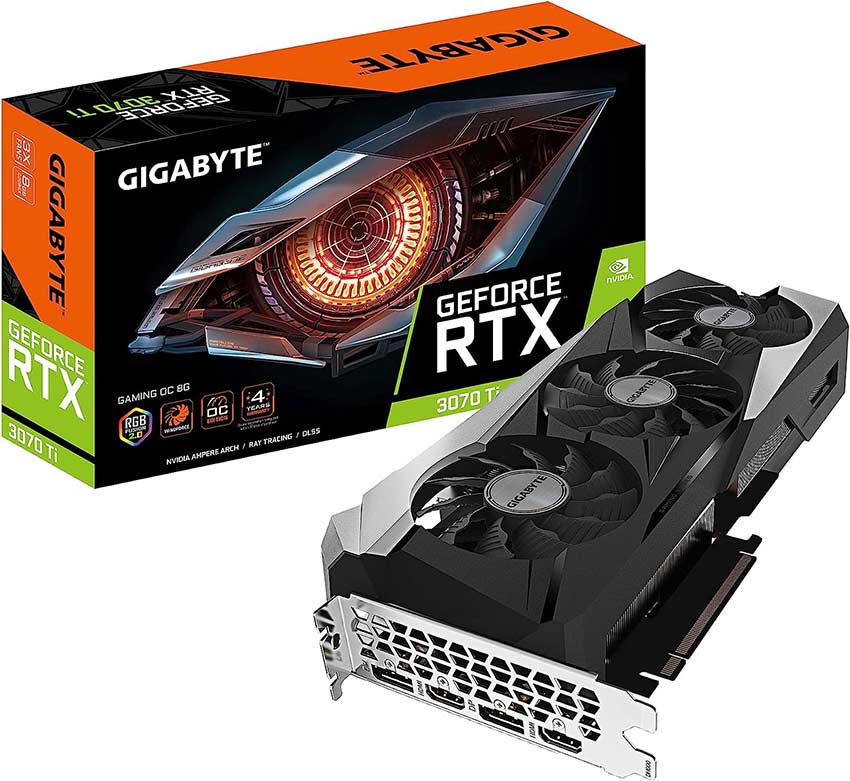
The NVIDIA GeForce RTX 3070 is a strong mid-to-high range graphics card suitable for modern gaming systems. It features 8GB of GDDR6 memory and 5,888 CUDA cores, delivering solid performance at 1440p and capable 4K gaming in many titles. The card supports real-time ray tracing and DLSS, which improve visual realism and help maintain higher frame rates in supported games.
Memory and Storage
Memory and storage are essential components of a gaming PC. You’ll need enough memory to run your games and applications smoothly, and enough storage to store your games, files, and other data. For a $1500 budget, you can get plenty of memory and storage.
16GB of DDR4 memory is the sweet spot for a gaming PC. The Corsair Vengeance LPX 16GB (2 x 8GB) DDR4-3200 memory kit is an excellent choice. It has a low-profile design, so it won’t interfere with your CPU cooler. It also has a speed of 3200 MHz, which is perfect for Ryzen processors.
For storage, the Samsung 970 EVO Plus 1TB NVMe SSD is an excellent choice. It’s a high-performance SSD that can offer lightning-fast read and write speeds. It uses the NVMe protocol, offering faster data transfer speeds than SATA. This SSD can store your operating system, games, and other files.
Case and Power Supply
The case and power supply are often overlooked components of a gaming PC. However, they’re essential for the overall performance and stability of your PC. You’ll need a sturdy case to protect your components and a reliable power supply to ensure that your PC receives enough power.
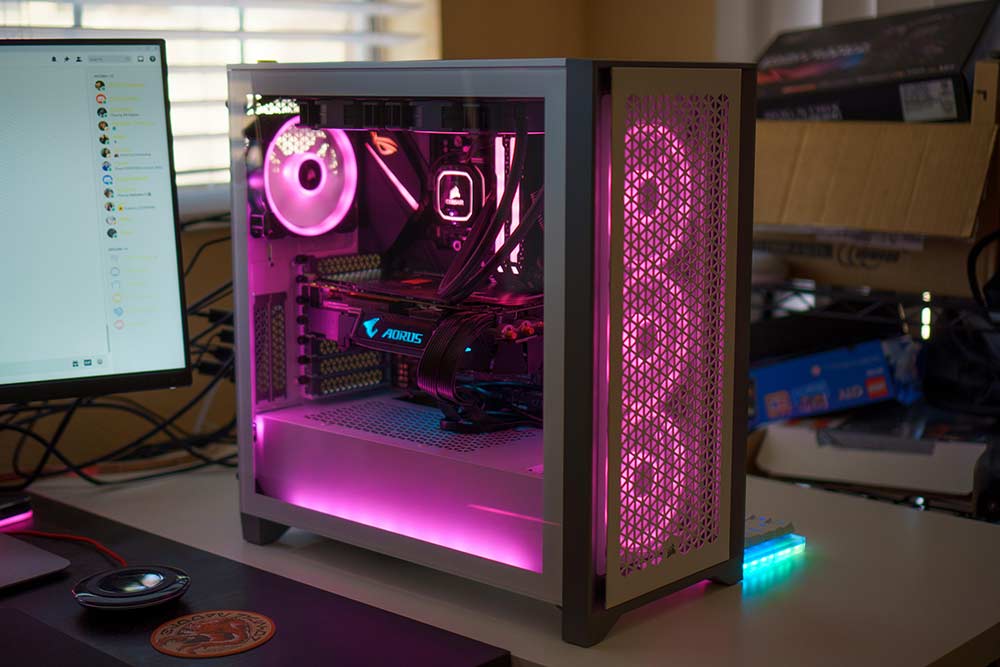
The Corsair 3500X ARGB Mid-Tower ATX Case is a modern chassis designed for high-airflow builds and visual appeal. It features a spacious interior that supports ATX motherboards and multiple cooling configurations, including radiators. The case includes ARGB lighting elements for customizable aesthetics and provides adequate room for cable management, helping maintain clean builds and efficient airflow.
For the power supply, the Segotep 650W 80+ Gold Certified Non-Modular ATX PSU is a suitable option for a mid-range system. It delivers 650 watts of power and uses a non-modular cable design, meaning all cables are fixed to the unit. The 80 Plus Gold certification indicates a high level of energy efficiency, which helps reduce power loss and heat output during operation.
Putting It All Together
Once you have all of the components, it’s time to put them together. You can easily do this by following our DIY guide to build your own PC, and if you ever run into an issue, don’t forget to give us a shout and you’ll promptly get all the help you can get from us.
However, here’s a short guide: installing the CPU and cooler onto the motherboard is the first step. Then, install the RAM into the appropriate slots. Next, install the SSD into one of the M.2 slots on the motherboard. Finally, install the power supply and connect all of the cables to the appropriate components.
Before turning on your PC, double-check that all components are connected correctly. Once you’re confident that everything is connected correctly, turn on your PC and install your operating system. Congratulations, you’ve built your own PC!
Concluding Thoughts
In conclusion, building a gaming PC with a $1500 budget can give you a high-performance PC that can handle demanding games and applications. The AMD Ryzen 9 5900X and ASUS ROG Strix B550-F Gaming (WiFi 6) are excellent choices for the processor and motherboard, respectively. The NVIDIA GeForce RTX 3070 Ti is a powerful graphics card that can render your games and applications smoothly.
The Corsair Vengeance LPX 16GB (2 x 8GB) DDR4-3200 memory kit and Samsung 970 EVO Plus 1TB NVMe SSD offer plenty of memory and storage for your games and files. Finally, the Corsair 4000D Airflow Tempered Glass Mid-Tower ATX PC Case and EVGA SuperNOVA 650 G5 provide a sturdy case and reliable power supply for your PC.
Building PCs is something we’re enthusiastic about here at Build My PC, and if you follow through you’ll have a custom-built PC that meets your specific needs and preferences. Plus, you’ll save money compared to buying a pre-built PC. So, roll up your sleeves and start building your own PC today!
Did this article meet your expectations? Don’t forget to mention that in the comments below. Meanwhile, we’ve got tons of build guides for custom PCs, including gaming, audio mixing, 3D Rendering, CAD, VR-Gaming, and specific use cases.
All Articles