


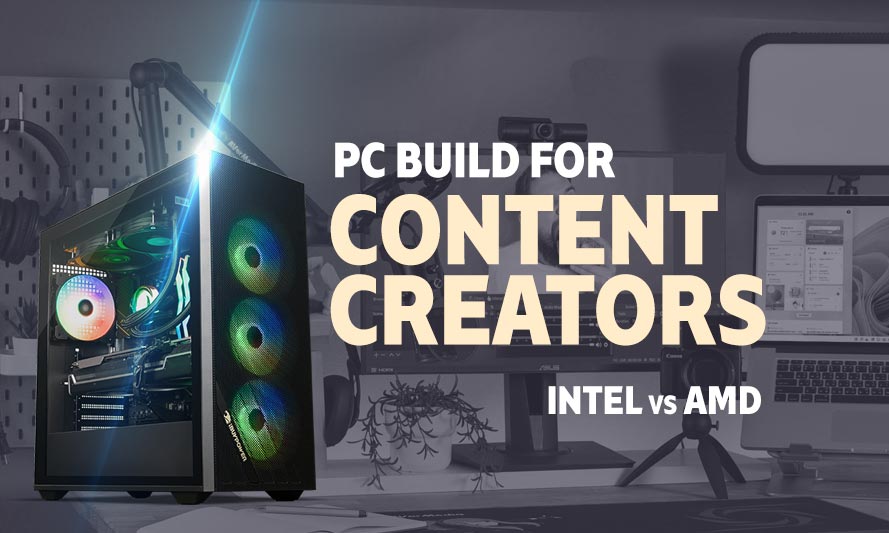
If your render times feel like watching paint dry while your CPU fan sounds like a jet engine preparing for takeoff, you are probably overdue for a serious hardware upgrade. Finding the best PC build for content creators Intel vs AMD is genuinely one of the more entertaining debates in PC building right now, mostly because both camps have compelling arguments and neither side is obviously wrong in 2026. Whether you are editing 4K timelines in DaVinci Resolve, grinding out YouTube videos in Premiere Pro, or doing 3D rendering between gaming sessions, the CPU and platform you choose will define your entire workflow.
What Content Creation Actually Demands from a PC
Content creation is a broad term that covers a surprisingly wide range of workloads. Video editing, motion graphics, 3D rendering, game capture, and live streaming all stress different parts of your system in different ways.
Unlike gaming, which leans heavily on GPU performance, content creation is far more CPU and RAM dependent. Core counts, cache size, and memory bandwidth matter enormously here. A fast GPU still helps with hardware-accelerated encoding and effects rendering, but the CPU carries most of the load.
RAM is also worth discussing separately. There is a well-documented RAM shortage affecting supply and pricing in 2026, so budget-conscious builders should factor in slightly elevated memory costs when planning their build. DDR5 kits have come down considerably but are not cheap across the board.
Intel vs AMD for Content Creation in 2026: The Short Version
AMD’s Ryzen 9000 series and Threadripper options lead in raw multi-core throughput, which translates directly to faster renders and smoother timeline scrubbing. Intel’s Core Ultra 200 series counters with strong single-core performance, excellent integrated AI acceleration, and a mature platform ecosystem.
Neither is a bad choice. AMD tends to offer better value at the mid-range and high-end for pure rendering workloads. Intel holds its ground in mixed-use scenarios where gaming and content creation share the same machine.
The builds below cover Budget, Mid-Range, and High-End configurations for both platforms, keeping all components identical except the CPU and motherboard. This makes the comparison genuinely useful rather than just theoretical.
AMD PC Builds for Content Creators
Budget AMD Build for Content Creation
These components are hand-picked and vetted for compatibility, though we do not guarantee availability. They are suitable for an AMD-based PC build optimized for entry-level content creation including 1080p video editing, light streaming, and graphic design work. If you do not like the recommendations, you can easily swap out unwanted parts and add new ones using the AI PC Builder tool. Simply click on the BUILD/CUSTOMIZE THIS button to get started.
- CPU: Ryzen 5 9600X$174.99
Price on Newegg
Amazon Price
- Motherboard: msi PRO B650-S WiFi $112.97
- GPU: XFX Speedster SWFT210 Radeon RX 7600XT$595.00
- RAM: Teamgroup T-Force Vulcan DDR5 32GB$489.99
- Storage 1: Kingston NV3 1TB M.2 2280 NVMe SSD$162.00
- PSU: Thermaltake Smart 650W 80+ White Certified PSU$59.99
- Case: Fractal Design Pop Air RGB$79.99
- CPU Cooler: Thermalright Assassin X120 Refined SE CPU Air Cooler$17.90
TOTAL COST: $1,692.83
📊 Price History
[Prices updated: 2:43am, 08/26/2026]
The Ryzen 5 9600X is a capable 6-core processor that handles 1080p editing timelines and light rendering without breaking a sweat. Paired with 32GB of DDR5 RAM, this build punches above its price bracket for entry-level content work.
The RX 7600 XT with 16GB VRAM is a meaningful upgrade for GPU-accelerated effects in Premiere Pro and DaVinci Resolve. It is a solid budget GPU choice for creators who also game on the side.
Mid-Range AMD Build for Content Creation
These components are hand-picked and vetted for compatibility, though we do not guarantee availability. They are suitable for an AMD-based PC build optimized for mid-range content creation including 4K video editing, motion graphics, and moderate 3D rendering. If you do not like the recommendations, you can easily swap out unwanted parts and add new ones using the AI PC Builder tool. Simply click on the BUILD/CUSTOMIZE THIS button to get started.
- CPU: Ryzen 7 9700X$329.00
- Motherboard: ASUS TUF Gaming X670E-Plus WiFi (Used – Like New)$136.83
- GPU: GIGABYTE Radeon RX 7900 GRE Gaming OC (Used – Like New)$659.99
- RAM: Klevv Cras V RGB DDR5 32GB$534.99
- Storage 1: Inland TN470 SSD 2TB Gen4 NVMe$304.99
- PSU: Vetroo 850W Power Supply 80 Plus Gold Full Modular$79.99
- Case: Lian Li Lancool 216 Mid-Tower Case$98.99
- CPU Cooler: be quiet! Pure Rock 2$54.90
TOTAL COST: $2,199.68
📊 Price History
[Prices updated: 2:43am, 08/26/2026]
The Ryzen 7 9700X brings 8 cores and strong IPC improvements that make 4K editing noticeably more responsive compared to older Zen 4 chips. It handles multi-track timelines without the kind of stuttering that makes editors want to throw their monitors out the window.
The RX 7900 GRE is one of the better value propositions in the mid-range GPU market right now, offering strong hardware encoding and enough VRAM headroom for complex After Effects compositions. The 2TB NVMe keeps project files fast and accessible.
High-End AMD Build for Content Creation
These components are hand-picked and vetted for compatibility, though we do not guarantee availability. They are suitable for a high-end AMD-based PC build optimized for professional-grade 4K/8K video production, heavy 3D rendering, and simultaneous streaming. If you do not like the recommendations, you can easily swap out unwanted parts and add new ones using the AI PC Builder tool. Simply click on the BUILD/CUSTOMIZE THIS button to get started.
- CPU: Ryzen 9 9950X$498.00
- Motherboard: GIGABYTE X670E AORUS Master (Unavailable)$399.99
- GPU: ASUS TUF Gaming Radeon RX 9070XT$1,029.99
- RAM: Silicon Power DDR5 64GB Zenith RGB$949.97
- Storage 1: Sabrent 4TB Rocket 4 Plus NVMe$879.99
- PSU: ASUS ROG Strix 1000W Gold Aura Edition Fully Modular 80+ Gold Certified$266.89
- Case: Fractal Design Torrent RGB Black ATX Airflow Mid Tower$229.99
- CPU Cooler: Thermalright Phantom Spirit 120SE$35.90
TOTAL COST: $4,290.72
📊 Price History
[Prices updated: 2:43am, 08/26/2026]
The Ryzen 9 9950X is a 16-core powerhouse that reduces Blender render times and Premiere Pro export queues to a fraction of what older platforms deliver. If you are working with RED RAW or 8K ProRes footage, this is the CPU that keeps the workflow moving.
64GB of fast DDR5 gives the system enough headroom to run DaVinci Resolve, a browser full of reference tabs, and a Discord call simultaneously without any of them complaining. The RX 9070 XT handles GPU-accelerated effects with authority and doubles as a serious gaming card when the work is done.
Intel PC Builds for Content Creators
Budget Intel Build for Content Creation
These components are hand-picked and vetted for compatibility, though we do not guarantee availability. They are suitable for an Intel-based PC build optimized for entry-level content creation including 1080p video editing, light streaming, and graphic design work. If you do not like the recommendations, you can easily swap out unwanted parts and add new ones using the AI PC Builder tool. Simply click on the BUILD/CUSTOMIZE THIS button to get started.
- CPU: Core Ultra 5 245K$195.00
- Motherboard: MSI PRO Z890-A WiFi (Unavailable)$119.99
- GPU: XFX Speedster SWFT210 Radeon RX 7600XT$595.00
- RAM: Teamgroup T-Force Vulcan DDR5 32GB$489.99
- Storage 1: Kingston NV3 1TB M.2 2280 NVMe SSD$162.00
- PSU: Thermaltake Smart 650W 80+ White Certified PSU$59.99
- Case: Fractal Design Pop Air RGB$79.99
- CPU Cooler: Thermalright Assassin X120 Refined SE CPU Air Cooler$17.90
TOTAL COST: $1,719.86
📊 Price History
[Prices updated: 2:43am, 08/26/2026]
The Core Ultra 5 245K brings Intel’s Arrow Lake architecture to the budget tier, with solid single-core performance and improved efficiency over the previous generation. It handles 1080p editing and light encoding tasks with reasonable speed.
The Z890 platform offers good upgrade headroom, and the shared components with the AMD budget build make the cost comparison straightforward. At this price point, the Intel platform costs slightly more due to motherboard pricing, but the performance gap is narrow.
Mid-Range Intel Build for Content Creation
These components are hand-picked and vetted for compatibility, though we do not guarantee availability. They are suitable for an Intel-based PC build optimized for mid-range content creation including 4K video editing, motion graphics, and moderate 3D rendering. If you do not like the recommendations, you can easily swap out unwanted parts and add new ones using the AI PC Builder tool. Simply click on the BUILD/CUSTOMIZE THIS button to get started.
- CPU: Core Ultra 7 265K (Used – Like New)$249.99
- Motherboard: ASUS TUF Gaming Z890-Plus WiFi$241.85
- GPU: GIGABYTE Radeon RX 7900 GRE Gaming OC (Used – Like New)$659.99
- RAM: Klevv Cras V RGB DDR5 32GB$534.99
- Storage 1: Inland TN470 SSD 2TB Gen4 NVMe$304.99
- PSU: Vetroo 850W Power Supply 80 Plus Gold Full Modular$79.99
- Case: Lian Li Lancool 216 Mid-Tower Case$98.99
- CPU Cooler: be quiet! Pure Rock 2$54.90
TOTAL COST: $2,225.69
📊 Price History
[Prices updated: 2:43am, 08/26/2026]
The Core Ultra 7 265K is a strong all-rounder for creators who split time between gaming and production work. Its single-core speed gives it an edge in applications that do not scale well across many cores, and its integrated NPU accelerates certain AI-assisted editing features in newer software versions.
Against the Ryzen 7 9700X, the 265K trades blows in most benchmarks. AMD wins in heavily threaded renders; Intel tends to be faster in single-core-dependent tasks like timeline playback in older editing software builds. Both are genuinely good options at this price range.
High-End Intel Build for Content Creation
These components are hand-picked and vetted for compatibility, though we do not guarantee availability. They are suitable for a high-end Intel-based PC build optimized for professional-grade 4K/8K video production, heavy 3D rendering, and simultaneous streaming. If you do not like the recommendations, you can easily swap out unwanted parts and add new ones using the AI PC Builder tool. Simply click on the BUILD/CUSTOMIZE THIS button to get started.
- CPU: Core Ultra 9 285K$494.99
- Motherboard: Gigabyte Z890 Aorus Master $336.75
- GPU: ASUS TUF Gaming Radeon RX 9070XT$1,029.99
- RAM: Silicon Power DDR5 64GB Zenith RGB$949.97
- Storage 1: Sabrent 4TB Rocket 4 Plus NVMe$879.99
- PSU: ASUS ROG Strix 1000W Gold Aura Edition Fully Modular 80+ Gold Certified$266.89
- Case: Fractal Design Torrent RGB Black ATX Airflow Mid Tower$229.99
- CPU Cooler: Thermalright Phantom Spirit 120SE$35.90
TOTAL COST: $4,224.47
📊 Price History
[Prices updated: 2:43am, 08/26/2026]
The Core Ultra 9 285K is Intel’s flagship Arrow Lake processor, featuring 24 cores in a hybrid configuration that handles both lightly and heavily threaded workloads efficiently. It competes directly with the Ryzen 9 9950X and edges ahead in certain AI-accelerated workflows thanks to its dedicated NPU.
For creators working in Adobe’s AI-assisted tools or using machine learning upscaling in their pipeline, the 285K’s NPU integration provides a tangible advantage. Pure Blender renders still favour AMD slightly, but the gap has narrowed considerably in 2026.
Putting it Together
Assembling any of these builds follows the same general sequence regardless of platform. Seat the CPU, install the cooler, slot in the RAM, mount the motherboard in the case, connect the PSU cables, install the GPU and NVMe drives, then boot into BIOS to confirm everything is detected before installing your OS.
If you have never built a PC before or want a thorough walkthrough of each step, the DIY PC build guide on this site covers the entire process from unboxing to first boot, with detailed instructions suitable for first-time builders.
One thing worth noting for content creators specifically: cable management matters more than it does for gaming-only builds. Good airflow directly affects sustained CPU performance during long renders. Do not leave cables blocking the front intake fans.
Also enable XMP or EXPO in BIOS after first boot. DDR5 kits ship at a lower default speed and will not hit their rated frequency until you enable the memory profile manually. This is a free performance gain that too many builders skip.
Optimizing Your Build for Content Creation
Hardware is only part of the equation. How you configure your system and software stack has a meaningful impact on real-world performance.
Software and Driver Settings
Keep GPU drivers current, particularly for AMD builds. Radeon Software updates frequently improve hardware encoding performance in DaVinci Resolve and Premiere Pro. Intel Arc users should similarly stay on top of driver releases, as the Arc platform has seen consistent performance improvements through software updates.
Set your editing application to use hardware-accelerated decoding and encoding where available. In Premiere Pro, this is under File > Project Settings > General (depending on your version). In DaVinci Resolve, check the Master Settings panel under Preferences. Leaving these on software mode wastes GPU resources you are already paying for.
Storage Strategy
Use your NVMe drive for active project files and your OS. If budget allows, a secondary HDD or larger NVMe for archiving completed projects keeps your primary drive from filling up and slowing down. Full NVMe drives throttle write speeds noticeably.
RAM Considerations in 2026
Given the current RAM market, 32GB is the sensible minimum for content creation in 2026. If you can stretch to 64GB, do it, especially for high-end builds handling 4K or above. Video editing applications are memory-hungry by nature, and running out of RAM mid-render is the kind of experience that ages you prematurely.
DDR5 at 6000MHz is the sweet spot for AMD’s Ryzen 9000 series due to the Infinity Fabric clock relationship. Intel’s Arrow Lake platform is less sensitive to memory speed, so 5600MHz kits work well there without paying a premium for faster modules.
Cooling for Long Render Sessions
Both the Ryzen 9 9950X and Core Ultra 9 285K generate significant heat under sustained all-core loads. The Thermalright Phantom Spirit 120 SE recommended in the high-end builds handles this adequately, but if you plan to run overnight renders regularly, consider stepping up to a 240mm or 360mm AIO liquid cooler. Thermal throttling during a six-hour Blender render is not something you want to discover after the fact.
More Like This >
Best Computer Build for Graphic Design
Best PC Build for 3D Modeling & Rendering
Best PC Build for DaVinci Resolve Intel vs AMD
Best PC Parts for Upgradeable Desktop For Coding, 4K Video Editing, and Gaming
Exploring the Perfect PC Build for Photo and Video Editing
Conclusion
The best PC build for content creators Intel vs AMD ultimately comes down to what your workflow prioritises. AMD’s Ryzen 9000 series delivers superior multi-core rendering performance at a better price-per-core ratio, making it the stronger choice for dedicated video editors and 3D artists. Intel’s Core Ultra 200 series offers competitive all-round performance with NPU-assisted AI acceleration and excellent gaming frame rates for creators who split their time between production and play.
At the budget and mid-range tiers, AMD provides more rendering throughput per dollar. At the high end, the gap narrows and platform preference becomes a legitimate deciding factor. Either way, the builds above give you a solid, compatible starting point across all three price brackets.
Pick the platform that fits your budget, enable XMP/EXPO, manage your cables, and get back to making things. That render queue is not going to clear itself.
All Articles