


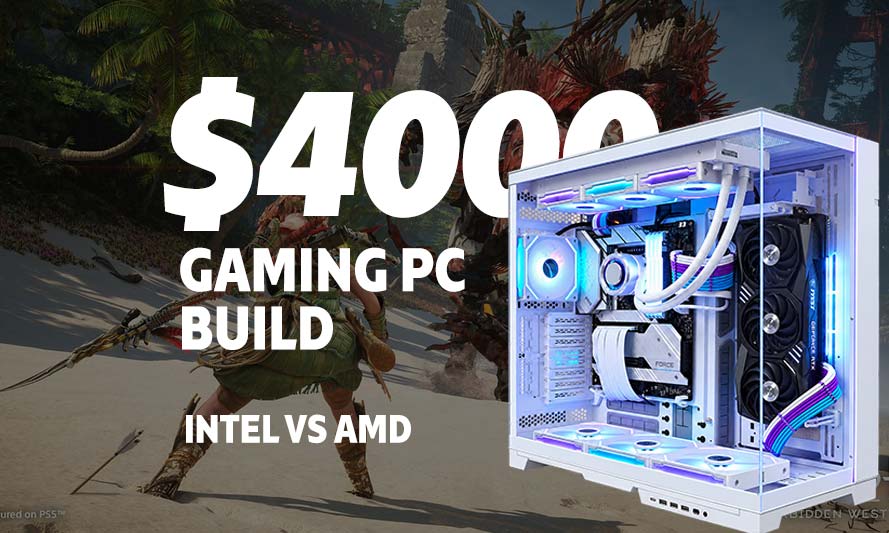
Four thousand dollars for a gaming PC. Say that number out loud and somewhere a Steam Deck owner weeps quietly into their handheld. Honestly, is a $4000 gaming PC build actually a sound purchase, or just an expensive way to flex on Discord? The honest answer sits somewhere in between, and it depends entirely on what you expect that rig to do for you over the next four or five years.
This guide breaks down two full $4000 builds, one AMD, one Intel, both configured for serious 4K gaming and content creation. We’ll also show you a leaner alternative in the $1,500 to $2,000 range, because not everyone needs to mortgage a kidney to play at high frame rates. By the end you’ll know exactly where your money goes and whether the splurge is worth it for your situation.
Is the Best $4000 Gaming PC Build Really Worth It?
A $4000 gaming PC in August 2026 buys you flagship silicon on both sides of the CPU aisle, a top-tier GPU capable of native 4K at high refresh rates, and enough storage and memory headroom that you won’t be shopping for upgrades again until the decade turns. It is not, strictly speaking, necessary for 1080p or even most 1440p gaming. It becomes necessary the moment you want 4K with ray tracing cranked up, or you’re editing 8K footage between gaming sessions.
Let’s face it – 2026 has not been kind to memory and storage prices. A prolonged DRAM and NAND shortage has pushed DDR5 kits and NVMe drives higher than they were a year or two back, which is part of why our value builds below lean on DDR4 where it makes financial sense. DDR4 still performs admirably for gaming, and the savings can go straight into your GPU instead.
AMD – Best $4000 Gaming PC Build
AMD’s current flagship desktop platform pairs the Ryzen 9 9950X3D with X870E motherboards, giving you the 3D V-Cache advantage that still matters for gaming workloads even at 4K, where CPU bottlenecks are rare but not nonexistent in CPU-heavy titles.
Recommended Components for High-End AMD $4000 Gaming PC Build
These components are hand-picked and vetted for compatibility, though we do not guarantee availability. They are suitable for an AMD-based PC build engineered for uncompromising 4K gaming and heavy ray tracing workloads. If you do not like the recommendations, you can easily swap out unwanted parts and add new ones using the AI PC Builder tool. Simply click on the BUILD/CUSTOMIZE THIS button to get started.
- CPU: Ryzen 9 9950X3D$695.54
Price on Newegg
Amazon Price
- Motherboard: ASUS ROG Strix X870E-E Gaming WiFi$397.00
- GPU: Gigabyte GeForce RTX 5080 Gaming OC$1,653.99
- RAM: Teamgroup T-Force Vulcan DDR5 32GB$489.99
- Storage 1: Inland Performance Plus 2TB NVMe Gen5 NVMe$329.99
- PSU: Lian Li Edge 850W Fully Modular ATX Power Supply Cybernetics Gold Efficiency$110.99
- Case: Lian Li Dynamic EVO XL$254.99
- CPU Cooler: be quiet! Dark Rock Pro 5$84.81
TOTAL COST: $4,017.30
📊 Price History
[Prices updated: 4:57pm, 10/04/2026]
Estimated total: roughly $3,700 – $3,900, leaving a small cushion for case fans or a better keyboard, because the mechanical switches on your $30 special aren’t fooling anyone once you’ve got a rig this capable sitting under your desk.
Recommended Components for Value AMD Gaming PC Build ($1,500-$2,000)
These components are hand-picked and vetted for compatibility, though we do not guarantee availability. They are suitable for a budget-conscious AMD-based PC build capable of strong 1440p and entry-level 4K gaming performance. If you do not like the recommendations, you can easily swap out unwanted parts and add new ones using the AI PC Builder tool. Simply click on the BUILD/CUSTOMIZE THIS button to get started.
- CPU: Ryzen 7 7700X$234.00
- Motherboard: MSI B650-P Pro WiFi$182.99
- GPU: MSI Gaming RTX 5070 2X OC$999.00
- RAM: TEAMGROUP T-Force Vulcan Z DDR4 32GB Kit$239.90
- Storage 1: Klevv Cras C910 1TB NVMe PCIe 4$163.99
- PSU: Thermaltake Toughpower GT 750W Full Modular 80 Plus Gold$79.99
- Case: Lian Li Lancool 205 MESH C High Airflow ATX RGB PC Case $122.99
- CPU Cooler: be quiet! Pure Rock 2 (Unavailable)$54.90
TOTAL COST: $2,077.76
📊 Price History
[Prices updated: 4:57pm, 10/04/2026]
Estimated total: $1,700 – $1,900. A build like this handles most modern titles at 1440p high refresh with room to spare, and it’ll take a fair swing at 4K in less demanding games too.
Intel – Best $4000 Gaming PC Build
Intel’s Core Ultra 9 285K remains a legitimate high-end option in 2026, particularly for users who mix gaming with productivity work, given its strong multi-threaded performance. Pair it with a solid Z890 board and the rest of the platform mirrors the AMD build almost component for component.
Recommended Components for High-End Intel $4000 Gaming PC Build
These components are hand-picked and vetted for compatibility, though we do not guarantee availability. They are suitable for an Intel-based PC build engineered for uncompromising 4K gaming and heavy ray tracing workloads. If you do not like the recommendations, you can easily swap out unwanted parts and add new ones using the AI PC Builder tool. Simply click on the BUILD/CUSTOMIZE THIS button to get started.
- CPU: Core Ultra 9 285K$519.99
- Motherboard: Asus ROG Strix Z890-E Gaming WiFi $373.88
- GPU: Gigabyte GeForce RTX 5080 Gaming OC$1,653.99
- RAM: Teamgroup T-Force Vulcan DDR5 32GB$489.99
- Storage 1: Inland Performance Plus 2TB NVMe Gen5 NVMe$329.99
- PSU: Lian Li Edge 850W Fully Modular ATX Power Supply Cybernetics Gold Efficiency$110.99
- Case: Lian Li Dynamic EVO XL$254.99
- CPU Cooler: be quiet! Dark Rock Pro 5$84.81
TOTAL COST: $3,818.63
📊 Price History
[Prices updated: 4:57pm, 10/04/2026]
Estimated total: $3,700 – $3,900. Slightly cheaper than the AMD equivalent, mostly down to the motherboard pricing, though both platforms will perform nearly identically in pure gaming terms with this GPU doing the heavy lifting.
Recommended Components for Value Intel Gaming PC Build ($1,500-$2,000)
These components are hand-picked and vetted for compatibility, though we do not guarantee availability. They are suitable for a budget-conscious Intel-based PC build capable of strong 1440p and entry-level 4K gaming performance. If you do not like the recommendations, you can easily swap out unwanted parts and add new ones using the AI PC Builder tool. Simply click on the BUILD/CUSTOMIZE THIS button to get started.
- CPU: Core i5-14600K$249.97
- Motherboard: msi PRO B760M-P$99.00
- GPU: MSI Gaming RTX 5070 2X OC$999.00
- RAM: TEAMGROUP T-Force Vulcan Z DDR4 32GB Kit$239.90
- Storage 1: Klevv Cras C910 1TB NVMe PCIe 4$163.99
- PSU: Thermaltake Toughpower GT 750W Full Modular 80 Plus Gold$79.99
- Case: Lian Li Lancool 205 MESH C High Airflow ATX RGB PC Case $122.99
- CPU Cooler: be quiet! Pure Rock 2 (Unavailable)$54.90
TOTAL COST: $2,009.74
📊 Price History
[Prices updated: 4:57pm, 10/04/2026]
Estimated total: $1,700 – $1,900. The i5-14600K still holds its own against newer chips in gaming benchmarks, and the savings versus the Ryzen equivalent give you a little breathing room for a better monitor instead.
Putting it Together
Assembling a $4000 rig isn’t fundamentally different from building a $1000 one; the stakes are just higher when you’re handling a pixel-pusher like the 16GB 5080. Take your time, ground yourself before touching anything, and read the motherboard manual before you start screaming at a CPU that won’t seat properly.
If you’ve never built a PC before, or it’s been a decade since your last one and the standards have all shifted underneath you, our step-by-step DIY build guide walks through the entire process from unboxing to first boot. It’s worth a read even for veterans, if only to double-check your thermal paste application isn’t a war crime.
For more build inspiration across different budgets and use cases, our full library of custom PC build guides covers everything from entry-level rigs to workstation-class monsters.
Optimizing Your Build for 4K Gaming
Getting the most out of either $4000 configuration takes more than just plugging in parts. A few adjustments make a real difference:
- Enable resizable BAR and XMP/EXPO profiles in your BIOS immediately after your first boot; both are free performance sitting on the table.
- Use DLSS or FSR upscaling even on high-end hardware. At native 4K with full ray tracing, even an RTX 5090 benefits from a frame or two of assistance.
- Keep your GPU drivers current, but don’t chase every single release; wait a week after major titles launch to let the inevitable driver bugs get patched.
- Monitor your thermals for the first month. A case with poor airflow will throttle even the best hardware, regardless of how much you spent on it.
None of this is exotic advice, but it’s the difference between a $4000 build that performs like one and a $4000 build that merely looks like one on a spec sheet.
MORE LIKE THIS >
Best High-End Gaming PC Build With Unlimited Budget: Intel vs AMD
The Ultimate Gaming PC Build with RTX 5090
What’s the best Gaming PC Build list in 2026? All Budgets
What is the Best Budget Gaming PC build in 2026?
RX 7600 PC Build: Best Budget Gaming Rig in 2026
Best Budget Gaming and Streaming PC Build Without RGB in 2026
Conclusion
So, fact or hype? The best $4000 gaming pc build is entirely legitimate for the right buyer: someone chasing native 4K, high refresh rates, and ray tracing without compromise, or someone who splits time between gaming and demanding creative work. For everyone else, the value builds above deliver the vast majority of that experience for a fraction of the cost, and the difference in most games won’t be as dramatic as the price gap suggests.
Pick the build that matches your actual usage, not your ego, and you’ll end up with a rig that earns its keep for years rather than one that just impresses people on a video call.
All Articles