


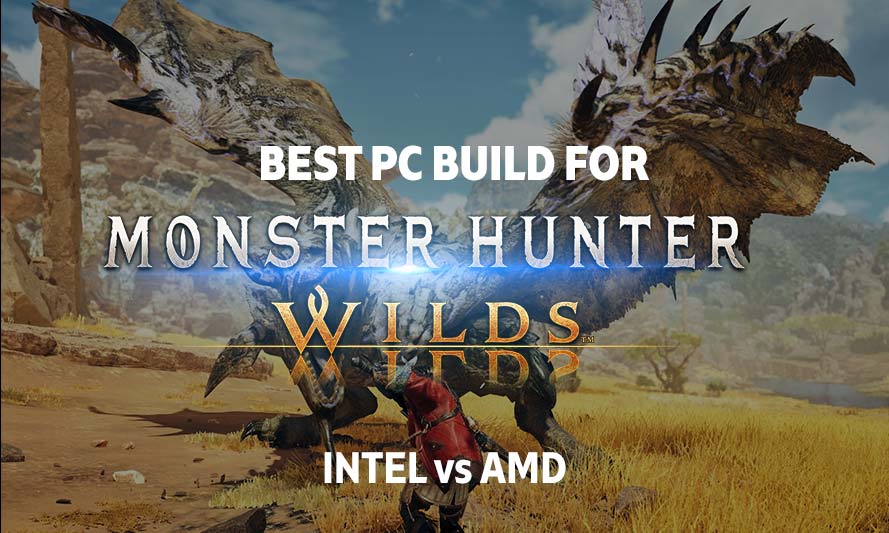
Monster Hunter Wilds runs on Capcom’s RE Engine, the same foundation that powered Resident Evil 4 remake and Dragon’s Dogma 2, and it inherited that engine’s appetite for CPU cycles. If you played Dragon’s Dogma 2 at launch and watched your frame rate collapse in crowded towns despite owning a capable GPU, you already know what this game will ask of your processor. We will spotlight the best PC build for Monster Hunter Wilds by providing compatible builds across the AMD and Intel platforms, and hopefully you should find your preferred build as we proceed.
This guide covers six builds across three budget tiers, so you can compare platforms at matching price points rather than guessing which chip fits your wallet.
About Monster Hunter Wilds
Monster Hunter Wilds is Capcom’s open-world entry in the long-running monster-hunting series, dropping the more segmented map design of Monster Hunter World for connected regions with dynamic weather and seasonal changes that affect monster behavior. The game supports ray-traced reflections and shadows on PC, along with upscaling through NVIDIA DLSS, AMD FSR, and Intel XeSS.
Capcom’s own system requirements page has drawn criticism for setting expectations that don’t match reality; PCWorld and PCMag both noted in their coverage that even the “recommended” hardware tier struggled to maintain smooth frame rates at 1080p with ray tracing enabled. That makes component selection more important here than in most modern releases, particularly on the CPU and RAM side, since the RE Engine relies heavily on fast memory access to stream in the game’s dense foliage, fur rendering, and monster animation data.
Budget Builds for Monster Hunter Wilds
A budget build should get you playable 1080p performance at medium to high settings, though don’t expect ray tracing to be part of the equation at this tier. The GPU is the obvious constraint here, but a slow CPU will bottleneck the game just as badly in busy hub areas.
These components are hand-picked and vetted for compatibility, though we do not guarantee availability. This AMD build targets solid 1080p performance for Monster Hunter Wilds without ray tracing. If you’d rather swap parts around, use the AI PC Builder tool to customize the list to your needs.
AMD Budget Build for Monster Hunter Wilds at 1080p
- CPU: Ryzen 5 5600$138.99
Price on Newegg
Amazon Price
- Motherboard: GIGABYTE B550M K$74.99
- GPU: ASRock Intel ARC A750 Challenger D (Unavailable)$207.52
- RAM: OLOy DDR4 RAM 32GB Black Hairline Blade RGB$204.99
- Storage 1: Silicon Power 1TB UD90 NVMe$169.97
- PSU: Segotep 650W 80+ Gold Certified Non-Modular ATX PSU$49.99
- Case: Montech X3 Mesh$69.99
TOTAL COST: $916.44
📊 Price History
[Prices updated: 7:22am, 11/05/2026]
Notes:
- Ensure that you enable ReBAR (Resizable BAR) in ASRock motherboard’s BIOS settings. Intel Arc GPUs suffer a massive 20% to 40% performance penalty if ReBAR is disabled.
- Ensure the B450M motherboard’s BIOS has been updated to a version that supports the Ryzen 5000 series out of the box, otherwise it won’t boot.
- The ASRock Intel ARC A750 Challenger D punches well above its price in modern DirectX 12 games. In Monster Hunter Wilds, the A750 will handle 1080p reasonably well, though the game is exceptionally demanding. Expect a baseline of 35–45 FPS on native medium settings. To securely hit a smooth 60+ FPS, you will want to utilize XeSS upscaling or FSR 3 with Frame Generation.
Intel Budget Build for Monster Hunter Wilds at 1080p
These components are hand-picked and vetted for compatibility, though we do not guarantee availability. This Intel build mirrors the AMD list at the same price point so you can weigh both platforms honestly. Swap any part using the AI PC Builder tool if you will.
- CPU: Core i5-12400F (Used – Like New)$129.99
- Motherboard: ASRock B760M-HDV/M.2 D4$126.71
- GPU: ASRock Intel ARC A750 Challenger D (Unavailable)$207.52
- RAM: OLOy DDR4 RAM 32GB Black Hairline Blade RGB$204.99
- Storage 1: Silicon Power 1TB UD90 NVMe$169.97
- PSU: Segotep 650W 80+ Gold Certified Non-Modular ATX PSU$49.99
- Case: Montech X3 Mesh$69.99
TOTAL COST: $959.16
📊 Price History
[Prices updated: 7:22am, 11/05/2026]
A note on RAM and storage: 2026 has seen ongoing memory chip shortages that pushed DDR5 prices up noticeably compared to last year. DDR4 remains widely supported on budget and mid-range boards from both Intel (12th and 13th Gen on B760 boards with DDR4 support) and AMD (AM4 platform), and it’s currently the more sensible choice if you’re trying to stretch a budget without sacrificing the 32GB capacity that Monster Hunter Wilds benefits from. If DDR5 prices ease later in the year, that calculus may shift, but as of now DDR4 gets you more capacity per dollar.
Mid-Range Build for Monster Hunter Wilds
This tier is where Monster Hunter Wilds starts to look the way Capcom intended, with ray-traced reflections on and 1440p as a realistic target. It’s also the range where the CPU choice starts mattering more, since RE Engine’s crowd and monster AI processing benefits from stronger single-core performance.
AMD Mid-Range Build for Monster Hunter Wilds at 1440p
These components are hand-picked and vetted for compatibility, though we do not guarantee availability. This AMD build is aimed at 1440p gaming with ray tracing enabled at medium presets. Customize any part using the AI PC Builder tool.
- CPU: Ryzen 7 7700$317.00
- Motherboard: MSI B650-P Pro WiFi$197.00
- GPU: ASRock Challenger Radeon RX 7800XT OC (Used – Like New)$749.22
- RAM: Klevv Cras V RGB DDR5 32GB$554.99
- Storage 1: Kingston NV3 2TB M.2 NVMe$278.95
- PSU: be quiet! 80 Plus® Gold Pure Power 750W$89.90
- Case: Lian Li Lancool 216 Mid-Tower Case$101.99
- CPU Cooler: be quiet! Pure Rock 2$54.90
TOTAL COST: $2,343.95
📊 Price History
[Prices updated: 7:22am, 11/05/2026]
Intel Mid-Range Build for Monster Hunter Wilds at 1440p
These components are hand-picked and vetted for compatibility, though we do not guarantee availability. This Intel build uses a different CPU cooler than the AMD version because the i5-14600K runs hotter under sustained load and benefits from the extra fin surface area on the Peerless Assassin. Everything else stays consistent for a fair price comparison. Adjust the list using the AI PC Builder tool if you will.
- CPU: Core i5-14600K$249.99
- Motherboard: Gigabyte B760 Gaming X AX$203.14
- GPU: ASRock Challenger Radeon RX 7800XT OC (Used – Like New)$749.22
- RAM: Klevv Cras V RGB DDR5 32GB$554.99
- Storage 1: Kingston NV3 2TB M.2 NVMe$278.95
- PSU: be quiet! 80 Plus® Gold Pure Power 750W$89.90
- Case: Lian Li Lancool 216 Mid-Tower Case$101.99
- CPU Cooler: Thermalright Peerless Assassin 120 SE CPU Cooler$34.90
TOTAL COST: $2,263.08
📊 Price History
[Prices updated: 7:22am, 11/05/2026]
High-End Build for Monster Hunter Wilds
The high-end tier is for players chasing 4K with ray tracing turned on, or those who want a high refresh rate monitor fed at 1440p with everything maxed. RTINGS’ testing of RE Engine titles has shown that frame generation technologies like DLSS 3 and FSR 3 make a meaningful difference in these scenarios, since native 4K ray tracing performance drops off sharply even on flagship GPUs.
AMD High-End Build for Monster Hunter Wilds at 4K High FPS
These components are hand-picked and vetted for compatibility, though we do not guarantee availability. This AMD build is built around the 9800X3D’s large L3 cache, which RE Engine games respond to well thanks to their reliance on fast data access for monster and terrain rendering. Change any component as you desire with the AI PC Builder tool. Just tap on BUILD/CUSTOMIZE THIS to get started
- CPU: Ryzen 7 9800X3D$444.00
- Motherboard: ASUS ROG Strix X870E-E Gaming WiFi$399.99
- GPU: ASRock Radeon RX 7900 XTX Phantom Gaming$1,399.99
- RAM: G.SKILL Flare X5 Series DDR5 RAM 32GB$539.99
- Storage 1: Samsung 9100 Pro NVMe PCIe 5 2TB $399.99
- PSU: Corsair RM850X Fully Modular Cybenetics Gold Certified Low-Noise ATX PSU (Used – Like New)$115.12
- Case: Fractal Design North Charcoal Black Tempered Glass Dark$154.99
- CPU Cooler: Thermalright Frozen Warframe 360 ARGB AIO$89.59
TOTAL COST: $3,543.66
📊 Price History
[Prices updated: 7:22am, 11/05/2026]
Intel High-End Build for Monster Hunter Wilds at 4K High FPS
These components are hand-picked and vetted for compatibility, though we do not guarantee availability. This build sits at the same price bracket as the AMD version above, giving you a like-for-like comparison at the top end. Use the AI PC Builder tool to tweak any part if you want.
- CPU: Core i7-14700K$376.83
- Motherboard: MSI MPG Z790 Carbon MAX WiFi II Gaming (Unavailable)$249.95
- GPU: ASRock Radeon RX 7900 XTX Phantom Gaming$1,399.99
- RAM: G.SKILL Flare X5 Series DDR5 RAM 32GB$539.99
- Storage 1: Samsung 9100 Pro NVMe PCIe 5 2TB $399.99
- PSU: Corsair RM850X Fully Modular Cybenetics Gold Certified Low-Noise ATX PSU (Used – Like New)$115.12
- Case: Fractal Design North Charcoal Black Tempered Glass Dark$154.99
- CPU Cooler: Thermalright Frozen Warframe 360 ARGB AIO$89.59
TOTAL COST: $3,326.45
📊 Price History
[Prices updated: 7:22am, 11/05/2026]
Putting it Together
Once your parts arrive, resist the urge to just start plugging things in randomly. Install the CPU into the motherboard first, before it goes into the case, since you’ll have far more room to seat it correctly and apply thermal paste without fighting cable clutter.
Mount the motherboard’s I/O shield, then the board itself, followed by the CPU cooler, RAM, and storage drives. Route your PSU cables before dropping the GPU in last, since a top-mounted graphics card can make it awkward to reach cable headers along the bottom of the board afterward.
If this is your first build, or even if it’s your fifth and you just want a refresher, our step-by-step DIY PC building guide walks through each stage in more detail, including standoff placement and cable management tips that are easy to overlook.
Optimizing Your Build for Monster Hunter Wilds
Getting the frame rate you want out of Monster Hunter Wilds comes down to matching in-game settings to your hardware rather than assuming any single GPU tier guarantees a specific outcome. Capcom’s PC settings menu is fairly granular, and RE Engine gives you enough control to tune the experience toward smoothness or fidelity depending on what matters more to you.
1080p Gaming
At 1080p, set the game to High or Medium presets depending on your GPU tier, and enable DLSS, FSR, or XeSS in “Quality” mode rather than leaving upscaling off entirely. Ray tracing should stay off on budget-tier cards like the Arc A750, since RE Engine’s ray-traced reflections carry a heavy cost that budget GPUs can’t absorb without dropping below 60fps in town hubs.
1440p Gaming
At 1440p, cards like the RX 7800 XT can handle High settings with ray-traced shadows enabled if you pair it with FSR or DLSS set to Balanced. Keep an eye on VRAM usage in the in-game overlay; Monster Hunter Wilds’ texture streaming can push past 10GB at this resolution with texture quality maxed, which is one reason the 16GB card is recommended here over an 8GB alternative.
4K Gaming
4K is where frame generation earns its keep. The RX 7900 XTX can run native 4K at High settings without ray tracing reasonably well, but turning on ray-traced global illumination will drop frame rates significantly without upscaling and frame generation assistance. Set upscaling to Quality mode and enable frame generation if your monitor supports high refresh rates, since the interpolated frames help smooth out the traversal stutter RE Engine is known for in open areas.
Graphics Quality vs Frame Rate
If you’d rather prioritize a high frame rate over visual fidelity, drop shadow quality and volumetric fog first; these settings carry a disproportionate performance cost relative to their visual impact in Monster Hunter Wilds. Texture quality, by contrast, is comparatively cheap on VRAM-rich cards and worth keeping high since monster fur and armor detail is one of the game’s stronger visual elements. For players chasing maximum graphics fidelity over smoothness, enable ray tracing at its highest setting and cap your frame rate at your monitor’s refresh rate to avoid unnecessary GPU strain once you’ve hit your target.
More Like This >
PC Build to run Minecraft, Full Guide
PC Build for Rainbow Six Siege: My Ultimate Guide
PC Build for Star Citizen: Max Gaming Experience
The Best PC Build for Cyberpunk 2077
PC Build for Racing Simulators
Conclusion
Monster Hunter Wilds rewards balanced builds over GPU-heavy ones, since RE Engine leans on CPU and RAM performance more than many recent releases. The budget tier gets you playable 1080p without ray tracing, the mid-range tier is the sweet spot for 1440p with ray tracing on medium, and the high-end tier is really only necessary if 4K or high refresh rate 1440p with maxed settings is the goal. At every tier, the Intel and AMD builds land at nearly identical pricing, so the deciding factor usually comes down to whether you already own compatible parts or have a platform preference from previous builds.
All Articles