



Three thousand dollars sits at an odd point in the gaming laptop market: high enough to buy a machine with real headroom, low enough that a wrong choice still stings. The best gaming laptop under $3000 right now has to do more than post good benchmark numbers. It has to justify the price against a field of machines with RTX 4080 and 4090-class GPUs, high-refresh QHD panels, and cooling systems that finally keep those chips from throttling under load. We tested and compared laptops across six categories, from all-around performance to raw horsepower, portability, screen size, and creator-focused specs, to find which machines earn their price tag and which fall short of it.

RELATED ARTICLE

We take 12 Workstation Laptops for a spin in this rundown of the best Lappies for CAD
Best Laptop for Solidworks – Full Review
Best Overall Gaming Laptops Under $3000
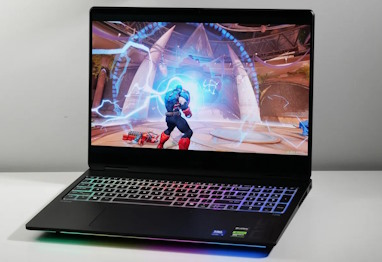
HP Omen Max 16 Gaming Laptop
Was: $2,649.54
Currently Unavailable
4 Reviews
Price incl. tax, excl. shipping
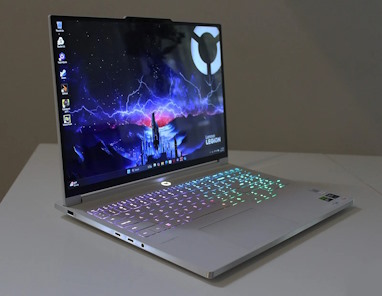
Lenovo Legion Pro 7i Gen 10
Price: $3,499.00
19 Reviews
Price incl. tax, excl. shipping
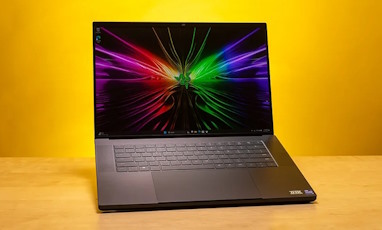
Razer Blade 16 Gaming Laptop
Price: $3,499.99
Price incl. tax, excl. shipping
Lenovo Legion Pro 7i Gen 10: Editor’s Choice
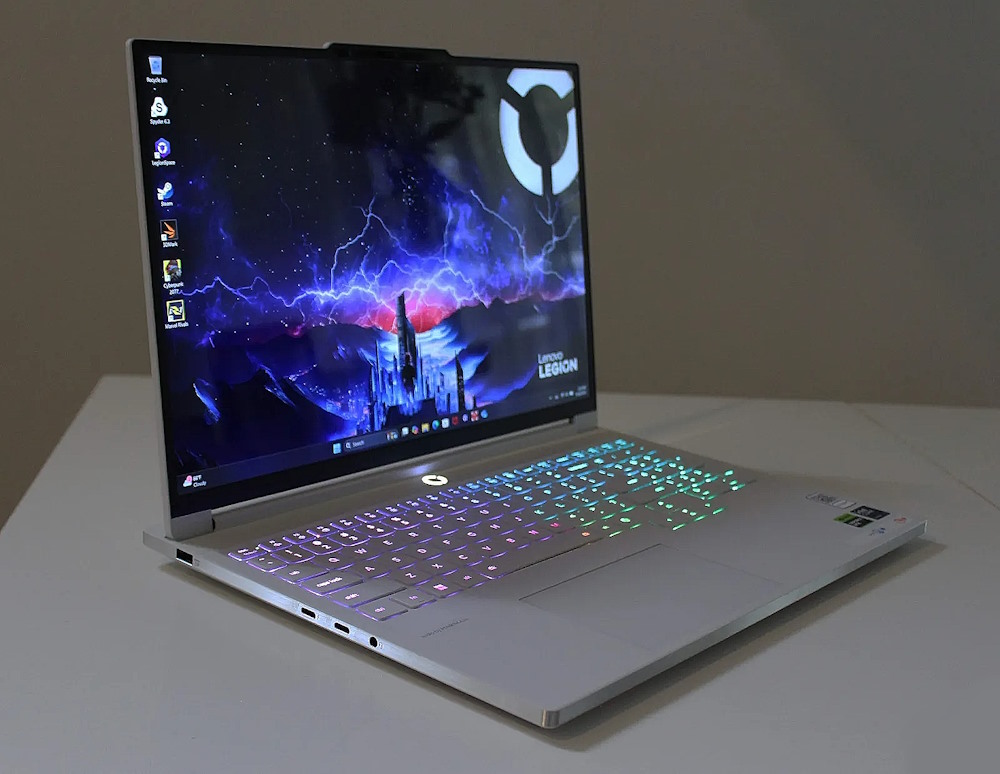
The Legion Pro 7i Gen 10 earns the top spot by refusing to trade off in any single category. Lenovo paired Intel’s Core Ultra 9 275HX with RTX 50-series graphics inside a completely reworked Eclipse Black aluminum chassis, and the result performs like a machine costing several hundred dollars more. The 16-inch WQXGA OLED panel runs at 240Hz with 500 nits of peak brightness, sharp enough for competitive play and rich enough for color work.
Lenovo’s Legion Coldfront cooling keeps the system quiet under sustained load, a rarity at this performance tier, and the keyboard – a frequent weak point on past Legion generations – finally feels solid across the WASD cluster and numpad. Two M.2 slots, one running PCIe 5.0, give it more storage flexibility than most rivals. RGB customization is the most extensive Lenovo has offered on this line. The one real compromise is battery life, which trails behind thinner competitors and confirms this as a plugged-in machine. The new 150-degree hinge also means the display no longer folds flat, a minor but noticeable step back from the previous generation. None of that dents the core value proposition.
Key Features
- 16-inch WQXGA (2560×1600) OLED display, 240Hz refresh, 500 nits peak brightness
- Legion Coldfront cooling system with quiet-under-load tuning
- Eclipse Black CNC aluminum chassis with extensive per-zone RGB
- Dual M.2 slots, one PCIe 5.0-capable
- Reworked keyboard with reduced deck flex
Key Specs
- CPU: Intel Core Ultra 9 275HX
- GPU: RTX 5070 Ti / RTX 5080 (sub-$3000 configurations)
- RAM: up to 32GB LPDDR5-6400
- Storage: 1TB PCIe Gen4/5 SSD
- Display: 16″ WQXGA OLED, 240Hz, 500 nits
Pros
- Best price-to-performance ratio in this comparison
- Outstanding OLED display quality
- Quiet operation even under heavy load
- Comfortable, well-built keyboard
Cons
- Battery life lags behind thinner rivals
- Hinge no longer opens to 180 degrees
HP Omen Max 16
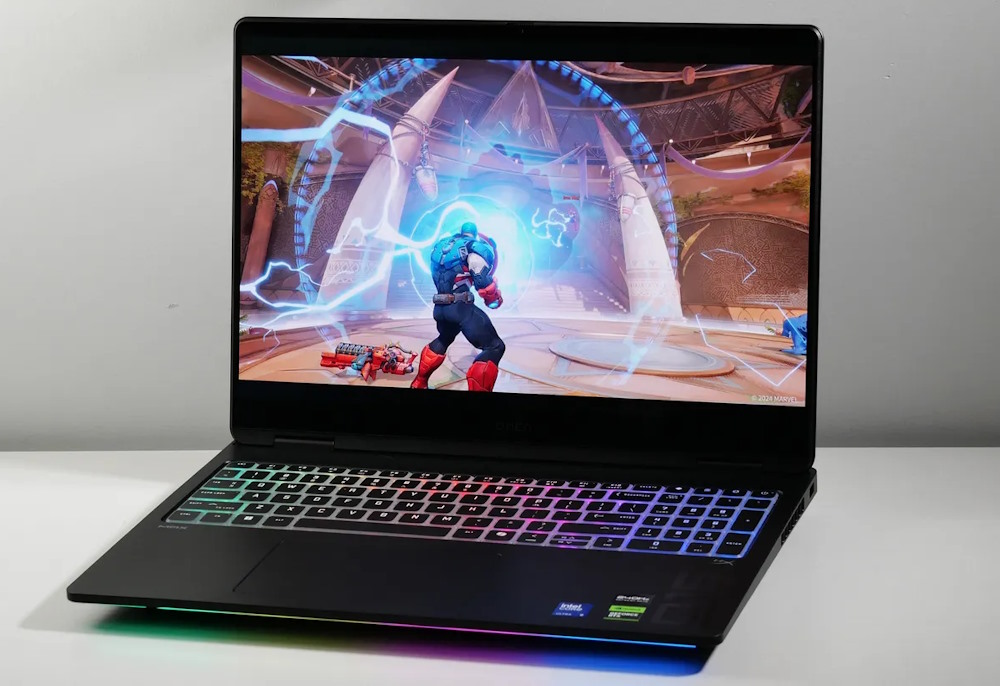
HP built the Omen Max 16 around the same Core Ultra 9 275HX and RTX 5080 pairing found in several flagship-adjacent laptops, then priced it below most of them. That alone makes it the value pick among premium-tier machines. The chassis is aluminum top and bottom, resists flex when picked up by a corner, and houses a redesigned vapor chamber cooling system with self-cleaning fans that manages thermals as well as anything in its class.
The 16-inch OLED panel runs at 240Hz and delivered strong benchmark numbers across a range of titles during testing. Where the Omen Max 16 gives ground is style. Next to RGB-heavy competitors, HP’s black-on-black design and unlit keycaps read as plain, and PCWorld’s own testing ranked it the least visually distinctive of the current RTX 5080 field. The keyboard, while sturdy, has a mushy feel that undercuts an otherwise premium build. At 6.1 pounds before the 330-watt brick, it’s not a laptop built for a bag. None of that changes the math: near-flagship performance for meaningfully less money.
Key Features
- Redesigned vapor chamber cooling with self-cleaning fans
- Reverse-exhaust thermal design
- 16-inch OLED display at 240Hz
- Full aluminum top and bottom chassis
- Two Thunderbolt 4 ports plus dedicated barrel power connector
Key Specs
- CPU: Intel Core Ultra 9 275HX
- GPU: RTX 5080, 16GB GDDR7
- RAM: 32GB DDR5-5600
- Storage: up to 2TB SSD
- Weight: 6.1 lbs (plus 2 lb power adapter)
Pros
- Near-flagship gaming performance at a lower price
- Excellent thermal management under sustained load
- Sturdy, flex-resistant aluminum build
Cons
- Plain, understated design lacks visual distinction
- Keyboard feels mushy relative to build quality elsewhere
- Heavy chassis and power brick combination
Razer Blade 16 Gaming Laptop
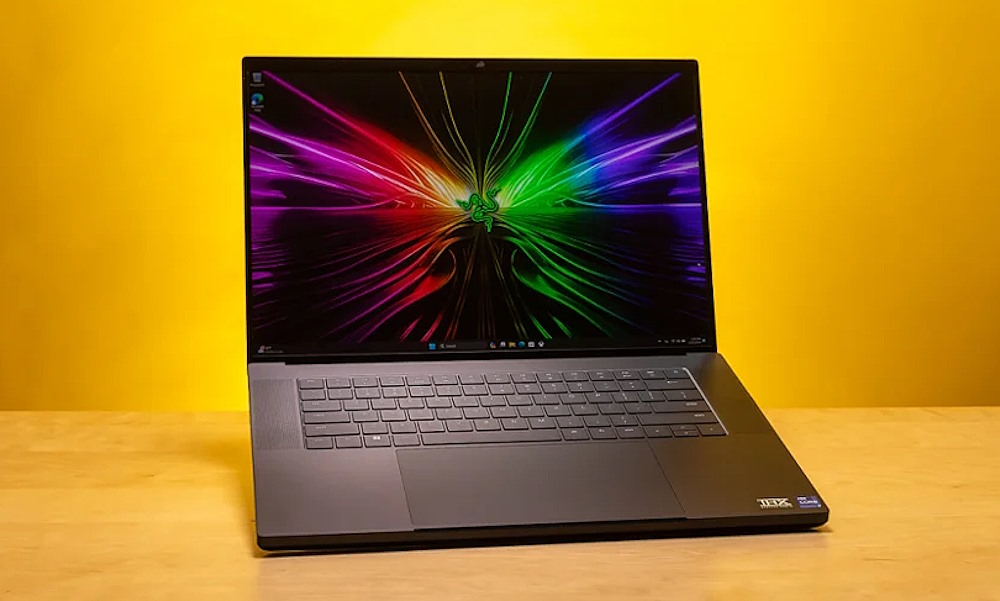
The Blade 16’s sub-$3000 configuration pairs an AMD Ryzen AI 9 365 with an RTX 5070 Ti, a step below the RTX 5080 hardware in the Legion and Omen Max. What it offers instead is Razer’s usual strength: a CNC aluminum unibody under 0.7 inches thick and under five pounds, wrapped around a 16-inch QHD+ OLED display running at 240Hz with a 0.2ms response time and Calman-verified color accuracy.
Build quality remains the best in this comparison; the chassis doesn’t creak, and the per-key Chroma RGB keyboard is precise. The tradeoff is value. At this price tier the Blade 16 trails the raw output of RTX 5080 machines from Lenovo and HP, and Razer’s pricing climbs quickly past $3000 for the GPU upgrade that would close that gap – the RTX 5080 configuration runs $400 more before storage or memory bumps. Buyers here are paying a premium for portability and display quality rather than frame rates, which is a reasonable trade for some but knocks it to third in overall ranking.
Key Features
- CNC aluminum unibody chassis, under 0.7 inches thick
- 16-inch QHD+ OLED display, 240Hz, 0.2ms response, Calman-verified color
- Per-key Chroma RGB keyboard
- Thunderbolt-enabled USB-C connectivity
- DLSS 4 support via RTX 50-series graphics
Key Specs
- CPU: AMD Ryzen AI 9 365
- GPU: RTX 5070 Ti, 12GB GDDR7, 140W TGP
- RAM: 32GB LPDDR5X-8000
- Storage: 1TB PCIe Gen4 SSD
- Weight: under 5 lbs
Pros
- Best OLED panel in this comparison
- Thinnest and lightest chassis of the three
- Premium, rigid all-metal build
Cons
- Trails RTX 5080 rivals in raw gaming performance at this price point
- Costs more than competitors offering comparable or better GPU tiers
Best Value Gaming Laptops Under $3000
ASUS ROG Strix G16 Gaming Laptop
Price: $2,497.94
187 Reviews
Price incl. tax, excl. shipping
Lenovo LOQ 15 Gen 10
Was: $1,621.84
Currently Unavailable
1 Reviews
Price incl. tax, excl. shipping
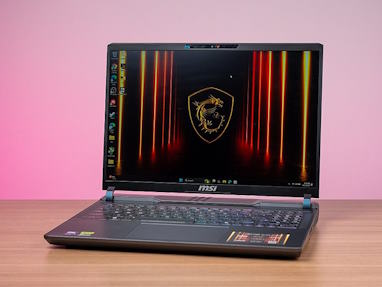
MSI Vector 16 HX AI
Price: $2,168.11
Price incl. tax, excl. shipping
ASUS ROG Strix G16
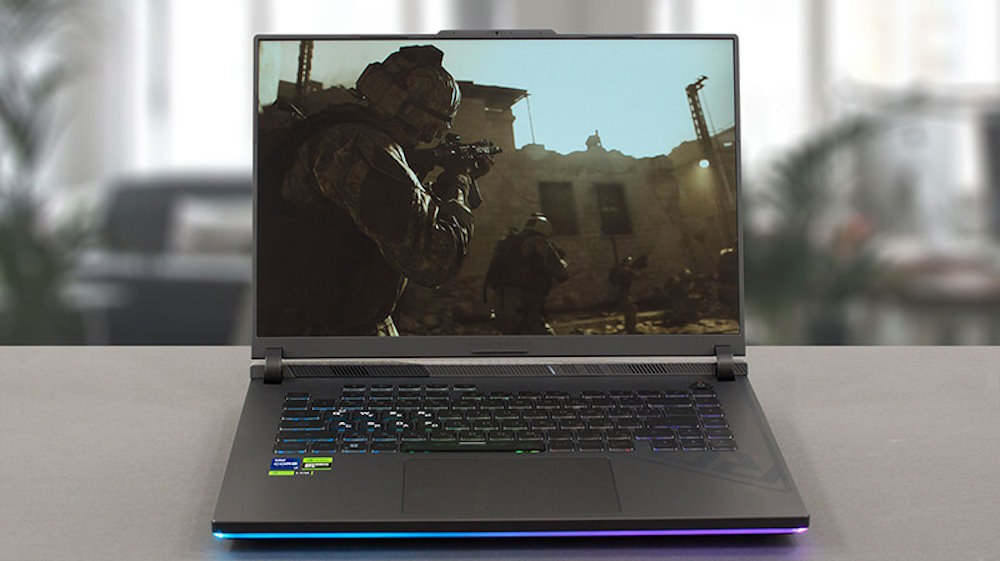
The Strix G16 wins this category because it doesn’t overreach. Asus capped the top configuration at an RTX 5070 Ti rather than chasing flagship silicon, then priced the range from $1,599 to $2,499, leaving real room to configure without brushing the $3,000 ceiling. The top-tier model pairs that GPU with 32GB of DDR5-5600, a 1TB SSD, and a 2560×1600 Nebula display running at 240Hz with 500 nits, G-Sync, and full DCI-P3 coverage. A tri-fan cooling array with a full vapor chamber keeps thermals in check even at sustained load, and two M.2 slots (one PCIe 5.0) plus dual SO-DIMM slots make future upgrades straightforward.
The build leans on plastic more than its Legion or Omen rivals, and the panel is IPS rather than OLED, so it won’t win a beauty contest against premium-tier machines. What it does instead is post gaming and productivity numbers close enough to the Legion Pro 7i to qualify as a legitimate rival, at a price gap wide enough to matter. For buyers who want near-flagship output without spending flagship money, this is the safer bet.
Key Features
- Tri-fan cooling with full vapor chamber
- 2560×1600 Nebula display, 240Hz, 500 nits, G-Sync
- Dual SO-DIMM and dual M.2 slots (one PCIe 5.0)
- Full-size per-key RGB keyboard
- Wi-Fi 6E and Bluetooth 5.3
Key Specs
- CPU: Intel Core Ultra 9 275HX / AMD Ryzen 9 8940HX (config dependent)
- GPU: RTX 5070 Ti (top configuration)
- RAM: up to 32GB DDR5-5600
- Storage: 1TB PCIe Gen4 SSD
- Display: 16″ 2560×1600 IPS, 240Hz
Pros
- Wide configuration range without exceeding $2,500
- Strong sustained performance under load
- User-upgradeable RAM and storage
Cons
- Mostly plastic build compared to metal-chassis rivals
- IPS panel lacks the contrast of OLED competitors
MSI Vector 16 HX AI
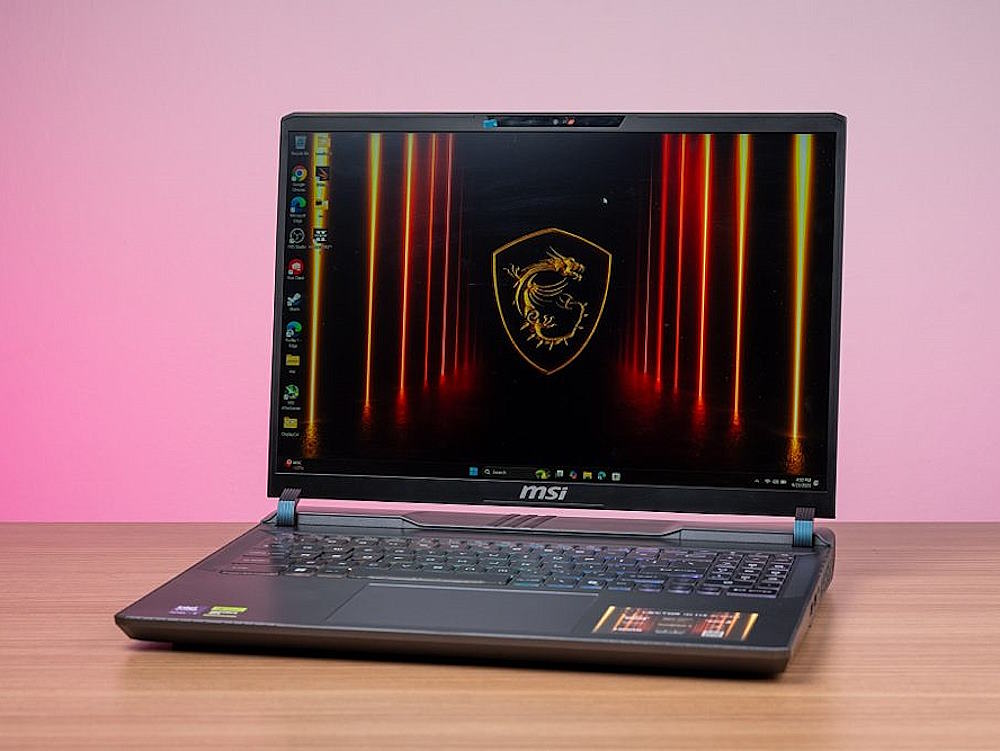
MSI built its reputation on undercutting the market on price, and the Vector 16 HX AI is the clearest example currently available. It regularly ships with a full-wattage RTX 5080 (175W) alongside a Core Ultra 9 275HX, starting around $2,500, which makes it one of the least expensive ways to get true RTX 5080 output in a laptop. The 16-inch QHD+ IPS panel runs at 240Hz, and in testing the system outpaced other RTX 5080 machines on raw frame rate, aided by an aggressive cooling array that refuses to let the GPU throttle.
However, that cooling comes at a cost: in Extreme Performance mode the fans are genuinely loud, loud enough that most owners will want to drop to the Balanced profile, which still delivers excellent numbers with far less noise. The 90Wh battery and 5.95-pound chassis are unremarkable, and the Cosmo Gray design won’t turn heads. None of that matters to the buyer this laptop is built for: someone chasing the highest frame rate per dollar spent, full stop, with portability and aesthetics well down the priority list.
Key Features
- Full-wattage RTX 5080 (175W) at an aggressive price point
- Aggressive multi-fan cooling with Extreme Performance and Balanced profiles
- 16-inch QHD+ IPS display, 240Hz
- 90Wh battery
- DLSS 4 support via Blackwell architecture
Key Specs
- CPU: Intel Core Ultra 9 275HX
- GPU: RTX 5080, 175W TGP
- RAM: 32GB DDR5-5600
- Storage: 1TB PCIe 4.0 SSD
- Weight: 5.95 lbs
Pros
- Cheapest reliable path to full-power RTX 5080 performance
- Outperforms other RTX 5080 laptops on raw frame rate
- Balanced profile preserves most performance with far less noise
Cons
- Fan noise under full load is genuinely intrusive
- Plain design and unremarkable chassis weight
Lenovo LOQ 15 Gen 10
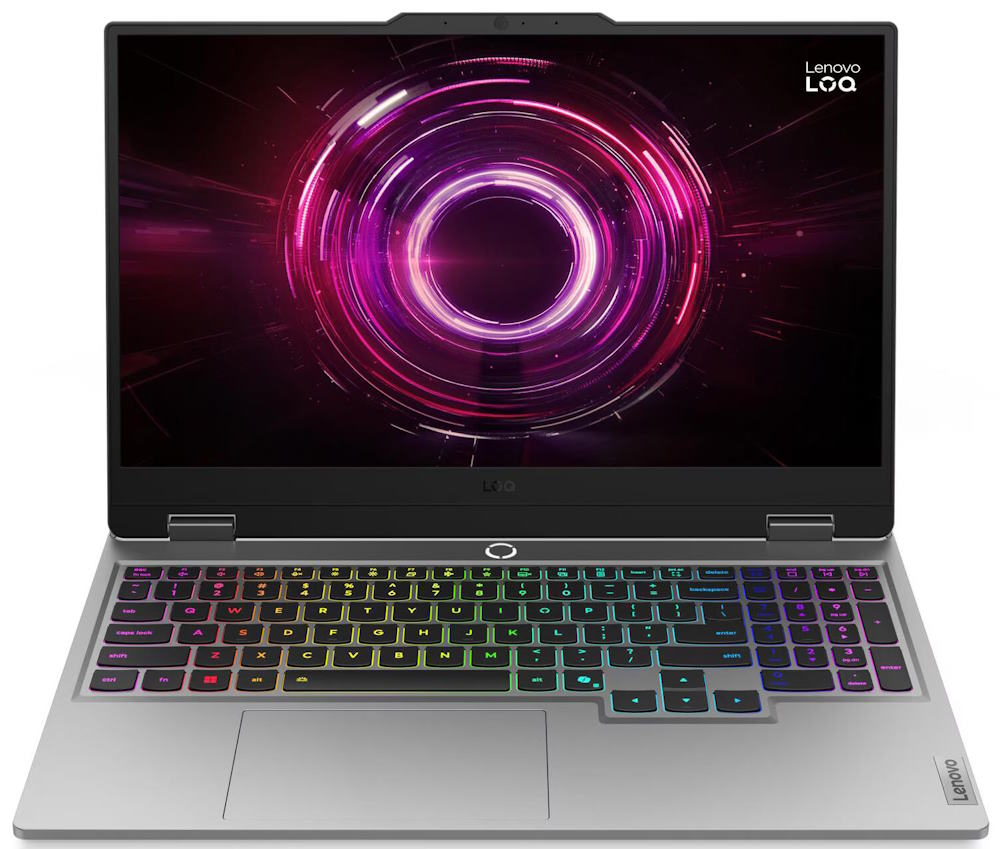
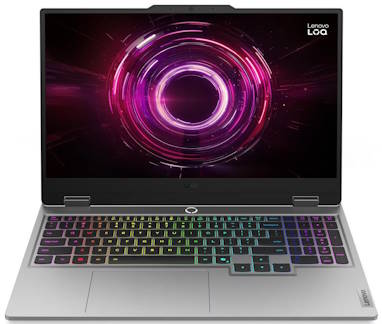
The LOQ 15 Gen 10 exists for buyers who want a real gaming laptop well under the $3,000 ceiling, not one stretched to meet it. Pricing starts around $1,299 and tops out with an RTX 5070 configuration still priced far below the rest of this list. The 15.6-inch IPS panel is native 1080p at 144Hz, but paired with the RTX 5070 and DLSS 4 upscaling, or run through an external monitor, it holds its own at 1440p in most current titles.
The keyboard is the standout surprise here: reviewers have compared its key travel and deck rigidity favorably against machines costing far more, a rare trait at this price tier. Build quality is mostly plastic but rigid, and the chassis stays under 5.5 pounds. The catches are real, though. Base configurations ship with single-channel RAM, which measurably hurts frame rates until a second stick is added, and Wi-Fi performance on some SKUs has been inconsistent. Neither is a dealbreaker for a machine at this price, and both are addressable with minor upgrades.
Key Features
- Configurable up to RTX 5070 (8GB GDDR7)
- Legion-derived keyboard with strong key travel for the price
- Dual SO-DIMM and dual M.2 slots for future upgrades
- Rigid plastic chassis under 5.5 lbs
- 144Hz 1080p IPS display
Key Specs
- CPU: AMD Ryzen 7 250 / Intel Core i7-13650HX (config dependent)
- GPU: up to RTX 5070, 8GB GDDR7
- RAM: 16GB stock (single-channel), upgradeable to 32GB
- Storage: up to 2TB PCIe Gen4 SSD
- Display: 15.6″ 1920×1080 IPS, 144Hz
Pros
- Lowest starting price in this comparison by a wide margin
- Keyboard quality well above its price class
- Handles 1440p respectably with DLSS or an external display
Cons
- Base RAM configuration is single-channel and hurts performance out of the box
- Wi-Fi reliability has been inconsistent on some units
RELATED ARTICLE

Best Wi-Fi Routers for Gaming and Streaming
We round up the best of the best routers for gaming and streaming. Full Review and buying guide
Best Performance Gaming Laptop under $3000
Lenovo Legion Pro 7i Gen 10
Price: $3,499.00
19 Reviews
Price incl. tax, excl. shipping
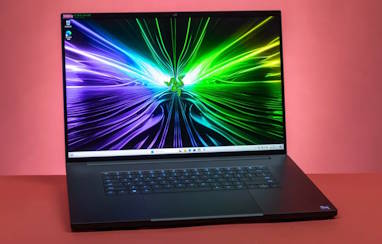
Razer Blade 18
Price: $3,999.00
11 Reviews
Price incl. tax, excl. shipping
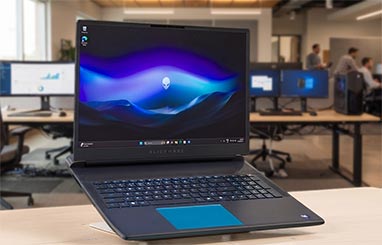
Alienware 18 Area-51
Price: $3,799.00
28 Reviews
Price incl. tax, excl. shipping
A note before the rankings: none of these three land under the $3,000 ceiling that anchors this guide. The Legion Pro 7i’s RTX 5090 build starts near $3,800, the Alienware 18 climbs past $3,199 at its lowest RTX 5080 trim and well beyond $4,000 with the 5090, and the Razer Blade 18 opens at $3,999.99 before its top-spec review unit hits $5,399.99. If maximum frame rates matter more than staying under budget, these are the machines that deliver it; buyers who need to hold the line at $3,000 should look to the value and overall categories above instead.
Lenovo Legion Pro 7i Gen 10
Stepped up to its RTX 5090 configuration, the Legion Pro 7i becomes a different machine than the value-focused build covered earlier in this guide, and pricing follows: the jump to 24GB of GDDR7 pushes the total near $3,800. What that money buys is the fastest gaming laptop Lenovo has shipped in this chassis. The Core Ultra 9 275HX and RTX 5090 pairing posted some of the highest sustained frame rates recorded in independent testing, and Lenovo’s Legion ColdFront vapor-chamber cooling kept both chips in the high 70s Celsius under sustained load, quiet enough that fan noise rarely becomes a distraction.
The 16-inch OLED panel runs at 2560×1600 and 240Hz, with DisplayHDR True Black 1000 and Dolby Vision layered on top, and dual 1TB SSDs give it storage headroom most rivals split into a single drive. A 99.99Wh battery and 400W brick round out a spec sheet built for a desk rather than a lap. There’s no meaningful throttling anywhere in the testing record, which is the entire point of paying this much for a 16-inch chassis.
Key Features
- Legion ColdFront vapor-chamber cooling holding sustained high-70s°C temps
- 16-inch 2560×1600 OLED, 240Hz, DisplayHDR True Black 1000, Dolby Vision
- Dual 1TB PCIe Gen4 SSDs (2TB total)
- 2.5GbE LAN and Wi-Fi 7
- Eclipse Black aluminum chassis with per-zone RGB
Key Specs
- CPU: Intel Core Ultra 9 275HX, 24-core
- GPU: RTX 5090, 24GB GDDR7
- RAM: 32GB DDR5
- Storage: 2TB (2x 1TB PCIe Gen4 SSD)
- Battery: 99.99Wh
Pros
- Highest sustained frame rates in this comparison
- Minimal throttling even under extended load
- Most compact chassis among the three 18-inch-class rivals here
Cons
- RTX 5090 configuration adds a substantial premium over the base trim
- 400W power brick and short battery life tie it to a desk
Alienware 18 Area-51
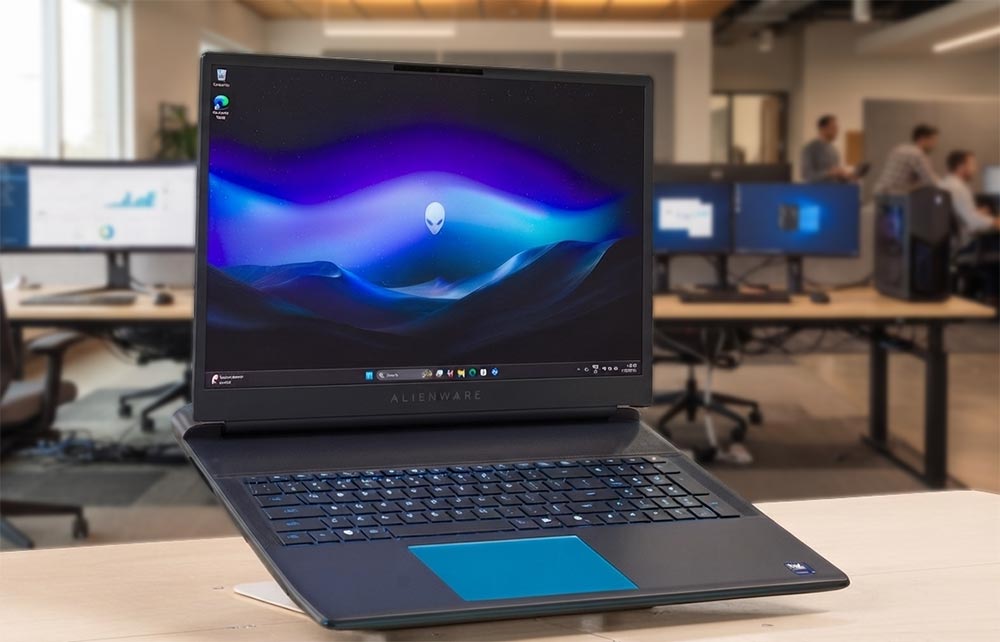
The Area-51 doesn’t pretend to be portable, and that’s the point. Dell built an 18-inch chassis around the Core Ultra 9 275HX and RTX 5090 with almost nothing held back: up to 64GB of DDR5-6400, a 300Hz QHD panel with 100% DCI-P3 coverage and a 3ms response time, and a positive-pressure cooling design that reviewers consistently described as running cool and quiet even under full GPU load. Pricing starts around $3,199 for the RTX 5080 trim and climbs past $3,749 for the RTX 5090 configuration tested here, with well-equipped builds pushing toward $4,000 and beyond.
For weight, at 4.34kg the chassis is heavier than either rival in this category, and the 96Wh battery is there mainly to bridge outlet changes rather than support real unplugged use. One review found the overall package fell slightly short of its own ambitions despite the raw numbers, a reminder that spec-sheet dominance doesn’t automatically translate into a flawless experience. For buyers who’ve already accepted this will live on a desk, the performance-per-dollar case against a similarly equipped desktop still holds up reasonably well.
Key Features
- Positive-pressure cooling design tuned for sustained RTX 5090 load
- 18-inch QHD display, 300Hz, 100% DCI-P3, 3ms response
- Up to 64GB DDR5-6400, user-replaceable
- HDR IR webcam with Windows Hello
- 96Wh battery
Key Specs
- CPU: Intel Core Ultra 9 275HX, 24-core
- GPU: RTX 5090, 24GB GDDR7
- RAM: up to 64GB DDR5-6400
- Storage: up to 2TB PCIe Gen4 SSD
- Weight: 4.34kg (9.6 lbs)
Pros
- Runs cool and quiet relative to its performance ceiling
- Massive configuration headroom for RAM and storage
- Competitive against desktop pricing at the same performance tier
Cons
- Among the heaviest laptops in this entire guide
- Some reviewers found the overall experience didn’t fully match its spec sheet
3. Razer Blade 18 (2026)
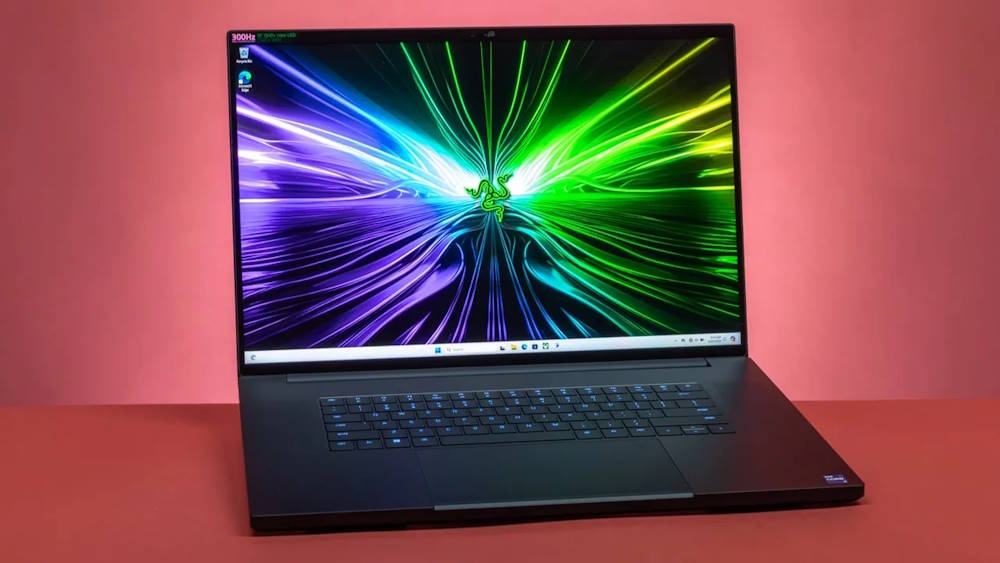
The 2026 Blade 18 swaps in Intel’s Core Ultra 9 290HX Plus and keeps the RTX 5070 Ti through RTX 5090 GPU tiers from last year, wrapped in a CNC-machined aluminum chassis that Notebookcheck still rates among the fastest and quietest 18-inch laptops available. The dual-mode IPS display is the signature feature: 3840×2400 at 240Hz for detail work, or a drop to 1920×1200 for a 440Hz refresh rate suited to competitive play, though image quality noticeably softens in that second mode.
Pricing starts at $3,999.99 for the base RTX 5070 Ti build; the RTX 5090 configuration tested by Tom’s Hardware ran $5,399.99, and a 128GB RAM flagship tops out near $6,999.99. That’s a real premium over comparably specced rivals from Asus and MSI, and several reviewers flagged the price jump from the 2025 model as steep given the modest real-world gains from the new CPU. Build quality, the 99Wh battery, and the Thunderbolt 5 port selection remain best-in-class. Buyers paying this much are buying the display and the chassis as much as the frame rate.
Key Features
- Dual-mode 18-inch IPS display: 3840×2400/240Hz or 1920×1200/440Hz
- CNC-machined aluminum chassis, 3.2kg
- Thunderbolt 5 and Thunderbolt 4 ports, SD card slot
- Six-speaker audio system
- 99Wh battery
Key Specs
- CPU: Intel Core Ultra 9 290HX Plus, 24-core
- GPU: RTX 5070 Ti / RTX 5080 / RTX 5090 (up to 24GB GDDR7)
- RAM: 32GB up to 128GB DDR5
- Storage: 1TB to 2TB PCIe SSD
- Weight: 3.2kg
Pros
- Among the fastest and quietest 18-inch laptops tested
- Best display flexibility in this comparison
- Premium chassis and port selection
Cons
- Priced well above comparably equipped rivals
- 440Hz display mode sacrifices resolution and clarity
- Minimal real-world gains over the 2025 model despite the price increase
RELATED ARTICLE

Best Gaming PC Build for all Budgets – Full Guide
We take you through our best guide yet on the best gaming PC build for all budgets.
Best Thin-and-Light Gaming Laptops under $3000
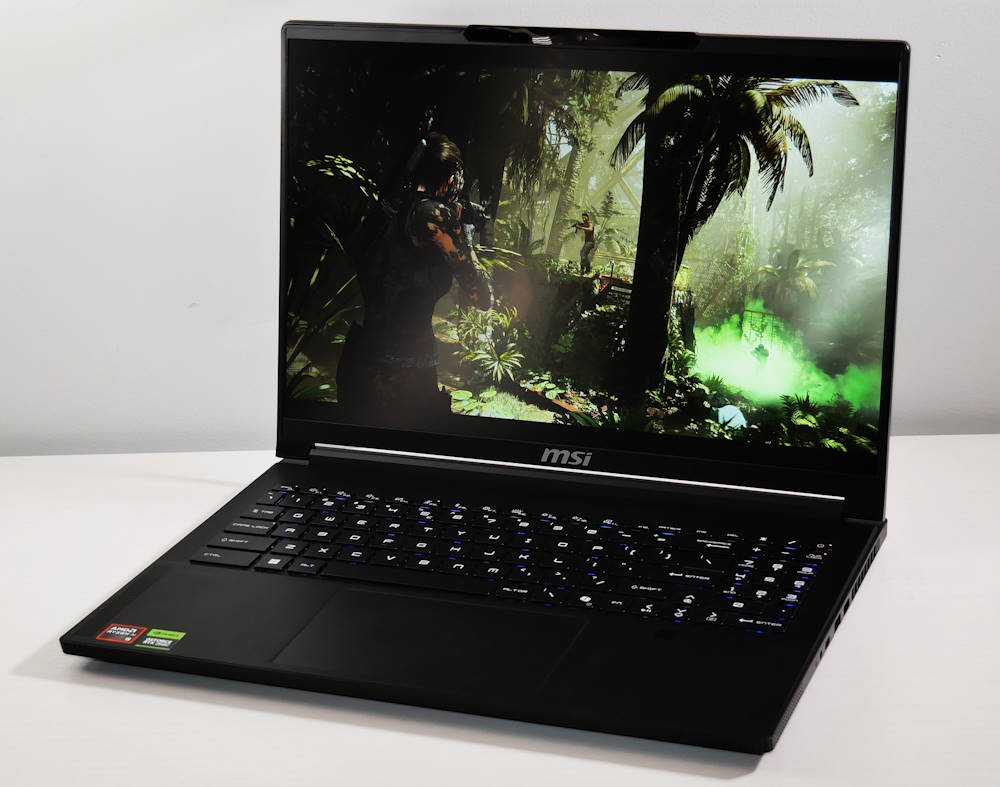
MSI Stealth A16 AI+
Was: $2,629.00
Currently Unavailable
9 Reviews
Price incl. tax, excl. shipping
Razer Blade 14
Was: $2,799.95
Currently Unavailable
313 Reviews
Price incl. tax, excl. shipping
ASUS ROG Zephyrus G16
Price: $2,099.99
3 Reviews
Price incl. tax, excl. shipping
ASUS ROG Zephyrus G16 (2026): Editor’s Choice
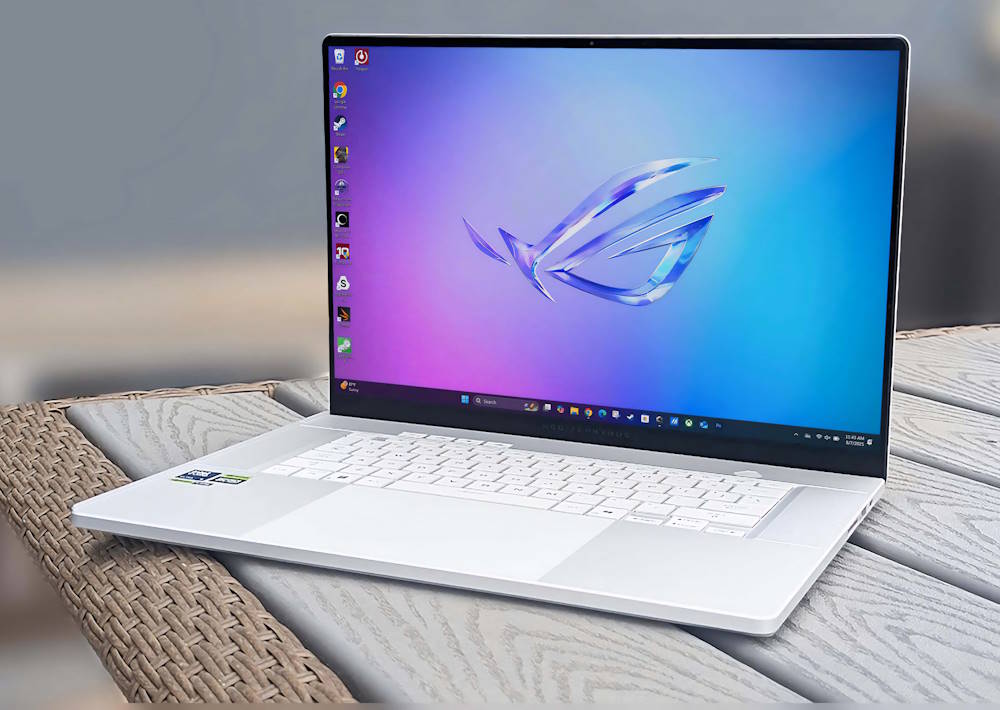
Asus spent two generations chasing this result. The 2024 and 2025 Zephyrus G16 models paired a gorgeous chassis with a cooling system that couldn’t keep up, and the 2026 refresh finally closes that gap. The RTX 5070 Ti configuration, priced at $2,799 direct from Asus with 32GB of RAM and 2TB of storage, ships with a redesigned thermal solution that lets the GPU hold its rated performance without the throttling that plagued earlier models. The result is a 16-inch machine at 1.95kg (4.3 lbs) and roughly 1.49cm thick that no longer asks buyers to trade cooling for portability.
The 2560×1600 OLED panel runs at 240Hz and remains one of the best screens in any laptop this size, gaming or otherwise, and the CNC aluminum chassis and speaker array continue to set the bar for build quality in this class. Asus still defaults the system to a conservative performance profile out of the box, leaving headroom accessible only by switching to Turbo mode manually, which costs some out-of-box benchmark credibility even though the ceiling is there. None of that changes the overall picture: this is the most complete thin-and-light gaming laptop available right now.
Key Features
- Redesigned cooling system resolving prior-generation thermal throttling
- 16-inch 2560×1600 OLED display, 240Hz
- CNC aluminum chassis, roughly 1.49cm thick
- Six-speaker audio array
- Thunderbolt 4 connectivity
Key Specs
- CPU: Intel Core Ultra 9 285H
- GPU: RTX 5070 Ti
- RAM: 32GB LPDDR5X
- Storage: 2TB SSD
- Weight: 1.95kg (4.3 lbs)
Pros
- Best overall balance of performance, portability, and display quality tested
- Cooling issues from prior generations are genuinely fixed
- Premium build and audio well above typical gaming-laptop standards
Cons
- Ships in a conservative performance profile by default; full output requires manually switching to Turbo
- Costs more than some rivals offering comparable core specs
Razer Blade 14 (2026): Best Ultraportable Gaming Laptop
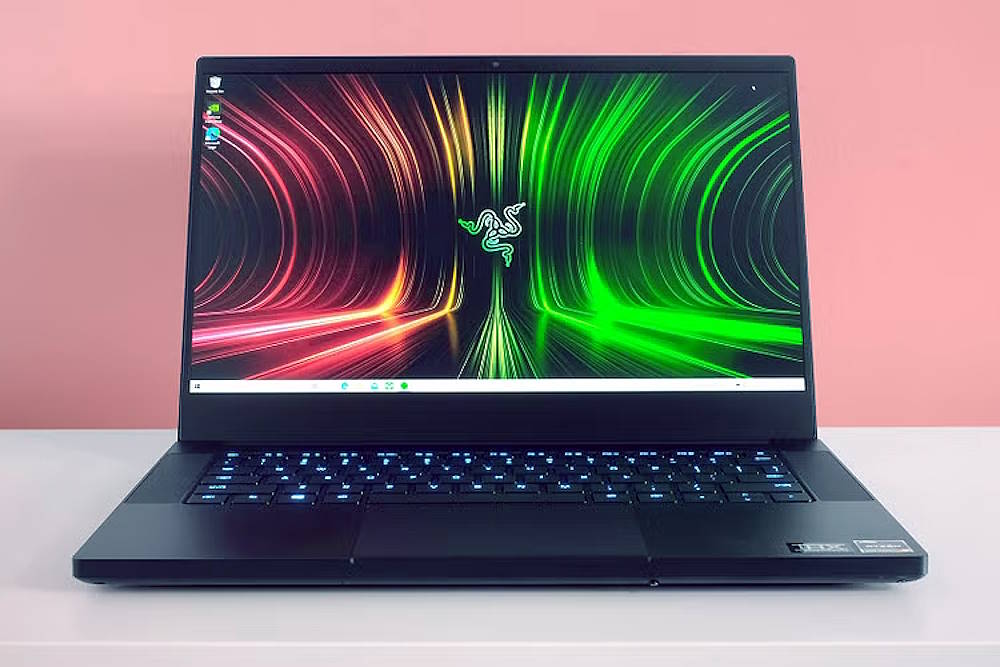
Razer’s 14-inch Blade remains the standard for how much gaming hardware can be crammed into a chassis this small without it feeling like a compromise. The reviewed RTX 5070 configuration, $2,699 with 32GB of RAM and a 1TB SSD, packs into an aluminum unibody just 0.62 inches thick and 3.59 pounds, built around a vapor-chamber cooling system that stays notably quiet under sustained load. The 14-inch OLED display runs at 2880×1800 and 120Hz with Calman-verified color accuracy, sharp enough for both gaming and color-sensitive creative work. Entry configurations with an RTX 5060 start around $2,299, while a 64GB, 2TB top-end build tops out near $2,999, keeping the entire lineup under this category’s ceiling.
The tradeoffs show up away from an outlet: unplugged performance throttles aggressively enough that the RTX 5070’s output drops to something closer to mid-range, and the keyboard, while functional, is shallower than what the chassis size might suggest is possible. For anyone whose gaming happens in fixed locations between trips, though, nothing else in this size class matches it.
Key Features
- 14-inch 2880×1800 OLED display, 120Hz, Calman-verified color
- Vapor-chamber cooling with quiet operation under sustained load
- CNC-milled aluminum unibody, 0.62 inches thick
- Chroma per-key RGB keyboard
Key Specs
- CPU: AMD Ryzen AI 9 365
- GPU: RTX 5070 (RTX 5060 on base configs)
- RAM: 32GB LPDDR5X
- Storage: 1TB SSD
- Weight: 3.59 lbs (1.63kg)
Pros
- Most portable gaming laptop in this comparison
- Stays cool and quiet even under extended load
- Class-leading build quality for its size
Cons
- Performance throttles significantly on battery power
- Keyboard travel is shallower than rivals in the same price range
MSI Stealth A16 AI+ (2026): Best Performance Value
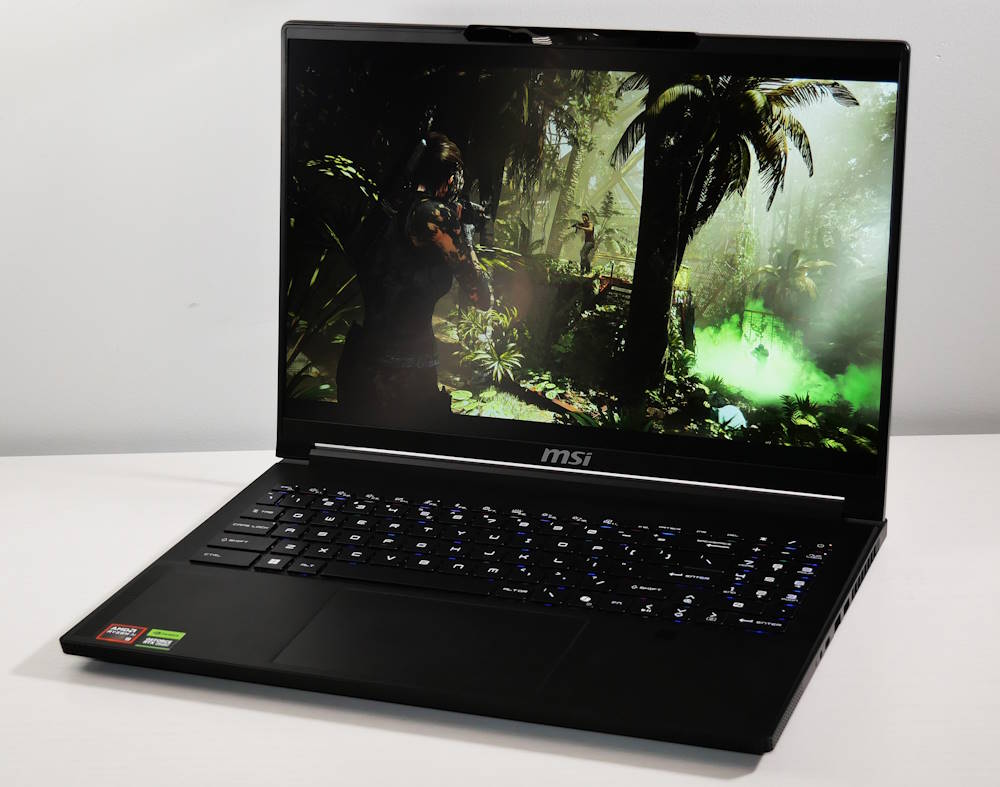
MSI’s approach with the Stealth A16 AI+ is to fit RTX 5080 graphics into a chassis that behaves more like a thin-and-light than a gaming rig, and mostly succeeds. The AMD Ryzen AI 9 HX 370 pairs with an RTX 5080 running at a reduced 105W TGP, a deliberate tradeoff that sacrifices some peak output against full-power RTX 5080 laptops in exchange for a chassis just 0.78 inches thick and 4.6 pounds.
The 16-inch QHD+ OLED display runs at 240Hz with 100% DCI-P3 coverage and looks as good as anything else in this comparison, and a 99.9Whr battery gives it genuinely usable all-day battery life outside of gaming, a rarity at this performance tier. Build quality on the magnesium-aluminum chassis holds up well, and both an IR webcam and fingerprint reader are included for Windows Hello. The reduced GPU wattage is the main asterisk: pushed against a full-power RTX 5080 machine, the Stealth A16 AI+ will trail in raw frame rate, even if most buyers won’t notice outside of side-by-side benchmarks. It’s a legitimate value pick precisely because MSI didn’t try to match the Zephyrus G16 or Blade 14 on refinement, just on price and horsepower.
Key Features
- RTX 5080 at a reduced 105W TGP for thinner, cooler operation
- 16-inch QHD+ OLED display, 240Hz, 100% DCI-P3
- 99.9Whr battery for strong non-gaming battery life
- Dual biometric login (IR webcam and fingerprint reader)
- Magnesium-aluminum alloy chassis
Key Specs
- CPU: AMD Ryzen AI 9 HX 370
- GPU: RTX 5080, 16GB GDDR7 (105W TGP)
- RAM: 32GB LPDDR5X
- Storage: 1TB SSD
- Weight: 4.6 lbs (2.09kg)
Pros
- RTX 5080 performance in a genuinely thin, light chassis
- Excellent OLED display
- Strong everyday battery life for a gaming laptop
Cons
- Heavier than the top two picks in this category
- Reduced GPU wattage trails full-power RTX 5080 laptops in raw performance
RELATED ARTICLE

Best Budget Gaming PC Build- Full Guide
Thinking of building a gaming PC on a budget, follow this guide as we show you how
Best 18-Inch Gaming Laptops under $3000
Alienware 18 Area-51
Price: $3,799.00
28 Reviews
Price incl. tax, excl. shipping
ASUS ROG Strix SCAR 18
Was: $2,875.99
Currently Unavailable
43 Reviews
Price incl. tax, excl. shipping
Razer Blade 18
Price: $3,999.00
11 Reviews
Price incl. tax, excl. shipping
Alienware 18 Area-51: Best Overall 18-Inch Gaming Laptop Under $3000
The redesigned Area-51 solves the problem that has dogged Alienware’s largest laptops for years: keeping a big GPU cool without turning the chassis into a jet engine. Dell’s positive-pressure cooling design draws air in through the sides and bottom rather than fighting a single intake, and in testing it held the RTX 5070 Ti configuration – the pick that lands nearest the $3,000 mark, typically $2,999 to $3,149 depending on retailer – to consistently quieter, cooler operation than most 18-inch rivals.
The 300Hz WQXGA display covers 100% DCI-P3 and looks sharp enough to justify the size, and dual Thunderbolt 5 ports come standard on this GPU tier and above. What sets the Area-51 apart from thinner competitors is how far it can be pushed after purchase: up to 64GB of DDR5-6400 and 8TB of storage across two SSD slots, both user-accessible. None of that changes the fact that this is a 9.56-pound machine built to live on a desk, with a 360W brick to match. Buyers who’ve made peace with that tradeoff get the best-cooled, most upgradeable 18-inch laptop available near this price.
Key Features
- Positive-pressure cooling design for quieter, cooler sustained operation
- 18-inch WQXGA display, 300Hz, 100% DCI-P3
- Dual Thunderbolt 5 ports (RTX 5070 Ti configurations and above)
- Upgradeable to 64GB RAM and 8TB storage
Key Specs
- CPU: Intel Core Ultra 9 275HX
- GPU: RTX 5070 Ti, 12GB GDDR7
- RAM: 32GB DDR5-6400 (expandable to 64GB)
- Storage: 2TB PCIe Gen4 SSD
- Weight: 9.56 lbs (4.34kg)
Pros
- Best cooling-to-performance ratio in this category
- Extensive RAM and storage upgrade headroom
- Fast, color-accurate 300Hz display
Cons
- Heaviest machine in this comparison by a wide margin
- Pricing sits close to the $3,000 ceiling with little room for added storage or RAM at purchase
ASUS ROG Strix SCAR 18 (2026): Best Display
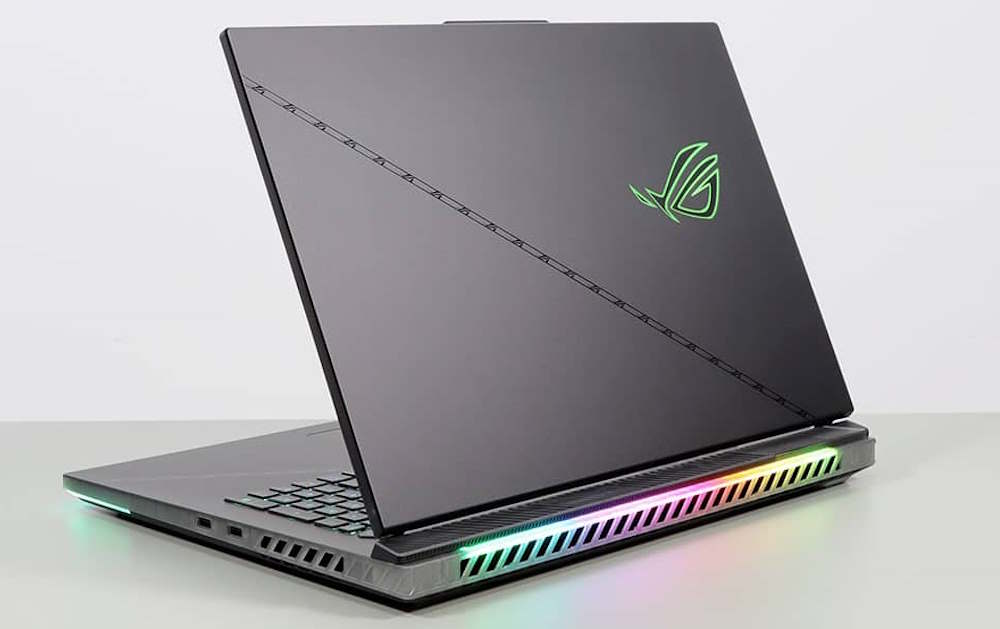
Asus built the 2026 SCAR 18 around one headline feature: the first 18-inch 4K, 240Hz Mini-LED panel in a gaming laptop, with over 2,000 dimming zones, 1,600 nits of peak brightness, and Asus’s ELMB motion-clarity tech layered on top. Nothing else in this category’s display comes close. The entry configuration, pairing an RTX 5070 Ti with that same panel, is positioned near the $2,699 to $2,999 range based on how Asus has historically priced the base Scar 18 trim, though full 2026 pricing across the lineup wasn’t finalized at review time. Cooling got a real upgrade too: a 20% larger vapor chamber, liquid metal on both CPU and GPU, and fans pushing 91% more airflow than last year’s model, all helping sustain performance at the higher GPU tiers.
The tool-less bottom panel is a genuine convenience, giving direct access to swap RAM and SSDs without a screwdriver. The catch at review time was configuration-dependent: the tested 32GB unit ran single-channel memory and skipped PCIe 5.0 storage, both fixable with the easy access Asus built in, but a strange omission on a flagship-priced machine. Pricing escalates fast once you move past the entry GPU tier, with RTX 5090 builds pushing past $4,300.
Key Features
- 18-inch 4K, 240Hz Mini-LED display with 2,000+ dimming zones and ELMB
- Tool-less bottom panel for RAM and SSD upgrades
- Tri-fan cooling with 20% larger vapor chamber and liquid metal on CPU and GPU
- Dual Thunderbolt 5 ports
Key Specs
- CPU: Intel Core Ultra 9 290HX Plus
- GPU: RTX 5070 Ti (entry configuration)
- RAM: 32GB DDR5-6400 (expandable to 128GB)
- Storage: up to 8TB PCIe Gen5 SSD (base configs ship with less)
- Display: 18″ 4K, 240Hz Mini-LED
Pros
- Best display in this category, and arguably in any gaming laptop currently sold
- Tool-less upgrade access is genuinely easy to use
- Strong sustained thermals even under extended load
Cons
- Entry-tier review configuration shipped with single-channel RAM and a non-PCIe 5.0 SSD
- Price climbs sharply above the base GPU tier
RELATED ARTICLE

Best Graphic Cards under 100 USD
We review a selection of the best GPUs you can grab for under a hundred. Full review.
Razer Blade 18 (2026): Best Premium Pick
The Blade 18 earns its place here on the strength of its hardware, not its pricing. Razer’s CNC-machined aluminum chassis and dual-mode IPS display, switchable between 3840×2400 at 240Hz and 1920×1200 at 440Hz, remain best-in-class for build quality and display flexibility at 18 inches, and the Core Ultra 9 290HX Plus keeps pace with anything else in this comparison.
The problem for this list specifically is the price: the Blade 18 starts at $3,999.99 for its base RTX 5070 Ti configuration, meaning every trim in the current lineup sits well above the $3,000 mark this guide is built around. That’s a real cost, not a rounding error, and it’s the reason this otherwise excellent machine lands third despite matching or beating both rivals on build quality and display versatility. Razer’s Thunderbolt 5 and Thunderbolt 4 port mix, 99Wh battery, and quiet-under-load cooling are all still present and still among the best executed in the category. Buyers willing to stretch past the nominal budget get a genuinely premium machine; buyers holding the line at $3,000 will end up with the Alienware or the Asus instead.
Key Features
- Dual-mode 18-inch IPS display: 3840×2400/240Hz or 1920×1200/440Hz
- CNC-machined aluminum unibody chassis
- Thunderbolt 5 and Thunderbolt 4 connectivity
- 99Wh battery with efficient cooling under sustained load
Key Specs
- CPU: Intel Core Ultra 9 290HX Plus
- GPU: RTX 5070 Ti (base configuration)
- RAM: 32GB DDR5
- Storage: 1TB PCIe SSD
- Weight: 3.2kg
Pros
- Best build quality and display flexibility in this category
- Quiet, well-managed thermals under load
- Strong port selection including dual Thunderbolt standards
Cons
- Starts nearly $1,000 above this guide’s $3,000 ceiling
- No configuration currently available under $3,000
RELATED ARTICLE

Build a VR-Ready PC – Full Guide & Recommendations
Want to go VR? Follow this guide to build a VR-Ready PC with hardware recommendations.
Best Gaming Laptop for Creators and Streaming under $3000
Razer Blade 16: Editor’s Choice
Razer’s 2026 refresh swaps in Intel’s Core Ultra 9 386H, the first Panther Lake chip to appear in a Blade, and pairs it with the same 16-inch QHD+ OLED panel that’s made this line a reference point for creators: 240Hz, DisplayHDR TrueBlack 1000, Calman-verified color, and full DCI-P3 coverage, all inside a chassis just 14.9mm thick. The entry configuration starts at $2,300 with an RTX 5060, and stepping up to an RTX 5070 Ti still lands comfortably under $3,000; the jump to RTX 5080 crosses to $3,499.99, so buyers holding to budget will want to stop before that tier.
Razer went out of its way to include Thunderbolt 5 despite Panther Lake normally capping out at Thunderbolt 4, adding dedicated controller chips to make it work, and Tom’s Hardware clocked the Blade 16’s battery life as class-leading among gaming laptops. The one real drawback is memory: RAM is soldered and capped per configuration, so there’s no upgrading later. For streaming and content work specifically, the display’s accuracy and the chassis’s genuine portability make this the easiest laptop in the category to recommend without caveats.
Key Features
- 16-inch QHD+ OLED, 240Hz, Calman-verified, DisplayHDR TrueBlack 1000
- Thunderbolt 5 via dedicated controller chips
- 14.9mm CNC aluminum chassis
- Class-leading battery life for a gaming laptop
Key Specs
- CPU: Intel Core Ultra 9 386H
- GPU: RTX 5060 / RTX 5070 Ti (sub-$3,000 configurations)
- RAM: up to 64GB soldered LPDDR5X-9600
- Storage: PCIe Gen4 SSD
- Display: 16″ QHD+ OLED, 240Hz
Pros
- Most accurate, best-calibrated display in this comparison
- Genuinely thin chassis without sacrificing GPU performance
- Excellent battery life for the category
Cons
- RAM is soldered and not upgradeable after purchase
- Pricing climbs quickly once moving past the RTX 5070 Ti tier
ASUS ProArt P16: Best for Professional Creators
The ProArt P16 is built for people who bill hours against a screen’s color accuracy, not just its refresh rate. Asus’s Lumina Pro OLED touchscreen hits Delta E under 1 with Pantone validation and 100% DCI-P3 coverage, backed by peak brightness up to 1,600 nits, and configurations with the Ryzen AI 9 HX 370 and an RTX 5070 or 5070 Ti stay under this category’s $3,000 ceiling, with pricing starting near $1,699 and climbing from there depending on RAM and storage.
The DialPad, a touch-sensitive control wheel next to the trackpad, genuinely speeds up work in Photoshop and Premiere once the learning curve passes, and ASUS’s StoryCube and MuseTree software lean into AI-assisted organization and generation for creative workflows. Battery life is unusually strong for a machine this capable, with reviewers logging 10 to 13 hours in standard use. It’s still capable enough for modern AAA gaming, though that’s clearly the secondary use case here. The tradeoffs are minor but real: a single USB4 port limits simultaneous peripheral and display connections, fan noise becomes noticeable under sustained render loads, and the screen’s tilt range is more limited than a typical laptop hinge.
Key Features
- Lumina Pro 4K OLED touchscreen, Delta E < 1, Pantone-validated, 100% DCI-P3
- DialPad touch-sensitive control wheel for creative apps
- StoryCube and MuseTree AI creative tools
- 10 to 13 hours of real-world battery life
Key Specs
- CPU: AMD Ryzen AI 9 HX 370
- GPU: RTX 5070 / RTX 5070 Ti (sub-$3,000 configurations)
- RAM: up to 64GB (configuration dependent)
- Storage: up to 2TB SSD
- Display: 16″ 4K OLED touchscreen
Pros
- Best color accuracy and creator-specific tooling in this comparison
- Strong battery life for a machine this powerful
- DialPad control wheel is a genuine workflow advantage, not a gimmick
Cons
- Only one USB4 port limits simultaneous peripheral use
- Noticeable fan noise during sustained render or export jobs
RELATED ARTICLE

Best GPUs for Video Editing & Transcoding – Full Review
We take the best GPU hardware for video editing and transcoding apart for the best options you can get right now…
ASUS ROG Flow Z13: Best Portable Creator Gaming Laptop
The Flow Z13 solves portability differently than the other two picks here: instead of shrinking a traditional laptop, Asus built a detachable tablet around AMD’s Ryzen AI Max+ 395, a Strix Halo chip whose integrated graphics compete with discrete RTX 4060 and 4070-class GPUs without a dedicated card at all. That efficiency is what makes a 13.4-inch, 2.65-pound device (keyboard attached) capable of real gaming and creative work in the first place. The 3K OLED touchscreen runs at 165Hz with Asus’s ROG Nebula tuning, sharp and fast enough for digital art or on-the-go editing, and a built-in kickstand plus detachable keyboard make it as much a Surface competitor as a gaming laptop.
Up to 128GB of unified memory, shared between CPU and GPU, gives it real headroom for AI-assisted creative tools. When more power is needed, the ROG XG Mobile port connects an external dock housing a desktop-class GPU up to an RTX 5090, though that accessory is sold separately and adds real cost. Pricing runs from roughly $1,999 to $2,999 depending on memory and storage. Extended handheld tablet use causes noticeable arm fatigue given the weight, and the built-in speakers remain a weak point.
Key Features
- Detachable tablet and keyboard form factor with built-in kickstand
- Ryzen AI Max+ 395 with integrated graphics rivaling RTX 4060/4070-class GPUs
- ROG XG Mobile port for optional external desktop-GPU expansion
- Up to 128GB unified LPDDR5X memory
Key Specs
- CPU/GPU: AMD Ryzen AI Max+ 395 (integrated graphics)
- RAM: up to 128GB unified LPDDR5X
- Storage: up to 2TB SSD
- Display: 13.4″ 2880×1800 OLED, 165Hz
- Weight: 2.65 lbs with keyboard attached
Pros
- Most portable device in this entire guide by a wide margin
- Tablet form factor genuinely useful for digital art and mobile streaming setups
- External GPU expansion available for when more power is needed
Cons
- Integrated graphics trail the discrete RTX 5070/5080-class GPUs in the other two picks
- Extended handheld use causes noticeable arm fatigue
- Built-in speakers are a weak point
Conclusion
Did we miss anything out in this review on the best gaming laptops under 3000 dollars? Please let us know in the comment section. Meanwhile, check out other reviews and PC build guides.
Thanks for finally writing about > BEST GAMING LAPTOPS UNDER 3000 DOLLARS REVIEW-Build My PC < Liked it!
Wow! Good to know it was helpful. Thanks man