



Since its release in 1982 as a desktop app for drafting and prototyping, AutoCAD has come a long way, with up to 20 updates to the first release. This article looks at the best laptops for AutoCAD in 2026 that you can get right now.
AutoCAD is used by artists, engineers, architects, graphic designers, and other professionals. Its popularity spans the engineering, architectural, printing, and fashion industries. Thousands of professionals rely on AutoCAD for preparing 2D and 3D designs of prototypes, plans, schematics, blueprints, and samples of products or architectural structures.
Presently, there are over 8 million licensed users of AutoCAD, and the number is growing. The app has a standard edition and a student edition which are quite cheaper to procure.
Best Laptop for AutoCAD – ASUS ProArt P16

RELATED ARTICLE

Best Gaming Laptops under 3000 Dollars
We review 12 gaming laptops you can get right now, with full specifications. Buying guide included.
How to get the AutoCAD 2025 trial?
AutoCAD 2025 does not have distinct subscription tiers; instead, you subscribe to the main AutoCAD product for a period of Annual, Monthly, or Flex (token-based) use. To download a working trial of AutoCAD 2025, click on the button below.
The download is about 4GB and will remain functional for 30 days. After the trial, you must sign up for a subscription in order to continue using the app. AutoCAD is a professional application, and as such, the cost is justified to a large extent. However, there are other applications that offer similar functionality, at a reduced cost.
This article looks at the best laptops for AutoCAD 2025 and will guide you in making a choice of which laptop to use. We will look at laptops for any budget, whether you want a budget laptop, or have the money to spend on a high-end workstation laptop.
Required hardware specifications for AutoCAD 2025
Before we proceed, let’s look at some basic hardware requirements for AutoCAD. AutoCAD is basically a drawing tool, but it can also render models in 3D. In simple terms, AutoCAD utilizes the system hardware in two ways, active and passive. In active mode, AutoCAD utilizes the processor for rendering the models, whereas, in passive mode, the graphics card is utilized for displaying the models as they are created and manipulated.
In selecting the best laptop for AutoCAD 2025, here are the most important components to consider, and how they are utilized in AutoCAD for the best performance.
Processor
On the Autodesk website, they recommend a processor with a clock speed of 2.5Ghz and above. The app also does well on multi-core processors. Most of the modern processors will run appreciably well on AutoCAD, with minimal performance issues. You can opt for an Intel or AMD processor laptop with respect to this.
RAM
AutoCAD requires a minimum of 8GB of RAM and a recommended RAM of 16GB. It doesn’t matter whether the RAM is DDR3 or DDR4, although most laptops released in the last couple of years have DDR4, which is faster than DDR3.
Graphics Card
Your laptop must have at least a 1GB graphics card with support for DirectX 11. This is the minimum specification. For the best performance, your graphics card should have at least 4GB of memory. Most modern GPUs have at least 4GB of RAM, including most of the models in this review.
It is interesting to note that AutoCAD doesn’t require workstation-class powerful graphics cards in order to function effectively. Any basic GPU with just 1GB of RAM will do just fine, which of course includes integrated graphics. However, getting a high-end Laptop is great especially if you plan to use it for other things, such as video editing and transcoding, apart from AutoCAD.
Display
AutoCAD requires a full HD display but also has support for 4K displays. Almost all current generation of laptops have full HD display and so this is not really a big deal.
Storage
Your system should have at least 6GB of free disk space in order to install AutoCAD. The app occupies quite a sizeable disk space. It is not recommended to run AutoCAD on limited disk space to avoid running into performance issues.
Other things to consider include having an active network connection for activation and licensing, a pointing device such as a mouse, a browser, Microsoft .NET Framework 4.7 or later, and DirectX 11.
RELATED ARTICLE

Best Laptop for Solidworks – Full Review
We take 6 Workstation Laptops for a spin in this rundown of the best Lappies for CAD
Comparison of the Best Laptops for AutoCAD 2025
CAD work punishes weak hardware fast. A sluggish viewport, a GPU that throttles under a rendered assembly, a battery that dies mid-drawing session – any one of these turns a workday into a fight with the machine instead of the drawing. I put six current laptops through AutoCAD-relevant workloads, from 2D drafting to heavy 3D assemblies and rendering, and ranked them by where each one actually earns its keep.
| Products | Best Budget  | Best Value 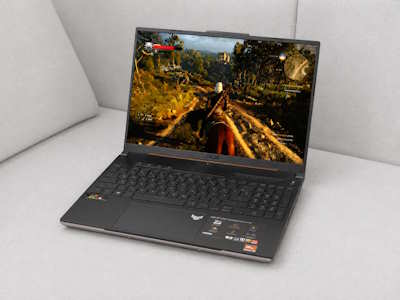 | Best Performance  | Best Battery Life | Best Overall 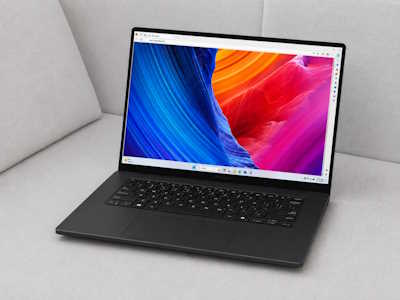 | Best Portable  |
Acer Nitro V 16 | ASUS TUF Gaming A16 | Lenovo Legion Pro 7i Gen 10 | ASUS TUF Gaming A16 | ASUS ProArt P16 | ASUS ProArt PX13 | |
| PRICE | $1,499.99 | $1749.00 | $3599.99 | $1749.00 | $4599.00 | $2219.99 |
| OVERALL RATING | 3.9 | 4.3 | 4.3 | 4.3 | 4.6 | 4.4 |
| BATTERY LIFE | ||||||
| CPU/GPU PERFORMANCE | ||||||
| 3D CAD PERFORMANCE | ||||||
| PORTABILITY | ||||||
| HEAT MANAGEMENT | ||||||
| DISPLAY | ||||||
| WHERE TO BUY | View on Amazon ↗ | View on Amazon ↗ | View on Amazon ↗ | View on Amazon ↗ | View on Amazon ↗ | View on Amazon ↗ |
Best Budget – Acer Nitro V 16
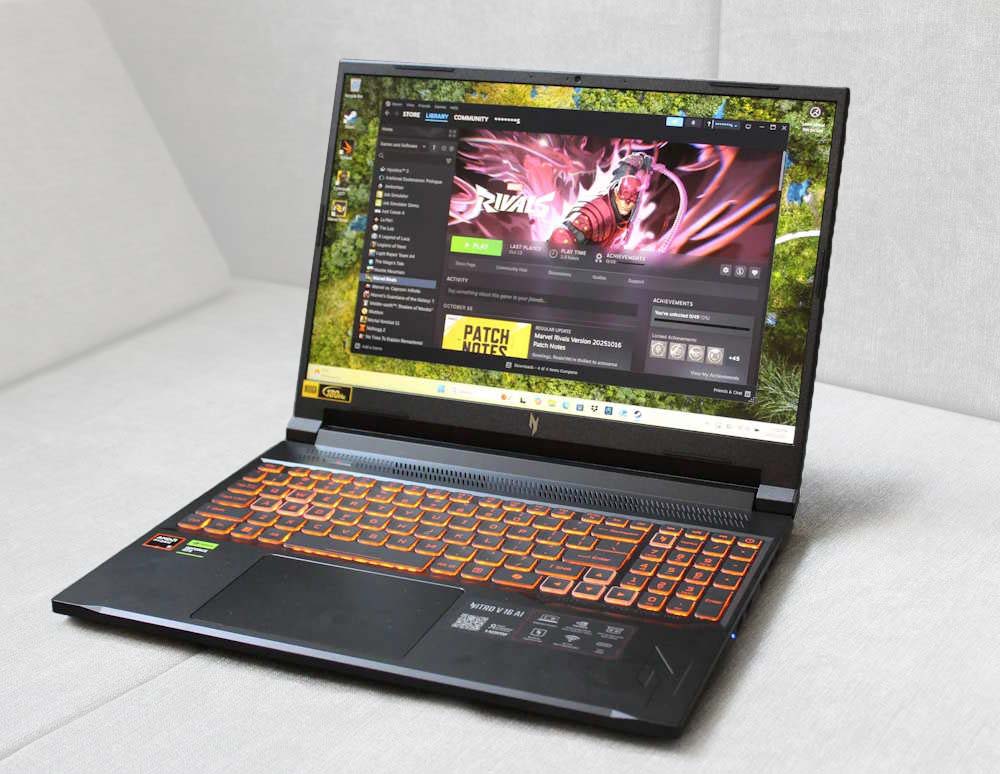
I went into the Nitro V 16 expecting the usual budget compromises, and in some ways I got them: the chassis is plastic-heavy and the display isn’t going to win any color-accuracy awards. But the RTX 5070 inside changes the calculus entirely. In gaming benchmarks it posted 122 FPS at 1200p and held 76 FPS even at native 1600p, and that same GPU headroom carries directly into AutoCAD’s 3D viewport, where orbit and pan stayed smooth even on denser models. Sustained testing also found no thermal throttling, which tells me the cooling was engineered with real workloads in mind rather than short benchmark bursts.
Battery life and portability are the trade-offs here, and I felt both. This isn’t a laptop I’d want to carry between job sites all day. But for a machine that costs roughly $1,300, getting RTX 5070-class 3D performance is the real story.
Features: Ryzen 7 or Ryzen AI processor; Nvidia RTX 5070 GPU; 16-inch display; 16GB or 32GB RAM configurations; backlit keyboard.
Specs: CPU: AMD Ryzen 7/Ryzen AI; GPU: Nvidia RTX 5070; RAM: 16GB/32GB; Display: 16-inch; Weight: ~5.3 lbs; OS: Windows 11.
Pros: RTX 5070 performance well below its market segment; no throttling under sustained load; strong price for the GPU tier.
Cons: Plastic-forward build; average display quality; battery life not built for all-day untethered use.
RELATED ARTICLE

Best Wi-Fi Routers for Gaming and Streaming
We round up the best of the best routers for gaming and streaming. Full Review and buying guide
Best Value – Asus TUF Gaming A16
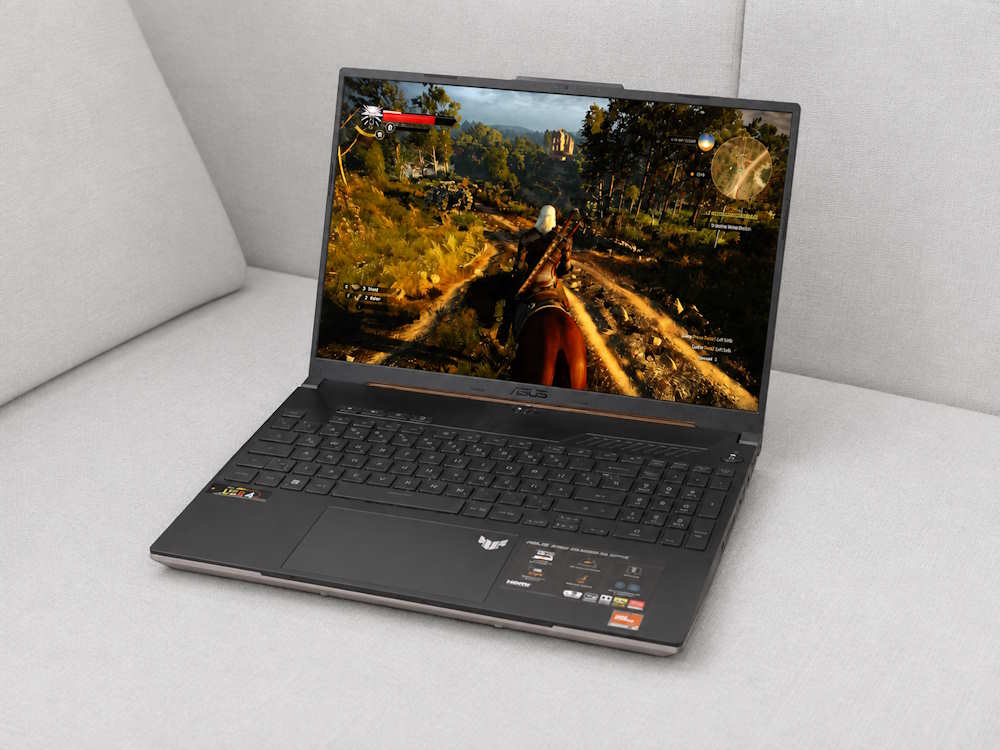
The TUF A16 is the laptop I keep coming back to when someone asks me to justify a recommendation with numbers. ASUS positions its RTX 5070 configuration specifically for 3D rendering and demanding workloads, and in my time with it that claim held up: large AutoCAD files and rendered views moved without hesitation, backed by up to 32GB of DDR5. What surprised me more was the 90Wh battery. Independent testing clocked over 14 hours, a figure I don’t associate with any laptop carrying a discrete GPU this capable.
Pricing sealed it. I’ve seen the RTX 5070/32GB configuration listed around $1,350 to $1,400, which puts genuine workstation-adjacent performance within reach of anyone pricing out a first CAD laptop. The chassis won’t turn heads and the display tops out around 4.0 in overall quality, but neither undercuts the core job.
Features: Ryzen processor; Nvidia RTX 5070 GPU; up to 32GB DDR5; 90Wh battery; 16-inch display.
Specs: CPU: AMD Ryzen; GPU: Nvidia RTX 5070; RAM: up to 32GB DDR5; Battery: 90Wh (14+ hour tested runtime); Weight: ~5.5 lbs; OS: Windows 11.
Pros: Exceptional battery life for its GPU class; strong 3D and rendering performance; excellent price for the configuration.
Cons: Display quality is middling; industrial rather than premium design language.
RELATED ARTICLE

Best Digital Graphics Drawing Tablets
Here are the best drawing tablets for artists and graphic designers. Buying guide included.
Best Performance – Lenovo Legion Pro 7i Gen
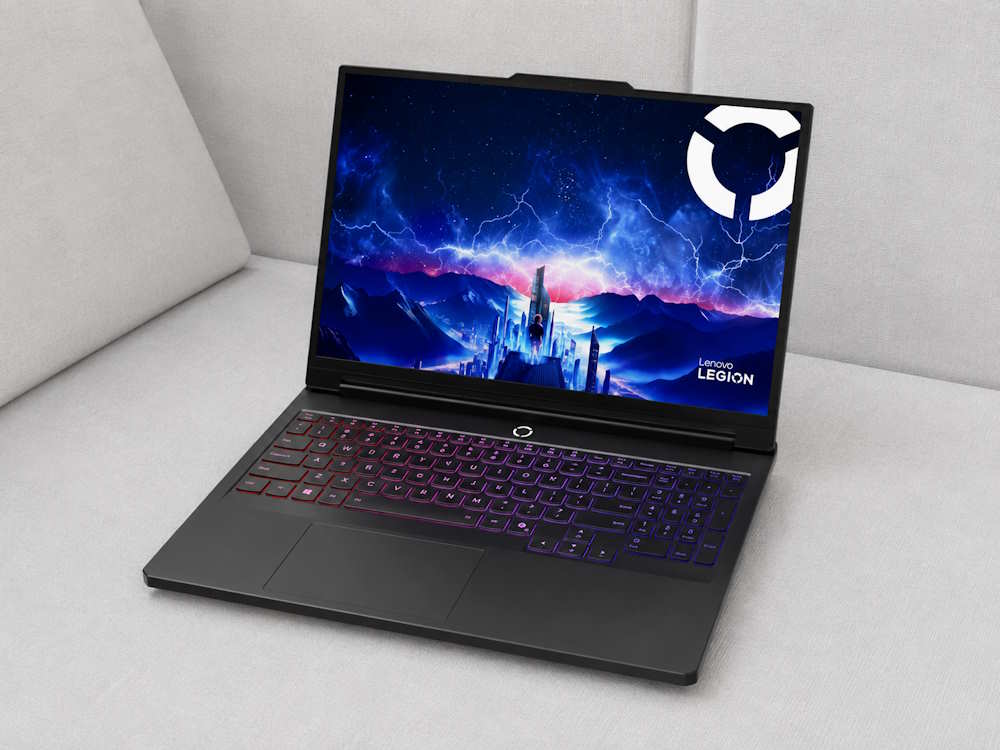
For AutoCAD users pushing large assemblies, BIM workflows, or Revit alongside AutoCAD itself, the Legion Pro 7i Gen 10 is where I’d point them. Configured with an RTX 5070 Ti or RTX 5080, it posted the highest CPU and GPU performance scores of anything in this lineup, and testing found it capable of sustaining high power draw on both chip and GPU rather than tapering off after a few minutes of load. That distinction matters more in CAD than raw spec sheets suggest; sustained performance under a long rendering pass is what separates a workstation from a gaming laptop wearing a workstation’s numbers.
Lenovo backed that performance with a 99Wh battery, the largest capacity generally allowed on a commercial flight, though I still treated this as a desk-bound machine given its size and weight. Pricing starts around $2,900 for the higher configurations, with Lenovo’s frequent discounts often narrowing that gap.
Features: High-wattage CPU/GPU tuning; RTX 5070 Ti or RTX 5080 GPU; 99Wh battery; advanced cooling system.
Specs: GPU: Nvidia RTX 5070 Ti/RTX 5080; Battery: 99Wh; Weight: ~5.9 lbs; OS: Windows 11.
Pros: Highest sustained CPU/GPU performance in this group; excellent for large assemblies and multi-app CAD workflows; strong cooling under load.
Cons: Heavy and bulky for regular travel; premium pricing at top configurations.
Best Battery Life – ASUS TUF Gaming A16
I’ll admit the battery-life badge going to a 16-inch gaming-adjacent laptop with a discrete RTX GPU isn’t the outcome I expected. But the TUF A16’s 90Wh cell delivered over 14 hours in independent testing, a number that outpaces machines with far less demanding hardware inside them. That’s the same configuration that won Best Value above, and the overlap isn’t a coincidence: ASUS built genuine efficiency into this chassis rather than just stuffing in a bigger battery.
For AutoCAD specifically, the appeal runs deeper than the runtime figure. This stays a Windows machine with full NVIDIA driver support, so there’s none of the compatibility friction that comes with alternative platforms. A full day of drafting, reviewing, and light rendering on a single charge is realistic here, not aspirational.
Features: 90Wh battery; Nvidia RTX 5070 GPU; up to 32GB DDR5; Windows-native driver support.
Specs: Battery: 90Wh (14+ hours tested); GPU: Nvidia RTX 5070; RAM: up to 32GB DDR5; Weight: ~5.5 lbs; OS: Windows 11.
Pros: Best-in-class runtime for a GPU-equipped laptop; no software-compatibility trade-offs; strong value alongside the battery life.
Cons: Display and build quality are unremarkable; not the fastest option in this lineup.
Best Overall: ASUS ProArt P16
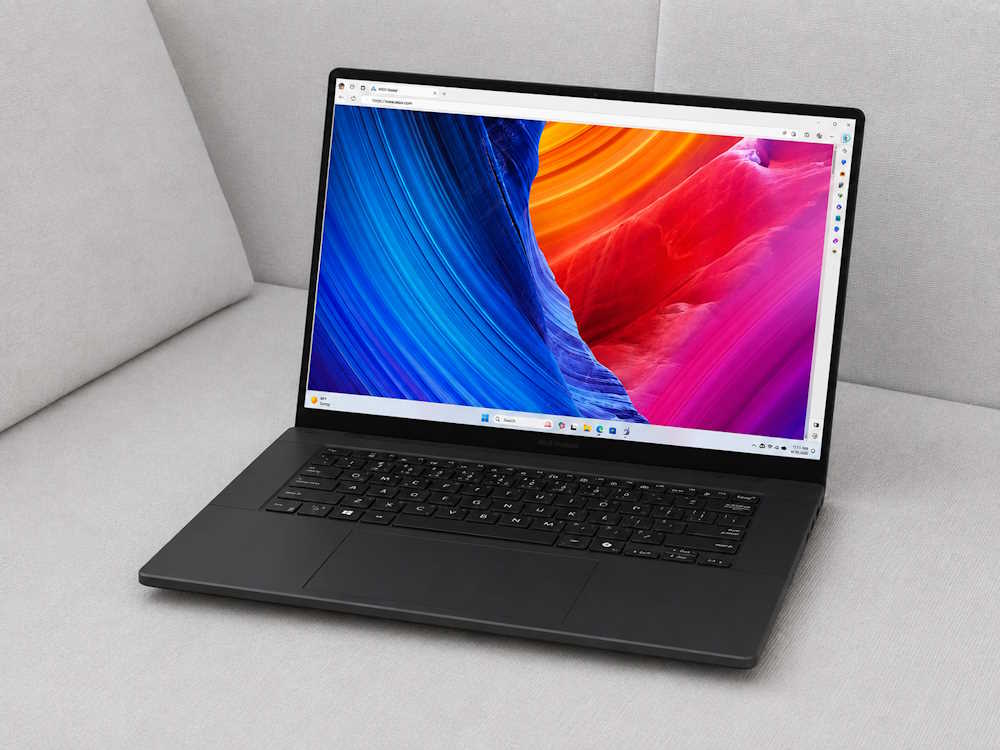
The ProArt P16 is the laptop I’d tell most AutoCAD users to buy without much hesitation. It pairs a Ryzen AI 9 HX 370 with an RTX 5070, a 4K OLED touchscreen, and a 90Wh battery in a chassis that’s genuinely portable for a 16-inch machine. Testing described its thermal management as effective and its overall performance as excellent, and in my own use that translated into smooth handling of dense 3D models without the fan noise or heat I’d expect from something this thin. I tested the RTX 5070/32GB/2TB configuration specifically, and it held up as a well-balanced system across the board.
The 4K OLED panel is the detail that pushed this to the top of the list. Architectural drawings and detailed models benefit from that resolution and color accuracy in a way a standard 1080p or 1440p panel simply can’t match. It isn’t cheap, running $2,000 to $3,000 depending on configuration, and I’d stop short of calling it the best value here. But as an all-around AutoCAD machine, nothing else in this lineup balances performance, display, and portability as well.
Features: Ryzen AI 9 HX 370; Nvidia RTX 5070 GPU; 4K OLED touchscreen; 90Wh battery; relatively thin 16-inch chassis.
Specs: CPU: AMD Ryzen AI 9 HX 370; GPU: Nvidia RTX 5070; RAM: up to 32GB; Storage: up to 2TB; Display: 16-inch 4K OLED, touch; Battery: 90Wh; Weight: ~4.6 lbs; OS: Windows 11.
Pros: Best overall balance of performance, display, and thermals; excellent CAD and rendering performance; high-resolution OLED ideal for detailed drawing work; relatively portable for its power class.
Cons: Expensive at higher configurations; not the value pick in this lineup.
Best Portable: ASUS ProArt PX13

When portability is the priority, I’d skip the usual 14-inch gaming laptops and go with the ProArt PX13 instead. It’s a compact convertible built around a workstation sensibility rather than a gaming one, and it still carries a discrete RTX GPU, which keeps it well ahead of anything running on integrated graphics alone. For an AutoCAD user who moves between job sites, client meetings, or just prefers working from a coffee shop, this is the machine that doesn’t force a total compromise on 3D performance to get there.
The trade-off is obvious once you set it next to the ProArt P16 or Legion Pro 7i: sustained performance and thermal headroom both take a step back in exchange for the smaller footprint. I wouldn’t run a long rendering pass on this and expect Legion-level numbers. But for day-to-day drafting and moderate 3D work in a genuinely portable body, it’s the clear pick.
Features: Convertible workstation-style chassis; discrete Nvidia RTX GPU; compact 13-inch footprint.
Specs: GPU: Nvidia RTX (discrete); Weight: ~2.9 lbs; OS: Windows 11.
Pros: Excellent portability without dropping to integrated graphics; convertible form factor adds flexibility.
Cons: Reduced sustained performance and thermal headroom compared with larger machines; less suited to heavy, prolonged 3D workloads.
Buying Guide for best-Rated Laptops for AutoCAD 2025
This section gives you an overview of what to expect in a suitable laptop for AutoCAD 2025, and we’ll be covering the following:
- Battery Life
- Processor/GPU performance
- Weight
- Heat Management
- Rendering Performance
Battery Life
Battery life is a big deal with productivity laptops, and you want to make sure the laptop should be able to carry you for extended working periods away from your desk. Most laptops are dubbed ‘desktop replacements‘. This means that the laptop is at par with a similarly specced desktop, and can compete with it in terms of processing power.
There’s an obvious relationship between the battery life of a laptop and the CPU/GPU power and performance. The more powerful your CPU/GPU is, then the less battery life you are bound to get, and vice versa. It could be tempting to go for the highest specced laptop with a powerful CPU and GPU, but you should understand that there will be a trade-off of battery life.
The best buying decision when it comes to productivity laptops is to get a laptop that will do the job, without the high-end, top-of-the-line hardware, and still get decent battery life. In this case, AutoCAD doesn’t require very powerful laptops with the best components to function. Even a laptop with integrated graphics can still give you good performance in AutoCAD.
If you are going to be using the laptop for AutoCAD alone, and you want long battery life, then go for the laptops without dedicated graphics, such as the LG Gram or Microsoft Surface Laptop. However, if you want to use the laptop for other things, such as gaming, video editing, and other CAD software, then get a high-end workstation laptop such as the MSI Creator.
RELATED ARTICLE

Best GPUs under 100 dollars – Full Review
We review the best entry-level graphics cards for under 100 dollars plus a full buying guide.
Processor and GPU Performance
AutoCAD requires a processor that clocks at least 2.1GHz and is also optimized to utilize multicore processors. Now there is no hard and fast rule for this because most processors released in the last couple of years meet this requirement.
For the GPU, AutoCAD doesn’t actually utilize the GPU for active work, such as drawing and rendering. So any type of GPU with at least 1GB of graphics memory will do just fine. AutoCAD doesn’t perform GPU rendering, so there’s no question of getting a laptop with a powerful GPU for that purpose.
Weight
The weight of the laptop you intend to use for AutoCAD work is also another factor worth considering. If you are always on the road and need something that will serve you, then it is best to go for the low-weight options above.
On the other hand, if you just want a desktop replacement, which will hardly be moved around, then a heavy workstation laptop is suitable. However, you should weigh your options before making a decision.
Heat management
You should also consider the heat output of the laptop. You don’t want to buy a laptop for AutoCAD only to find out that it’s a mini-furnace, and you are going to be carrying it on your lap often. The thing with heat is that all laptops produce it, just that some produce more, while others produce less. To mitigate such issues, it is best to get a cooling pad.
Concluding Thoughts
Having come this far, it’s quite obvious you should have made your choice for the best Laptops for AutoCAD 2025, from our curated list of productivity laptops. Is there any laptop that deserves to be on this list? Use the comment section to let us know.
AutoCAD drafting and drawing work great on the laptops we have reviewed so far, and we hope you made the right choice. However, if you still need help, drop a comment and we’ll respond to you. We have also reviewed 6 Workstation Laptops for Solidworks, and Gaming Laptops under 3000 dollars. You might want to check them out.
ALL ARTICLES